EasyManua.ls Logo

Panasonic CU-2473KR - Cooling Operation Mode

Panasonic CU-2473KR
22 pages
Print Icon
To Next Page IconTo Next Page
To Previous Page IconTo Previous Page
Loading...
@
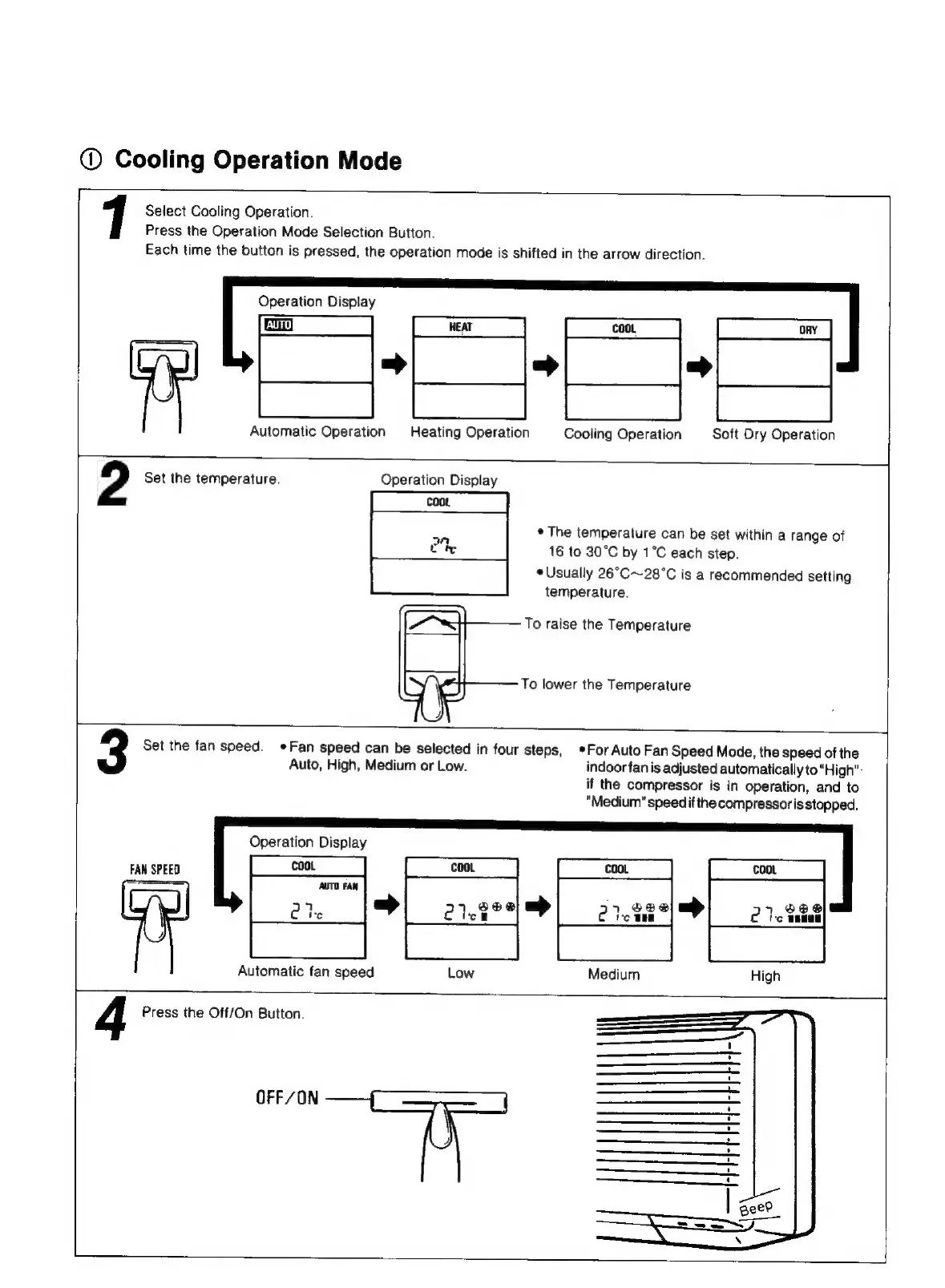
Cooling
Operation
Mode
-
1
Select
Cooling
Operation.
Press
the
Operation
Mode
Selection
Button.
Each
time
the
button
is
pressed,
the
operation
mode
is
shifted
in
the
arrow
direction.
|
:
a
oe
Automatic
Operation
a=
Operation
a
Operation
a!
Dry
Operation
2
Set
the
temperature.
Operation
Display
=
*
The
temperature
can
be
set
within
a
range
of
Ct
16
to
30°C
by
1°C
each
step.
¢
Usually
26°C~28°C
is
a
recommended
setting
temperature.
To
raise
the
Temperature
To
lower
the
Temperature
*For
Auto
Fan
Speed
Mode,
the
speed
of
the
Set
the
fan
speed.
Fan
speed
can
be
selected
in
four
steps,
Auto,
High,
Medium
or
Low.
indoor
fan
is
adjusted
automatically
to
"High":
if
the
compressor
is
in
operation,
and
to
"Medium"
speedif
the
compressoris
stopped.
Operation
Display
FAN
SPEED
Low
Medium
High
Automatic
fan
speed
4
Press
the
Off/On
Button.
OFF/ON

Related product manuals