EasyManua.ls Logo

Panasonic CU-2473KR - Page 15

Panasonic CU-2473KR
22 pages
Print Icon
To Next Page IconTo Next Page
To Previous Page IconTo Previous Page
Loading...
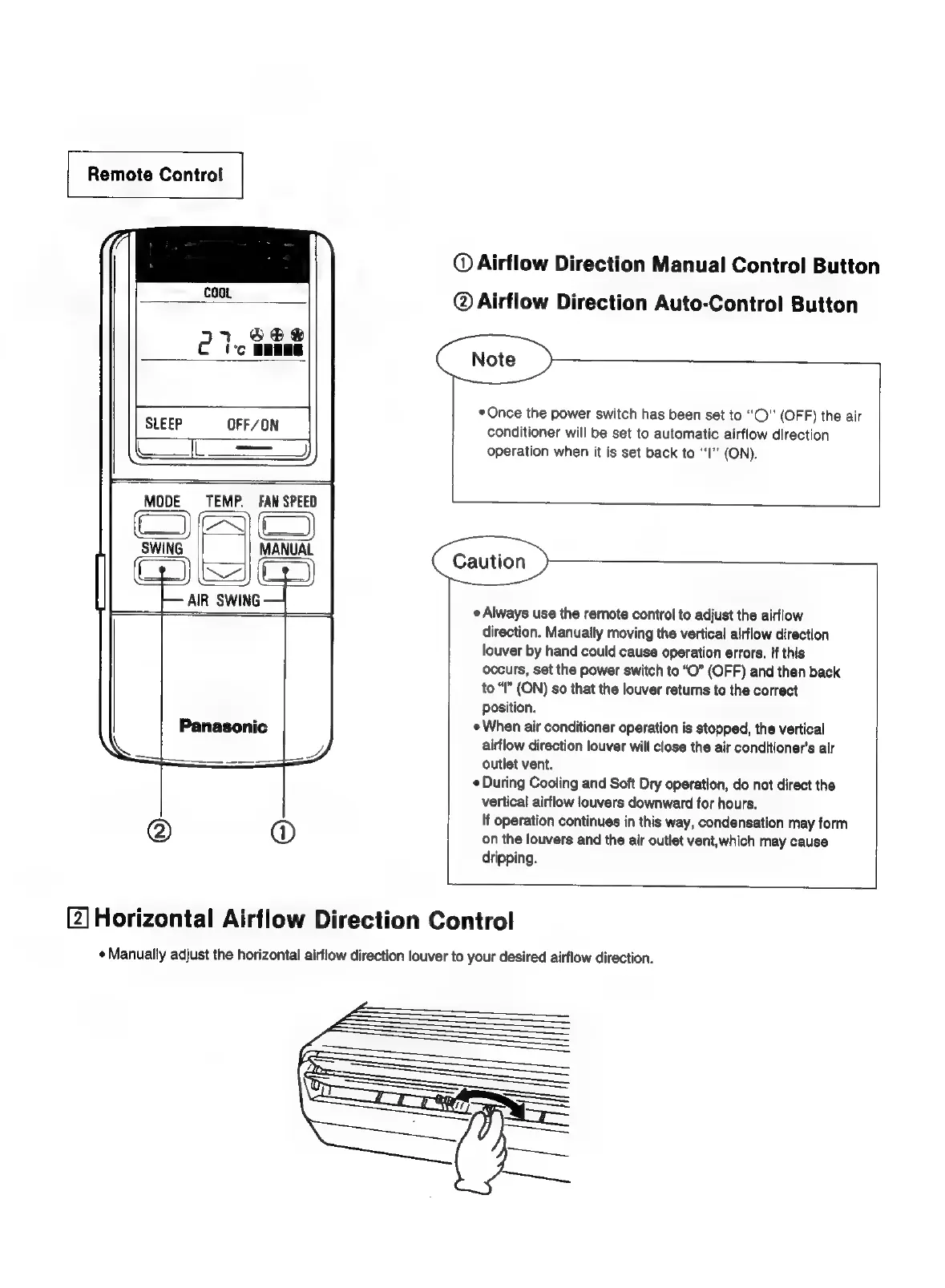
Remote
Control
©
Airflow
Direction
Manual
Control
Button
Coot
@
Airflow
Direction
Auto-Control
Button
el
SO®@
''c
BEERS
leven
greaee
|
*
Once
the
power
switch
has
been
set
to
“O”
(OFF)
the
air
LEEP
OFF/ON
conditioner
will
be
set
to
automatic
airflow
direction
operation
when
it
is
set
back
to
‘I’
(ON).
MODE
TEMP.
FAN
SPEE
Caution
Always
use
the
remote
control
to
adjust
the
airflow
direction.
Manually
moving
the
vertical
airflow
direction
louver
by
hand
could
cause
operation
errors.
if
this
occurs,
set
the
power
switch
to
“O”
(OFF)
and
then
back
to
“I”
(ON)
so
that
the
louver
returns
to
the
correct
position.
When
air
conditioner
operation
is
stopped,
the
vertical
airflow
direction
louver
will
close
the
air
conditioner’s
air
outlet
vent.
«During
Cooling
and
Soft
Dry
operation,
do
not
direct
the
vertical
airflow
louvers
downward
for
hours.
If
operation
continues
in
this
way,
condensation
may
form
on
the
louvers
and
the
air
outlet
vent,
which
may
cause
dripping.
Panasonic
[2]
Horizontal
Airflow
Direction
Control
¢
Manually
adjust
the
horizontal
airflow
direction
louver
to
your
desired
airflow
direction.

Related product manuals