EasyManua.ls Logo

Panasonic CU-M1403KE - Page 15

Panasonic CU-M1403KE
31 pages
Print Icon
To Next Page IconTo Next Page
To Previous Page IconTo Previous Page
Loading...
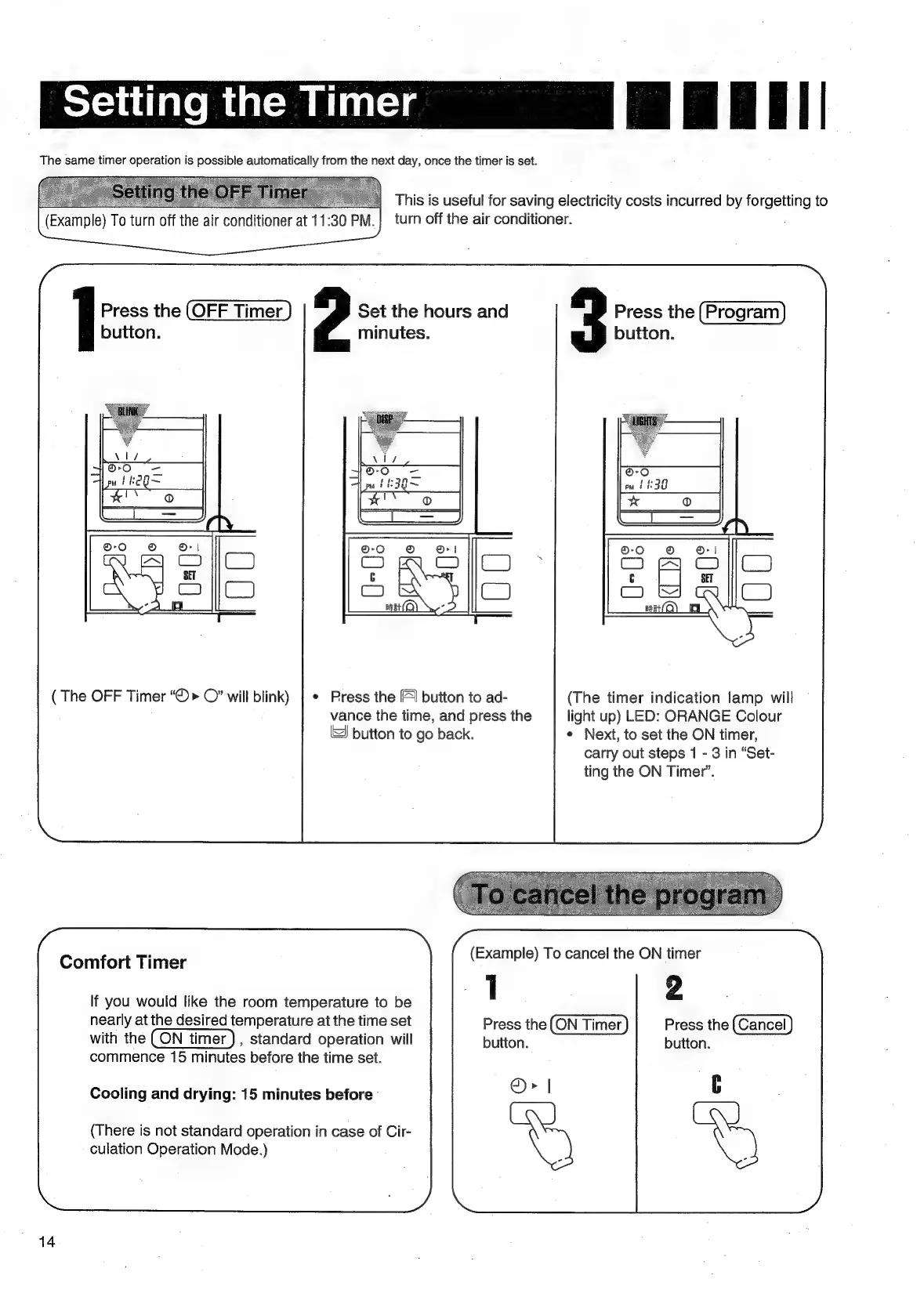
Setting
the
Timer
|
Baail|
The
same
timer
operation
is
possible
automatically
from
the
next
day,
orice
the
timer
is
set.
ie
:
This
is
useful
for
saving
electricity
costs
incurred
by
igen
to
(Example)
To
turn
off
the
air
conditioner
at
11:30
PM.|
turn
off
the
air
conditioner.
Press
the
(OFF
Timer
Set
the
hours
and
Press
the
button.
minutes.
button.
(
The
OFF
Timer
“©>
©”
will
blink)
|
*
Press
the
|
button
to
ad-
(The
timer
indication
lamp
will
vance
the
time,
and
press
the
light
up)
LED:
ORANGE
Colour
‘SJ
button
to
go
back.
*
Next,
to
set
the
ON
timer,
carry
out
steps
1
-
3
in
“Set-
ting
the
ON
Timer”.
(Example)
To
cancel
the
ON
timer
If
you
would
like
the
room
temperature
to
be
1
2
nearly
at
the
desired
temperature
at
the
time
set
Press
the
Press
the
with
the
,
standard
operation
will
button.
button.
commence
15
minutes
before
the
time
set.
Comfort
Timer
Cooling
and
drying:
15
minutes
before
-
(There
is
not
standard
operation
in
case
of
Cir-
culation
Operation
Mode.)
14

Related product manuals