
 Need help?
Do you have a question about the Panasonic CZ-RTC4A and is the answer not in the manual?
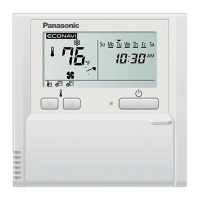
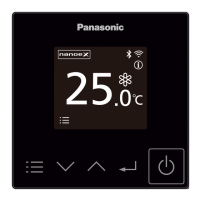
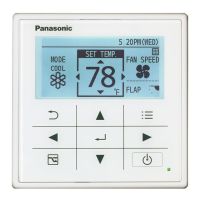
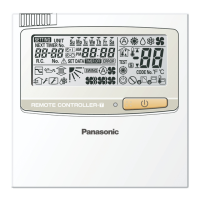
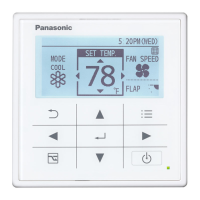
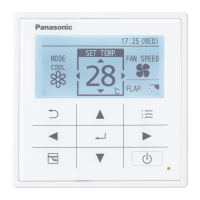
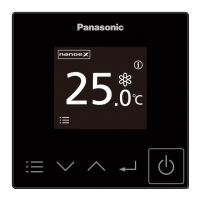
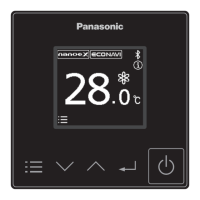
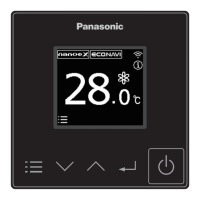
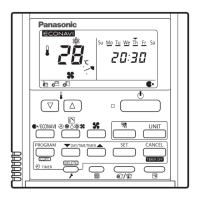
Identifies and describes the buttons and indicators on the remote controller's main panel.
Details the various icons, indicators, and information displayed on the remote controller's screen.
Guides on turning on the unit and selecting basic operation modes like AUTO, HEAT, DRY, COOL, and FAN.
Explains how to adjust the desired temperature using the temperature setting buttons.
Describes how to change the fan speed settings, including auto, low, medium, and high.
Instructions on how to adjust the flap position to control air direction.
Step-by-step guide to set the current day and time on the remote controller.
How to view or confirm the programmed timer settings for each day of the week.
Detailed steps for modifying existing program timer settings for hours, minutes, and patterns.
Procedure to remove a specific program timer setting for a selected day and timer number.
Instructions on how to temporarily disable all timer settings for more than one week.
Guide on how to copy timer programs from one day to another day.
Lists common troubles and their possible causes or remedies before contacting service.
Explains how the outing function prevents extreme room temperatures when the room is unoccupied.
Describes the status indications for the outing function (Off, Flashing, Lighting).
Steps to set the upper and lower temperature limits for the outing function.
How to deactivate or cancel the currently set outing function.
Shows how the remote control display looks when setting the off timer for the sleeping function.
Illustrates the remote control display during the active sleeping function operation.
Instructions on how to stop the sleeping function prematurely, including button operations.
Explains how the ECONAVI sensor detects human activity to conserve energy and adjust temperature.
How to enable or disable the nanoe™ X and ECONAVI features using the remote controller.
Addresses issues where the unit fails to start operation when the Start/Stop button is pressed.
Covers problems related to the remote controller screen display, including flashing icons or blank screens.
This document describes the operating instructions for the Panasonic Timer Remote Controller, Model No. CZ-RTC4A. It provides comprehensive guidance on its functions, usage, and maintenance.
The Panasonic Timer Remote Controller CZ-RTC4A is designed to manage and control Panasonic indoor air conditioning units. Its primary function is to allow users to set and adjust various operational parameters of the air conditioner, including temperature, fan speed, operation mode, and air direction. A key feature is its weekly program function, which enables users to schedule up to 6 programs per day and 42 programs per week, automating the air conditioner's operation based on a predefined schedule. This includes setting specific start/stop times and temperature changes for different days.
The remote controller also incorporates an "Outing Function" to prevent extreme room temperatures when no one is present. This function automatically adjusts the air conditioner's operation to maintain a moderate temperature range, saving energy. For example, in cooling mode, it will start operation if the room temperature increases to -1°C of the upper limit and stop if it decreases to -2°C of the upper limit. In heating mode, it starts if the temperature drops to +1°C of the lower limit and stops if it rises to +2°C of the lower limit.
Another notable feature is the "Sleeping Function," which aims to provide a comfortable sleep environment by gradually adjusting the room temperature over a set period, typically from 1 to 10 hours. This function helps optimize comfort and energy consumption during sleep.
The remote controller supports the "ECONAVI Function," which, when paired with an optional ECONAVI sensor, detects human activity and adjusts the air conditioner's operation to conserve energy. It differentiates between high activity, low activity, and no one in the room, modifying target temperatures accordingly. For instance, with high activity, the target temperature remains as set, but with low activity, it might increase by 1°C in cooling or decrease by 1°C in heating. If no one is detected for 20 minutes, the temperature adjusts further (e.g., +2°C in cooling, -2°C in heating). After 3 hours of no presence, it can switch to fan-only mode or stop operation entirely, depending on the chosen setting.
Additionally, the device supports the "nanoe™X/ECONAVI Function," allowing users to turn this air purification and energy-saving feature on or off.
The remote controller's interface includes a control panel with a screen display and various buttons for intuitive operation.
To set the present time, users press and hold [SET] for more than 2 seconds, then use [▼/▲] to select the day, hour, and minute, confirming each step with [SET].
The weekly program function involves selecting a day, a timer number (1 to 6), and then setting the hour, minute, and one of four program patterns. These patterns define whether the unit starts, stops, or changes temperature at the programmed time. Programs can be deleted or invalidated as needed. The copy function allows users to duplicate preset programs to other days.
The Outing Function is activated by pressing and holding [Ventilation] for more than 2 seconds, then setting upper and lower temperature limits using [∇/△] and [SET]. It can be canceled by repeating the same action.
The Sleeping Function is engaged by pressing [Sleeping], which cycles through off-timer options (1 to 10 hours), and then pressing [SET]. It can be canceled by pressing [Sleeping] again or by using the [Start/Stop] or [Mode select] buttons.
The nanoe™X/ECONAVI function is toggled on/off by pressing the [nanoe™X/ECONAVI] button.
The manual emphasizes the importance of reading the operating instructions and safety precautions thoroughly. It advises users to keep the manual in an easily accessible place for future reference and to transfer it to new users if applicable.
For troubleshooting, the manual provides a table of common issues and their remedies. For instance:
The manual also includes a "Filter Reset" button (8) to clear the filter sign ( ) after cleaning the filter, ensuring optimal performance.
Safety precautions highlight the importance of not using the appliance in potentially explosive atmospheres, not attempting self-repair, and disconnecting power in emergencies. It also warns against operating with wet hands or washing the unit with water. For the ECONAVI function, a specific warning is given: "Do not use the ECONAVI function in a room with disabled persons or infants only. Due to their limited motions, the ECONAVI sensor may judge no person is present, causing the indoor unit to stop the operation."
 General
| Display | LCD |
|---|---|
| Type | Wired |
| Compatibility | Panasonic Air Conditioners |
| Power Supply | Supplied from indoor unit |
| Features | Timer |
| Remote Control Range | N/A (Wired) |


 To Next Page
