35
(EN)
8
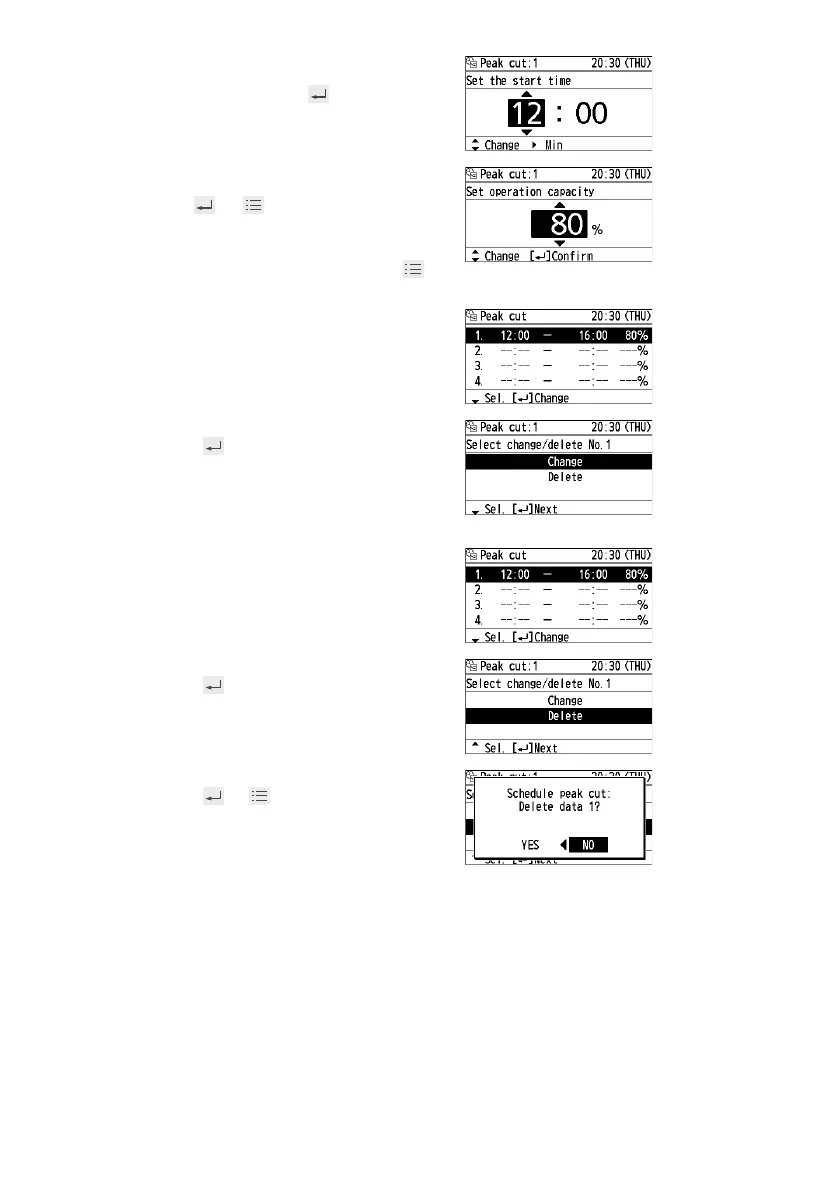
Set the start time and end time.
▲ ▼ → ► → ▲ ▼ →
(Repeat)
9
Select the operation capacity.
▲ ▼ →
→
(Press 2 times to fi nish.)
To set in series
Repeat from step 4 without pressing .
To change
• Select the fi eld to change in step 7
above.
• Select [Change].
▲ ▼ →
• Following the above steps 8 to 9,
select the start time, end time and
operation capacity.
To delete
• Select the fi eld to delete in step 7
above.
• Select [Delete].
▲ ▼ →
• Select [YES].
◄ ► → →
(Press 2 times to fi nish.)








 To Next Page