Advanced (Playback)
- 102 -
[PLAYBACK] mode: ¸
Creating still pictures from a motion picture
You can create a single still picture (with 1 screen or 9 screens) from a recorded motion
picture. This is effective in moving scenes when you want to look carefully at the
movement of a sportsperson etc.
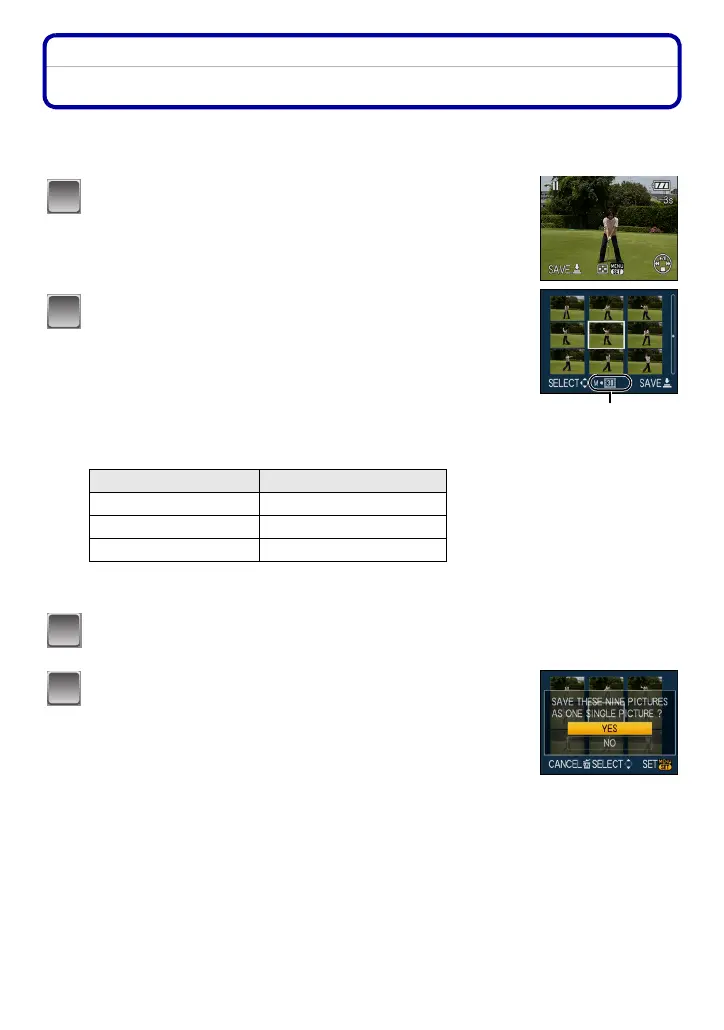
Press 3 to pause motion picture playback.
• To save the displayed image as 1 picture > go to step 3
• To save the motion picture as 1 picture with 9 screens > go to
step
2
Press [MENU/SET] to display the 9 screens
playback screen.
A: 30 frames: Display image every 1/30 second as picture
To advance frame-by-frame
3/4: Advance every 3 frames
2/1: Advance every 1 frames
Change the number of frame rate per second
Turn the zoom lever toward [L] (W)
To end 9 screen display
Press [MENU/SET]
Press the shutter button.
Press 3 to select [YES] and then press
[MENU/SET].
Quality Frame rate per second
÷/ù/ý/ÿ 30>15>10>5
ü 15>5
ö/ø/þ 10>5
1
A
2
3
4














 To Next Page