- 39 -
Basic
[REC] mode: ·
Taking pictures with your favourite settings
(Normal picture mode)
Many more menu items can be set and you can take pictures with greater freedom than
when you take pictures in the Intelligent auto mode (P35).
∫ To adjust the exposure and take pictures at times when the image appears too
dark (P58)
∫
To adjust the colours and take pictures at times when the image appears too red
(P82)
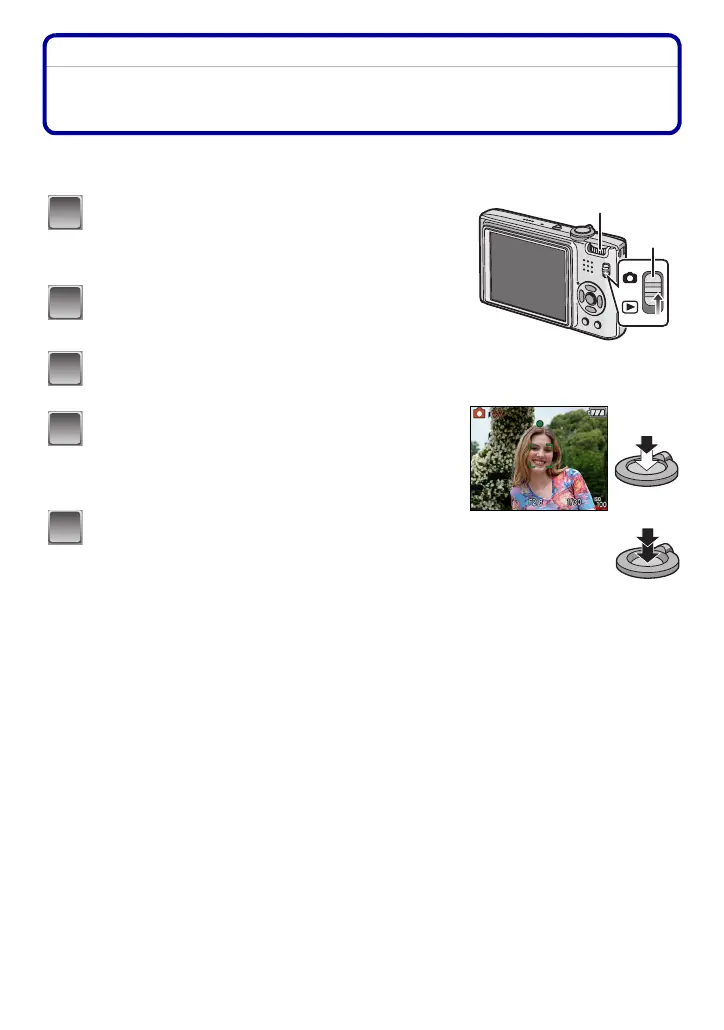
Slide the [REC]/[PLAYBACK] selector
switch to [!].
A Mode dial
B [REC]/[PLAYBACK] selector switch
Set the mode dial to [·].
• To change the setting while taking pictures, refer to
“Using the [REC] Mode Menu” (P78).
Aim the AF area at the point you want to
focus on.
Press the shutter button halfway to focus.
• The focus range is 50 cm to ¶.
• If pictures are to be taken at an even closer range,
refer to
“Taking Close-up Pictures” (P56).
Press the halfway pressed shutter button
fully to take a picture.
•
The access indication lights (P19) red when pictures
are being recorded on the built-in memory (or the card).
1
2
3
B
4
5














 To Next Page