- 15 -
Preparation
About the Battery (charging/number of recordable pictures)
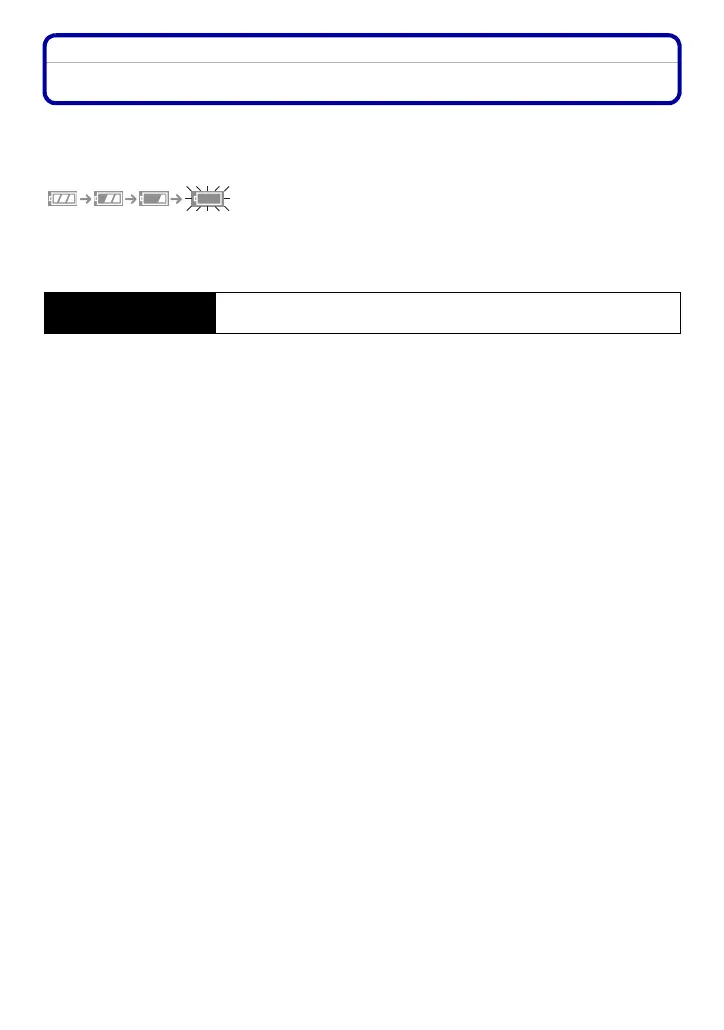
∫ Battery indication
The battery indication is displayed on the LCD monitor.
[It does not appear when you use the camera with the AC adaptor (optional) connected.]
•
The indication turns red and blinks if the remaining battery power is exhausted. (The status
indicator blinks when the LCD monitor turns off.) Recharge the battery or replace it with a fully
charged battery.
∫ The battery life
Recording conditions by CIPA standard
•
CIPA is an abbreviation of [Camera & Imaging Products Association].
• Temperature: 23 oC/Humidity: 50% when LCD monitor is on.
¢
• Using a Panasonic SD Memory Card (16 MB).
• Using the supplied battery.
• Starting recording 30 seconds after the camera is turned on. (When the optical image stabilizer
function is set to [MODE2].)
• Recording once every 30 seconds with full flash every second recording.
• Rotating the zoom lever from Tele to Wide or vice versa in every recording.
• Turning the camera off every 10 recordings and leaving it until the temperature of the battery
decreases.
¢ The number of recordable pictures decreases in Auto Power LCD mode, Power LCD mode
and High angle mode (P28).
Number of recordable
pictures
Approx. 290 pictures (Approx. 145 min)
(By CIPA standard in normal picture mode)













 To Next Page