Wi-Fi/NFC
Operating the camera using a smartphone/tablet
SQW0206
- 209 -
■
Writing location information to a picture
Preparations:
(On the camera)
Set [NFC Operation] to [ON] (→259)
(On your smartphone)
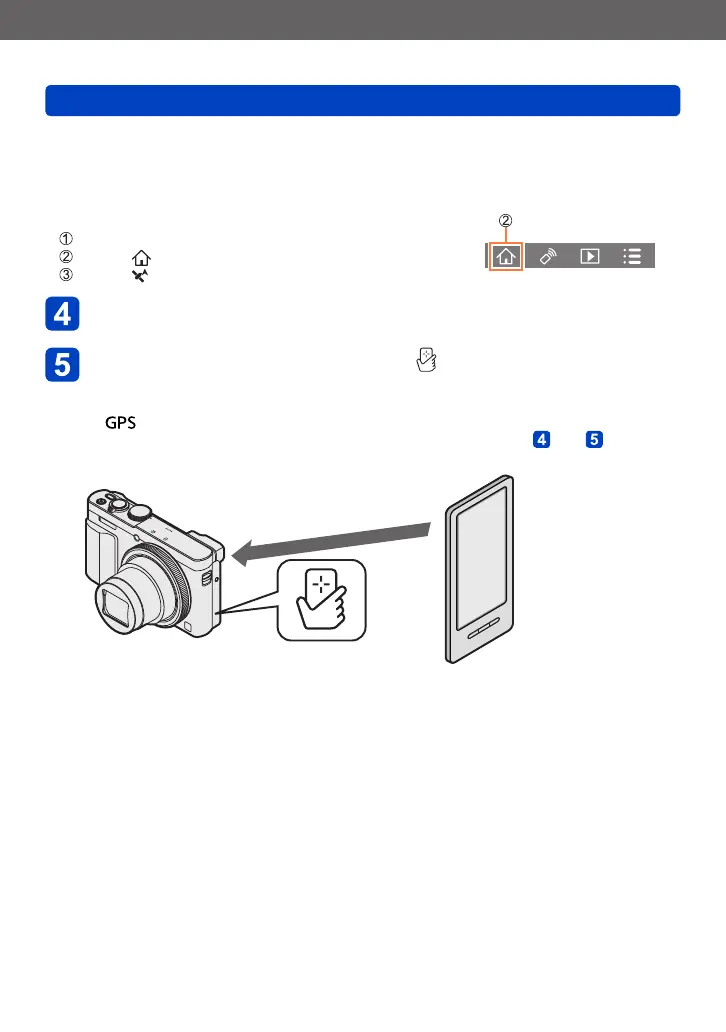
Start “Image App”
Select [ ]
Select [ ]
Play back the recorded pictures (→53)
Hold the smartphone close to the [ ] on this unit
• The location information is written to the picture being played back.
• Writing the location information may take several minutes.
• [ ] is displayed for pictures that have location information written to it.
• To write location information to several pictures, repeat steps and .
(You cannot write location information to several pictures at once.)
Hold the smartphone close to this area
(within 5 mm (0.20 inch))









 To Next Page