Wi-Fi/NFC
[Wi-Fi Setup] menu
SQW0206- 259 -
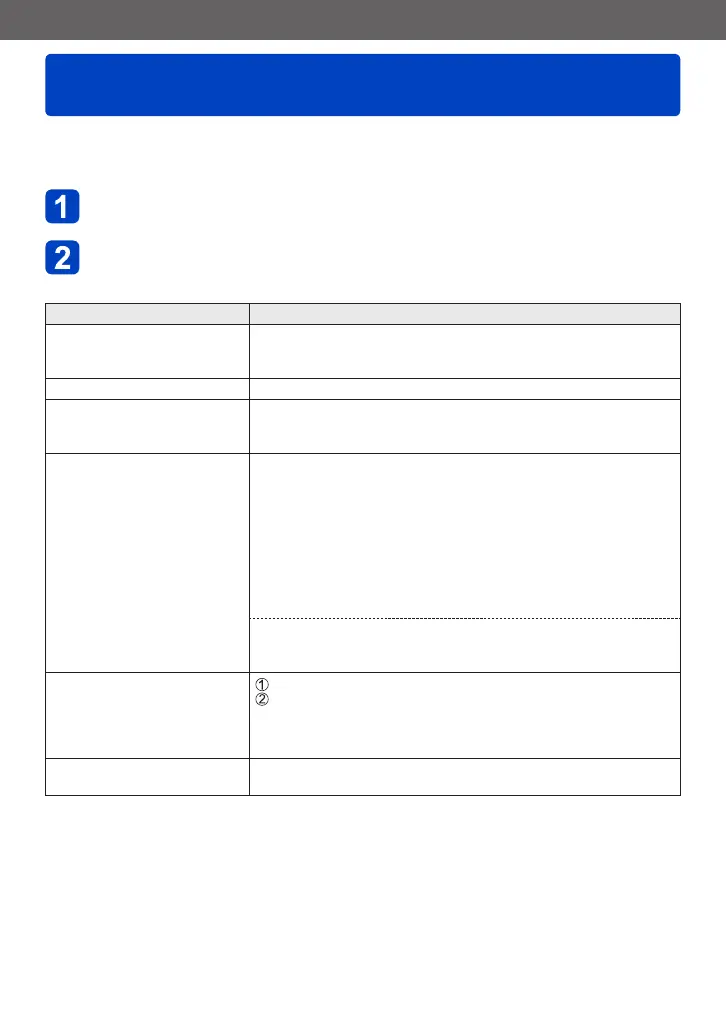
Configure the settings required for the Wi-Fi function.
[Wi-Fi Setup] cannot be changed when connected to Wi-Fi. (excluding [Network Address])
• For details on how to select the [Setup] menu settings, refer to (→61).
Select [Wi-Fi Setup] in the [Wi-Fi] menu
Use cursor button to select item, and press [MENU/SET]
Item Description
[Wi-Fi Password]
Use a password to directly
connect to your smartphone.
[ON]: Establishes a Wi-Fi connection using a password.
[OFF]
• For details (→196).
[Smart Transfer] • For details (→242).
[LUMIX CLUB]
Acquires or changes the
“LUMIX CLUB” login ID.
• For details (→237).
[PC Connection]
You can set the workgroup.
You must connect to the same workgroup as the destination
computer when sending pictures to the computer.
(The default is set to “WORKGROUP”.)
[Change Workgroup Name]:
Enter the workgroup of the connecting computer. Close the menu
after changing settings.
[Restore to Default]:
Returns settings to default settings. Confirmation screen is
displayed. It is executed when [Yes] is selected.
Exit the menu after it is executed.
• Refer to “Entering Text” (→76) for information on how to enter text.
• To use with a computer of the standard settings, you do not have
to change the workgroup.
[Device Name]
You can change the name of
this unit.
Press [DISP.] button
Enter the desired device name
• Refer to “Entering Text” (→76) for information on how to enter
text.
• Up to 32 characters can be entered.
[NFC Operation]
Makes NFC function setting.
[ON]: The NFC function works.
[OFF]
(Continued on the next page)









 To Next Page