15
3. Update the unit
(1)Turn the unit power on.
(2)After the home screen is displayed, insert the USB device stored downloaded latest firmware file to front USB port of the
unit.(or set the CD-R into the unit and playback it.)
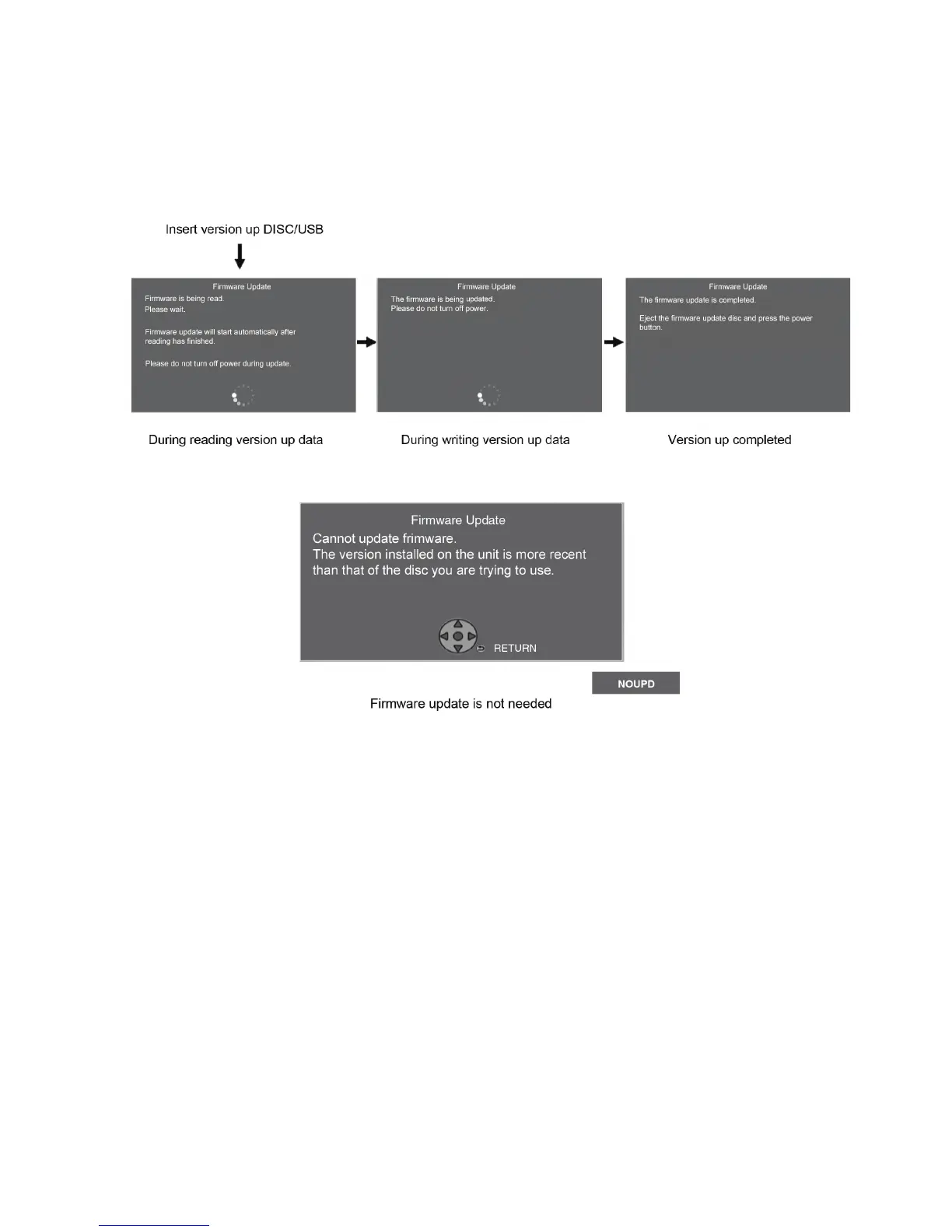
(3)The screens are displayed as below.
[Screen transition]
(if the following screen is displayed,the unit has already been updated the latest version of firmware.)
(4)Remove the USB device (or the CD-R) and press the [POWER] button to turn the unit off.
(5)Turn the unit on and home screen displayed, the firmware update is completed.










 To Next Page