31
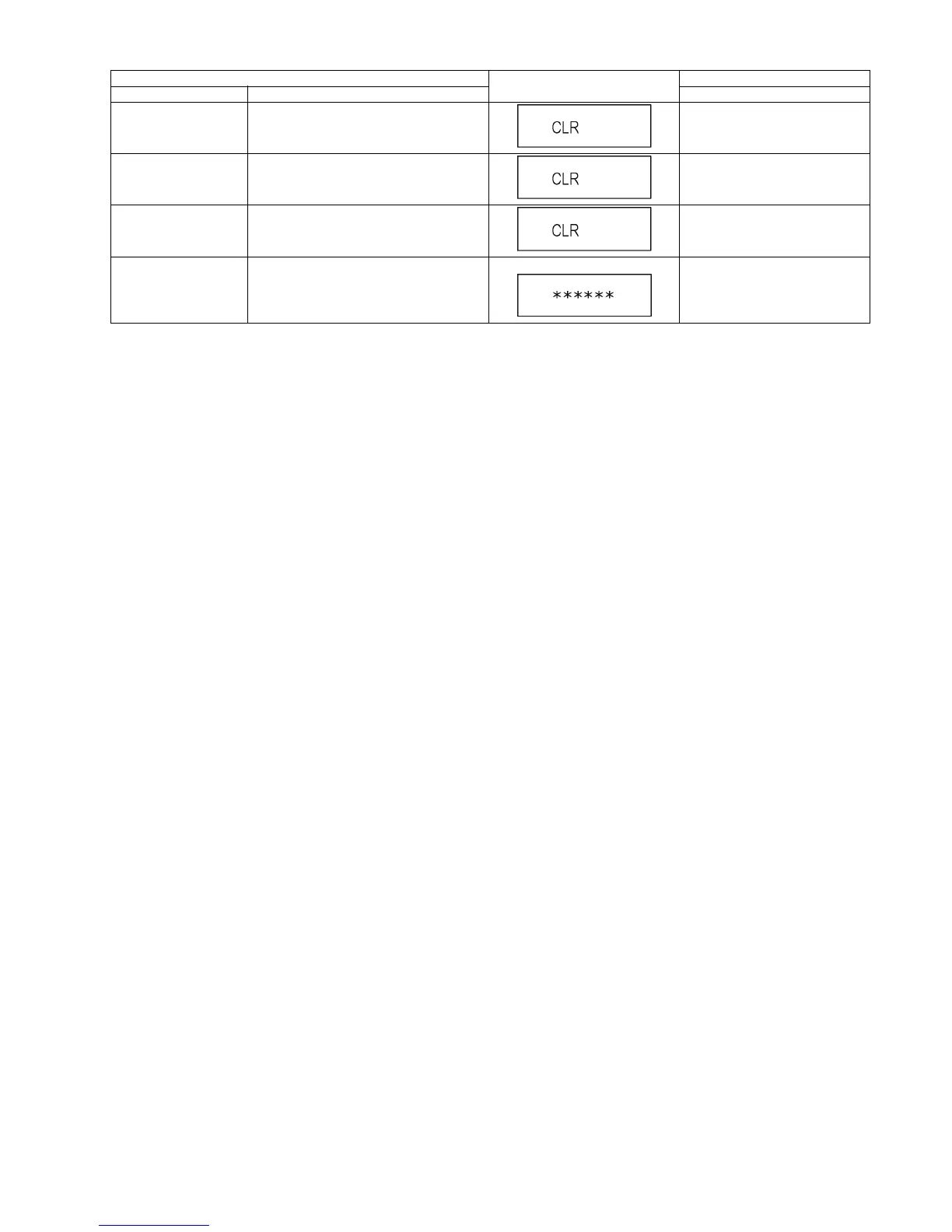
Delete the Error History Error History information stored on the unit is
deleted.
Press [9] [7] in service mode.
Initialization of Error code Last Error Code information stored by timer is
deleted. (Write in F00)
Press [9] [8] in service mode.
Initialization of the
Service Mode
Last Drive Error, Error History and Error code
information stored on the unit are initialized to
factory setting.
Press [9] [9] in service mode.
Release Service Mode Release Service Mode and turns the Power
Off.
Display in STOP (SS) mode. Press [POWER] button on the front
panel or Remote controller in ser-
vice mode.
Item
TV display
Key operation
Mode name Description (Remote controller key)










 To Next Page