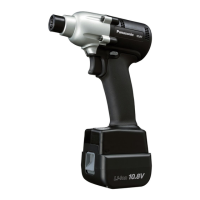
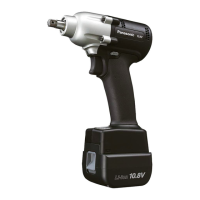
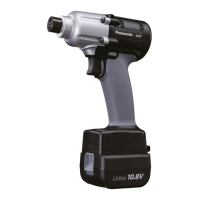
EYFLA4 | EYFLA5 | EYFLA6 | EYFMA1
Quick Programming guide
L1: Stage 1 Select stage with +/-button. Initial setting is 「L1」
L2: Stage 2 L1: For applications with no pulses before the flush point (fragile material)
L2: For applications when the tool pulses before achieving flush point
1 time Restore Factory Defaults F All settings return to initial setting. On "F" press "Save" (Blue Button)
C0: OFF Select stage with +/-button. Initial setting is 「C0」
In the event that wireless communication cannot be completed between the tool and the
qualifier, the tool will be disabled and cannot be operated.
D
1 time Tool Model Number Model Number Will display model number
Select stage with +/-button. Initial setting is 「F」
Flush Detection Mode
Setting
Select stage with +/-button. Initial setting is 「0」
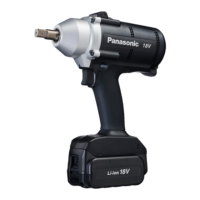
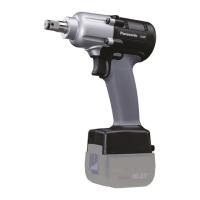
EYFNA1 | EYFPA1
Quick Programming guide
L1: Stage 1 Select stage with +/-button. Initial setting is 「L1」
L2: Stage 2 L1: For applications with no pulses before the flush point (fragile material)
L2: For applications when the tool pulses before achieving flush point
0~30 = Off Select stage with +/-button. Initial setting is 「0」
1~3.0 = .1 to 3.0 sec If the clutch is activated before the programmable minimum runtime,
the tool alerts the operator to a NOK fastening. (0.1sec. per stage)
P0: Variable speed (ON) Select stage with +/-button. Initial setting is 「P0」
P1: Single speed (OFF) Speed can be controlled by use of the trigger.
1 time Restore Factory Default F All settings return to initial setting. On "F" press the "Save" (Blue Button)
0~99 = Off Select stage with +/-button. Initial setting is 「0」
When total fastening times are within 1 hour of preset maintenance interval, tool’s display blinks
notifying the operator.
Run Downs Once tool reaches the preset interval, the tool is looked out from further use.
C0: OFF Select stage with +/-button. Initial setting is 「C0」
In the event that wireless communication cannot be completed between the tool and the
qualifier, the tool will be disabled and cannot be operated.
R0: OFF Select stage with +/-button. Initial setting is「R0」
Tool first reverses 360 degree, aligning the threads, greatly reducing the possibility of cross
threads.
Maintenance interval alarm
Out of range disable
function
Select stage with +/- button. Initial setting is 「d1」
Select stage with +/-button. Initial setting is 「F」
Flush (Snug torque)
detection mode setting
Select stage with +/-button. Initial setting is 「b0」
Mechanical Pulse
Panasonic Life Solutions Company of America Assembly Tools Division
2 Riverfront Plaza 5
th
Floor Newark, NJ 07102
www.panasonic.com/assemblytools



 To Next Page