Quick Guide To Programming
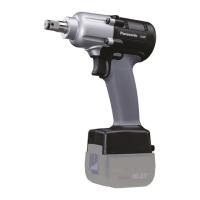
Low Torque Clutch Tool EY7411
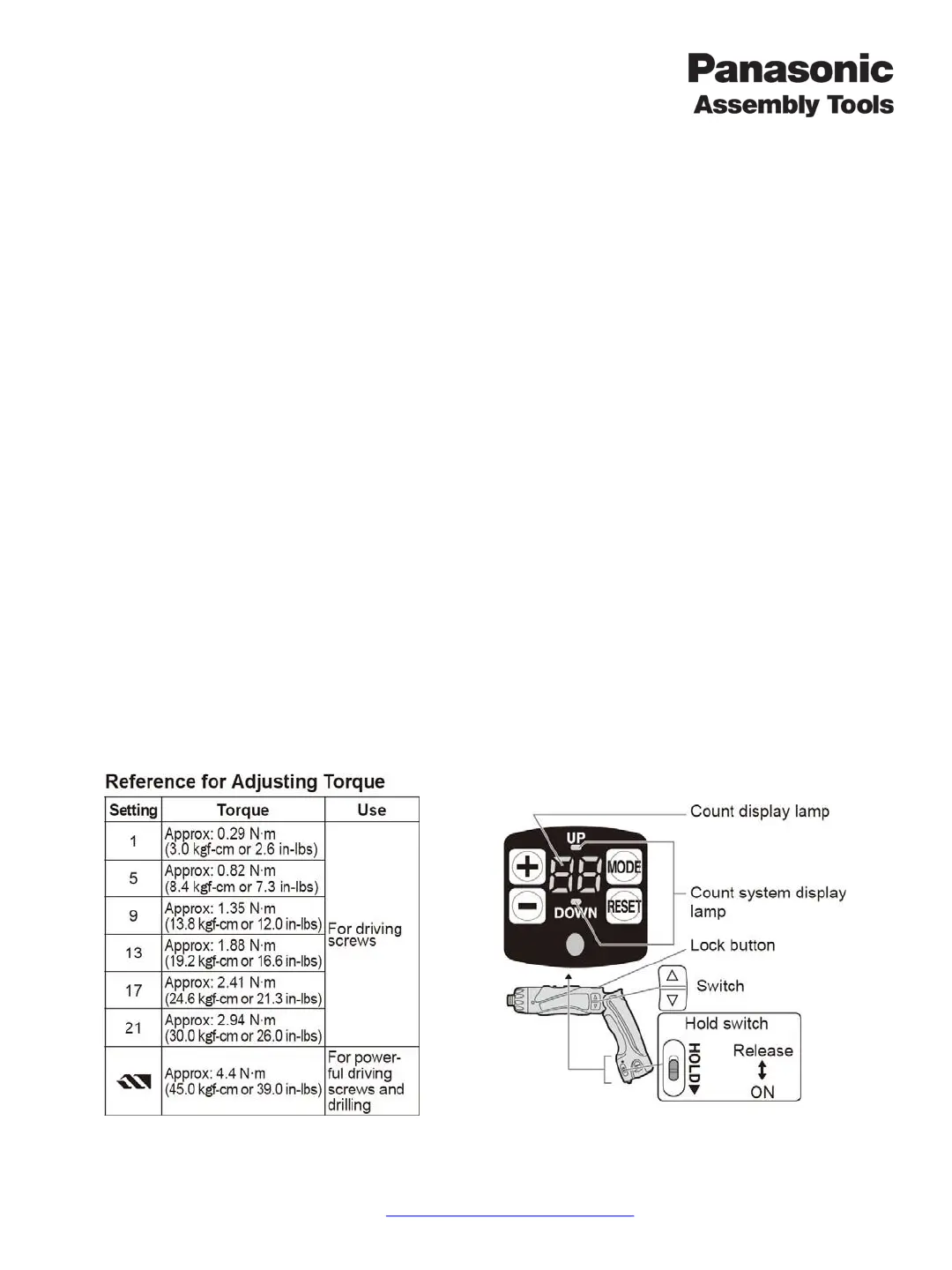
Adjusting The Clutch
No tools are required.
1. Rotate the clutch handle to adjust the clutch to the desired torque.
2. Rotating the clutch adjustment tool clockwise will increase torque and counter clockwise to decrease torque.
Programming a EY7411 Clutch Tool
Panasonic remote control is not required.
1. Enable Programming Mode – Slide the “Hold Switch” up to enable program mode and press the forward/reverse
switch to illuminate the control panel. The count display lamp and “Up” or “Down” are illuminated.
2. Edit Count Function – Press “Mode” while the control panel is illuminated.
a. Screw Count Setting – Set the number of screws with “+” or “-“. The range can be set within 0-99, 0 is
not counted.
b. Count System Up or Down – Press the “Mode” button to change the direction of counting screws. “+”
(Up) or “-“ (Down).
3. Edit Buzzer Function – Press “Mode” for 2 or more seconds while the control panel is illuminated. Count “F1”
should be displayed. Press the “+” or “-“ to change the buzzer sounds.
(b0=No Sound (Off) / b1=Low Pitched Sound / b2=Medium Pitched Sound / b3=High Pitched Sound)
4. Edit Rehit Function – Press “Mode” for 2 or more seconds while the control panel is illuminated. Count “F1”
should be displayed. Press the “Mode” button again to illuminate “F2”. Press the “+” or “-“ to change the time.
(0=Off / 1=0.1 Seconds / 30=3 Seconds)
5. Save & Exit – Slide the “Hold Switch” down to exit programming mode.
Panasonic Life Solutions Company of America Assembly Tools Division
2 Riverfront Plaza 5
th
Floor Newark, NJ 07102
www.panasonic.com/assemblytools




 To Next Page