Checking the torque clutch setting
Press the A button.
• Control panel display
Display: The torque set lights up.
Battery indication lamp: The upper bar of
the battery flashes on and off.
Checking the interval
Press the B button.
• Control panel display
Display: The interval set lights up.
Battery indication lamp: The middle bar of
the battery flashes on and off.
Checking tool circuits
Press the D button.
• Control panel display
Display: The torque set display lights up.
Battery indication lamp: The middle and
lower bars of the battery flash on and off.
Display Tool circuit
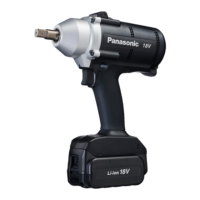
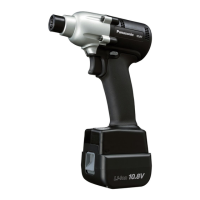
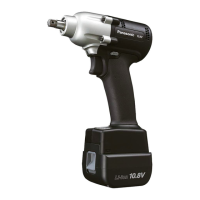
H6 EYFLA4
H7 EYFLA5
H8 EYFLA6
H9 EYFMA1
NOTE:
If you engage the switch while a setting
is being displayed, the control panel will
revert to the torque clutch setting display.
CAUTION:
The torque set display is not intended to
be used to identify the type of drive com-
ponent parts (hammer, etc.) used in a par-
ticular tool.
Checking Tool Settings
(EYFLA7, EYFLA8, EYFLA9,
EYFMA2)
• This section describes how to have the
The current set value will display for
another 2 seconds after the tool stops
operation.
• The set status cannot be checked when
the tool panel is off. You can press the
trigger switch once to turn on the panel.
Initializing all settings
Factory settings
• Torque clutch setting: “F” (torque control
function off)
• Interval setting: U or 0 (OFF)
[EYFLA9, EYFMA2]
• Snug point detection level → L1
• Cross thread reduction function → R0
• Rundown error detecting function → 0
• Tightening time reminder → 0
• Radio signal range limitation function
→ C0
• Buzzer setting → b0
• LED light setting → d1
• Speed control setting → P0
• Undetect time setting → J0
• Impact speed setting corresponding to
the length of the socket used → h0
• This section explains how to revert all tool
settings to their default values at the time of
shipment from the factory.
• The error display will be turned off.
1. Set the tool to the setting configuration
mode.
(See page 18.)
2. Press the C button.
The control panel will begin flashing.
Display: The letter “F” flashes on and off.
Battery indication lamp: The upper and
lower bars of the battery flash on and off.
[Fig.34]
3. Press the OK button to accept the
selected setting.
The control panel will stop flashing and
light up.
Checking Tool Settings
(EYFLA4, EYFLA5, EYFLA6,
EYFMA1)
• This section describes how to have the
tool display current settings for approx-
imately 3 seconds when the tool is
stopped.
• You cannot check tool settings when
the control panel is turned off. First,
engage the switch briefly to reactivate
the display.




 To Next Page