•
For optimum battery life, store the Li-ion bat-
tery pack following use without charging it.
•
When operating the battery pack, make sure
the work place is well ventilated.
For safe use
• The battery pack is designed to be installed
by proceeding two steps for safety. Make
sure the battery pack is installed properly to
the main unit before use.
[Battery Pack]
For Appropriate Use of Bat-
tery Pack
[Fig.35]
• The rechargeable batteries have a limited
life.
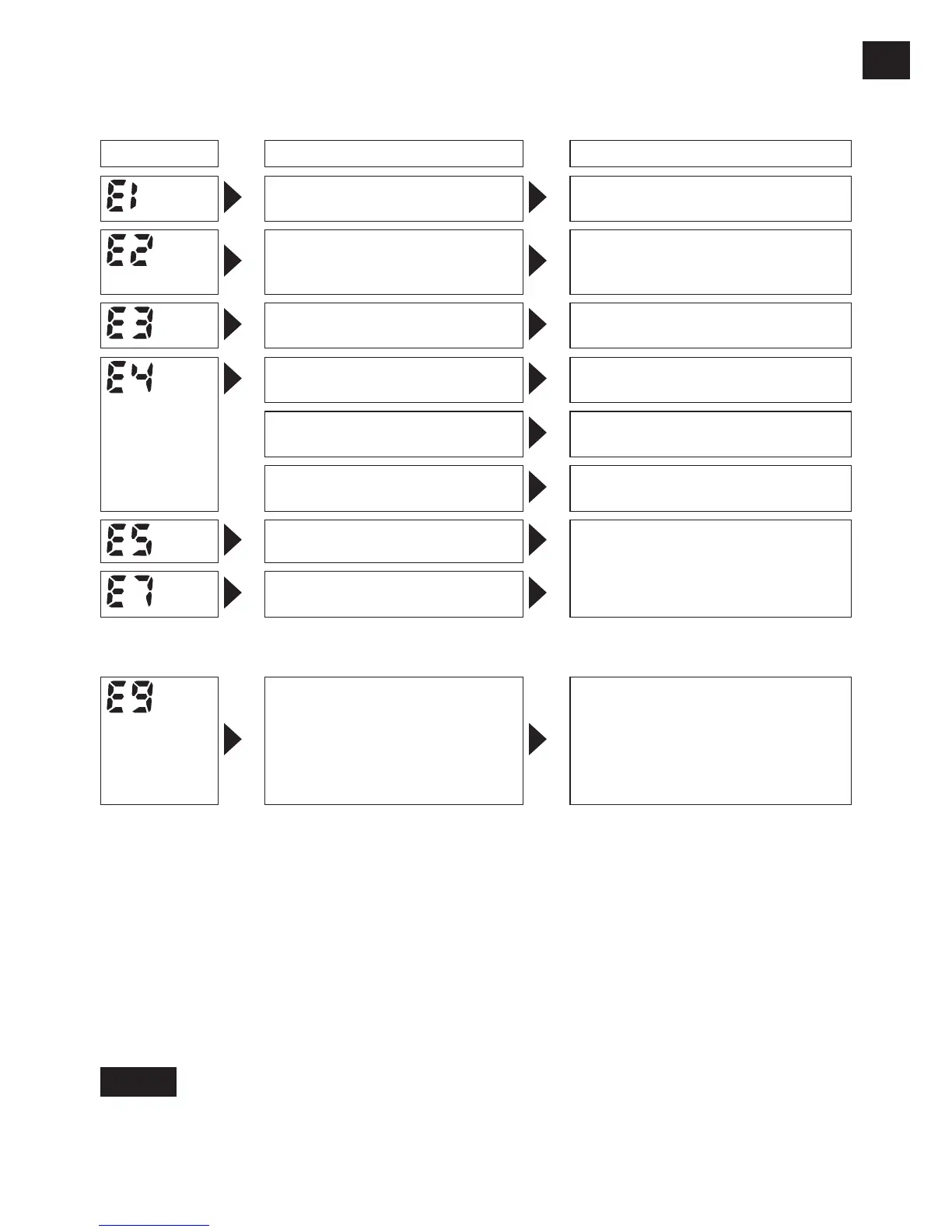
Error Display
In the event of a tool or battery pack malfunction, the control panel will display an error message.
Please check the tool or battery pack as described in the following chart before having them
serviced.
Display Likely cause Corrective action
Setting error
Re-initialize the tool using the
remote control. (See page 23.)
The battery pack is too hot. Stop work and allow the battery
pack to cool before resuming use
of the tool.
The tool is too hot to operate. Stop work and allow the tool to
cool before resuming use.
The contacts that connect the
battery pack and tool are dirty.
Remove any dirt.
The battery pack has not been
properly inserted into the tool.
Insert the battery pack rmly into
the tool.
The pins on either the tool or
battery pack have worn down.
Replace the battery pack.
Overload, Motor failure. etc. Stop using the tool immediately.
Tool circuit malfunction, failure,
etc.
[EYFLA4AR, EYFLA5AR, EYFLA5PR, EYFLA5QR, EYFLA6JR, EYFLA6PR, EYFLA7AR, EYFLA8AR,
EYFLA8CR, EYFLA8PR, EYFLA9CR, EYFLA9PR, EYFMA1JR, EYFMA1PR, EYFMA2CR, EYFMA2PR]
The tool is unable to communi-
cate with the Assembly Quali-
er while the radio signal range
limitation function is on.
•
Verify that the tool has been properly
registered to the Assembly Qualifier.
•
Verify that the Assembly Qualifier’s group
setting has been configured correctly.
•
Improve the reception state, for exam-
ple by moving the Assembly Qualifier
closer to the tool.
NOTE:
When the tightened bolt is further tightened or loosened, the overload protection function (E5)
may be activated.










 To Next Page