-
11
-
Setting the beep volume
Set the beep volume with the volume switch.
Low volume
(Approx. 70 dB)
OFF High volume
(Approx. 85 dB)
NOTE
The beep mode setting is configured while the assembly qualifier is connected to a
computer. See page 7.
Using the software
1. Turn on the assembly qualifier’s power switch.
All indicators will turn on and off, leaving only the power
indicator on.
2. Use the registered tool to perform fastening work.
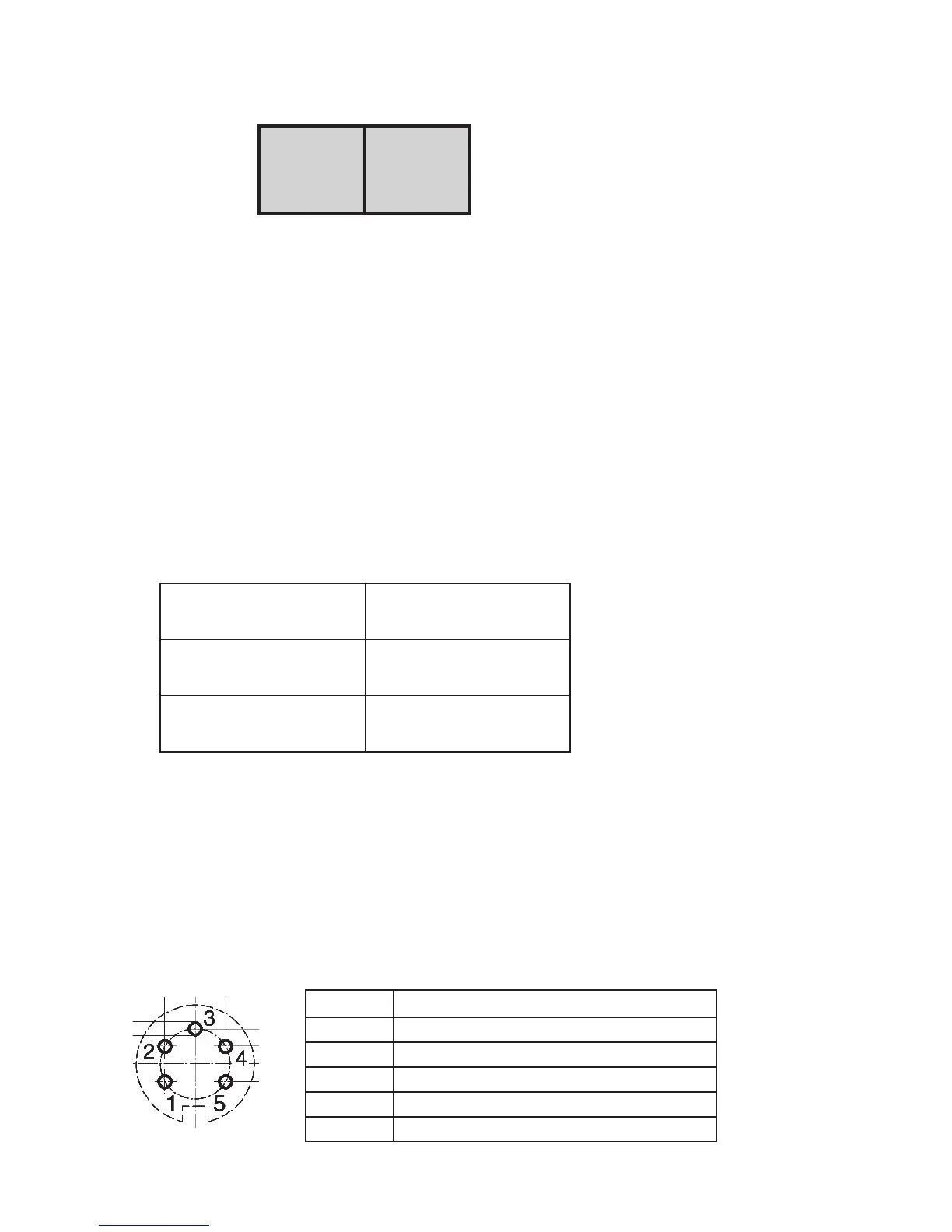
Status of tool’s fastening
confirmation indicator
Assembly qualifier
indicators
Green
Fastening PASS
indicator
Red
Fastening FAIL
indicator
Finishing work
Turn off the assembly qualifier’s power switch.
I/O connector
Pin no. Description
1 Reset input pin (input)
2 Reset input pin (common)
3 Relay output pin (common)
4 Relay output pin (fastening PASS)
5 Relay output pin (fastening FAIL)









 To Next Page