39
Operating methods
VR901
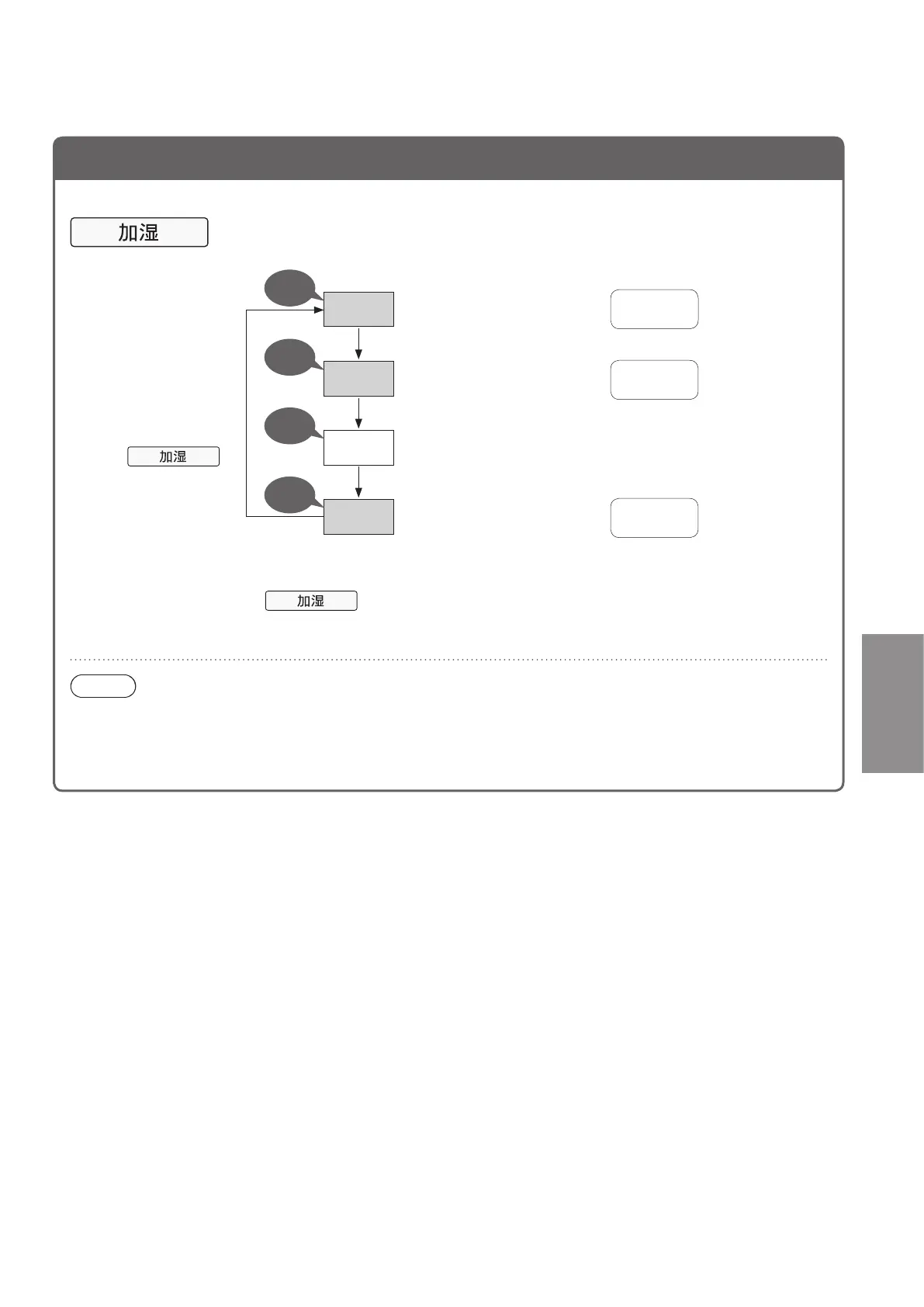
Set humidification
Cleaning the air while humidifying
Each press of the
button will switch
the air volume
setting.
(The indicator is lit.)
●Operationwhenthe“Airvolume”issetto[自动 (Auto)].
Operation under other conditions are *1 *2.
中
Maintaining a comfortable
humidity level
about 50 %
about 40 %
about 60 %
高
When dry air is a concern, or
tohumidifytheairquickly
OFF
Humidificationisnotrequired(Itoperatesinclean
air mode.)
Beep
Beep
Long
beep
Set humidity (general level)
低
Using humidification at low
humidity levels
Beep
■Tocancel
Press
until the indicator
turns off.
*1If“Airvolume”issetto[低速 (Low)], [中速 (Medium)] or [急速 (High)], or if the
productisoperatingwiththe“Timer”setto[8hours(sleepmode)],eachpressof
switches between [中 (Medium)] and OFF.
*2Humidificationcannotoperateiftheproductisoperatingin“PM2.5”mode.
Note
●Whenthe“Watersupply”indicatorisblinking,thereisnowaterinthetank,sofillthetankwithwater.
●If there is water in the tank, there will be slight humidification and water in the tank will decrease, even if
“Humidification”issettoOFF.Ifevenslighthumidificationisnotrequired,discardthewaterinthetankand
tray.
Humidification



 To Next Page