26
Getting Started
Before Turning on the Computer
Refer to the following URL for how to attach options to the Expansion areas and replace the
keyboard. Confirm the part numbers of the optional items before connection.
https://askpc.panasonic.co.jp/manual/option/w/
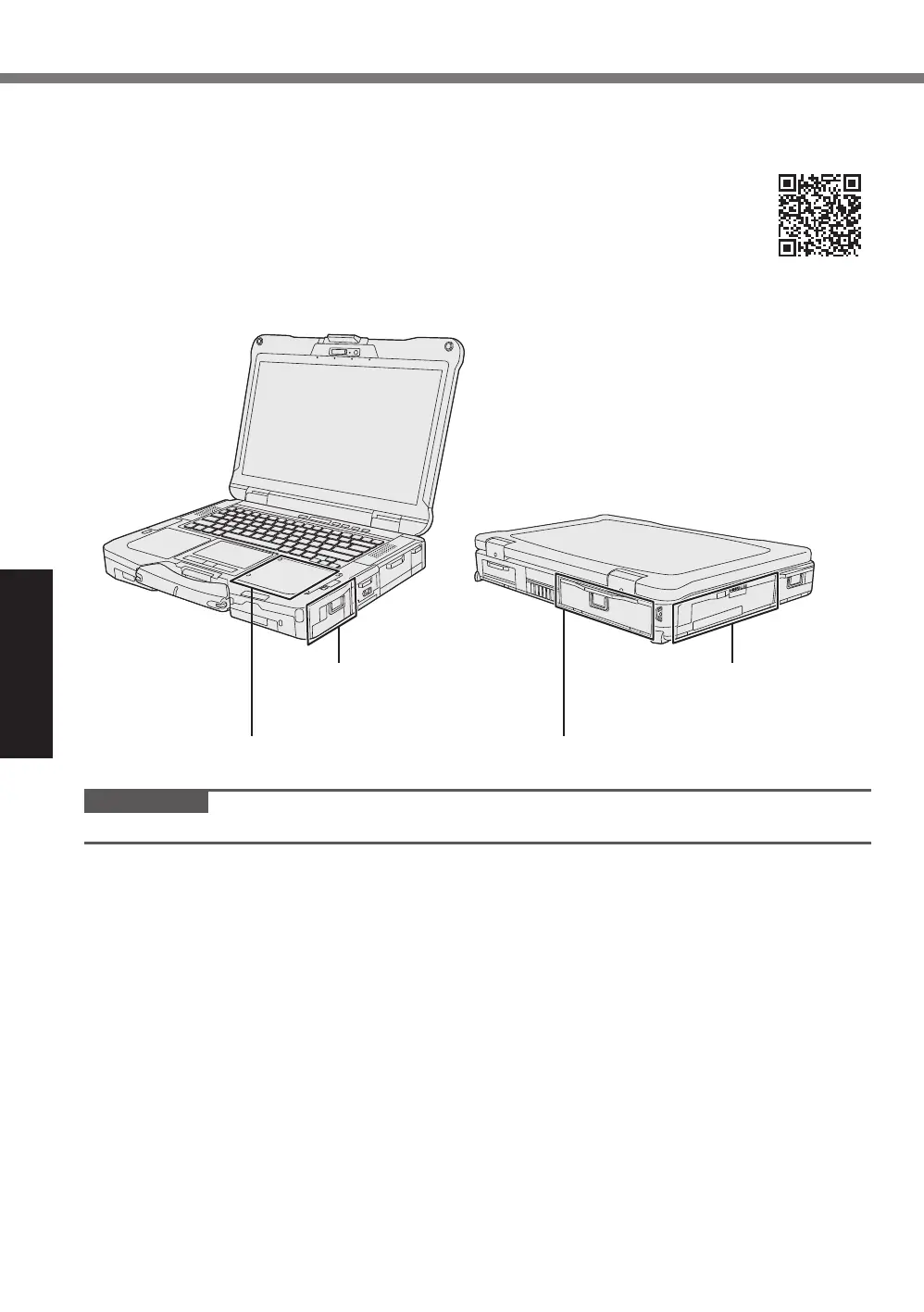
Expansion Areas
Right Expansion Area
Palm Rest Expansion Area
Left Expansion Area
Rear Expansion Area
IMPORTANT
l
If the above options are not attached, be sure to attach a dummy pack or cover before using.












 To Next Page