27
Getting Started
First-time Operation
n
Preparation
A
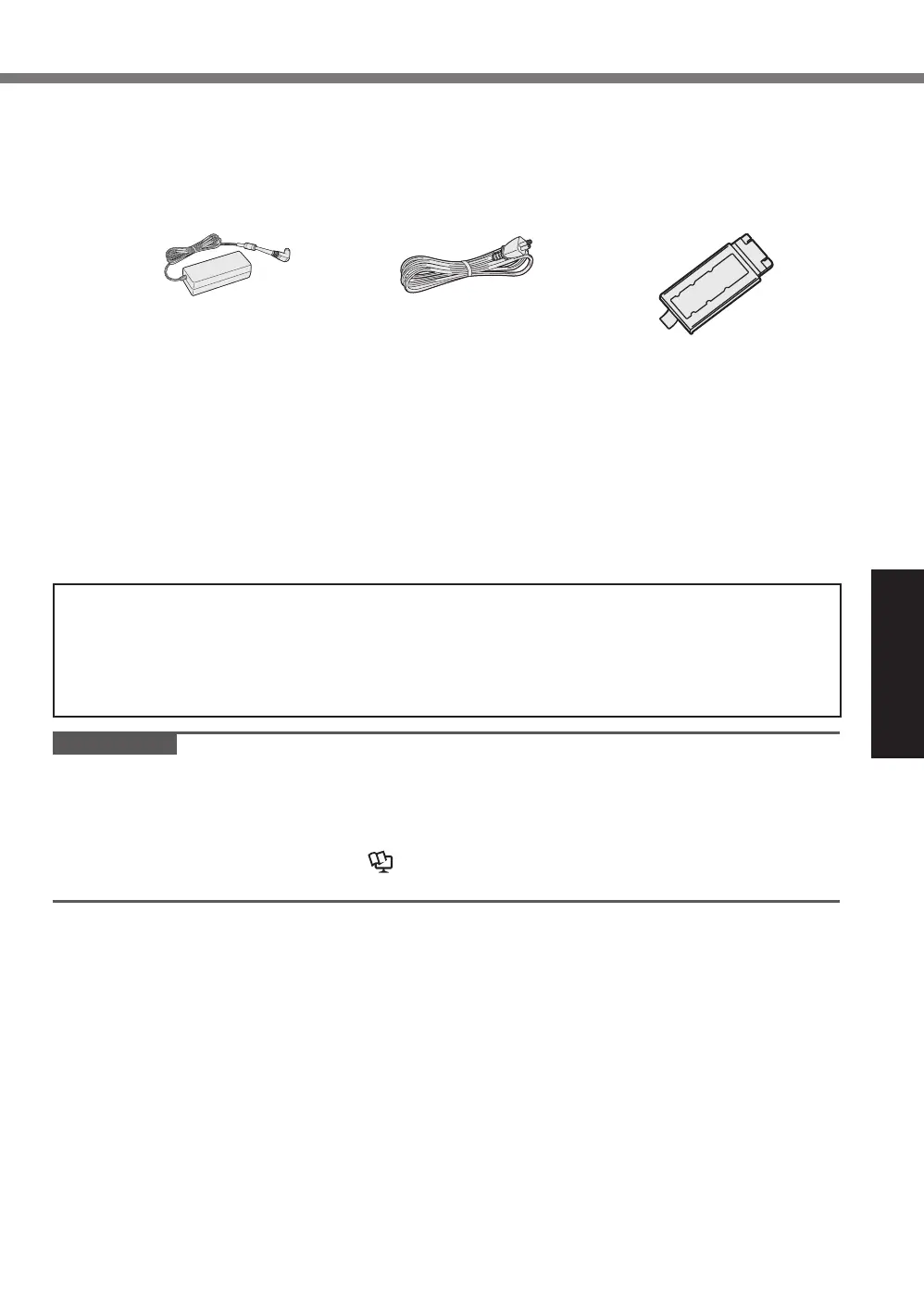
Check and identify the supplied accessories.
If you do not find the described accessories, contact your support office.
• AC Adaptor .....1
Model No: CF-AA5713A
• AC Cord .......1
• Battery Pack ....1 or 2
Model No:
FZ-VZSU1XU
<Only for model with touchscreen>
• Soft Cloth ....................................................... 1
• Stylus .......................................................... 1
• OPERATING INSTRUCTIONS - Read Me First (This book) ............... 1
Depending on the model, the following items are supplied.
• BD Drive Utility Disc or DVD Drive Utility Disc ......................... 1
n
Latest Information on Windows
When Microsoft
®
Windows
®
is updated, the screen display or operation procedures may
be changed.
For the latest information on Windows, see the following web page.
https://pc-dl.panasonic.co.jp/itn/win11
IMPORTANT
Inserting RAM module for expansion
l
Use recommended RAM module products. Do not use non-recommended RAM modules.
Non-recommended RAM modules may not operate properly, and may cause damage to your
computer.
l
When adding a RAM module, read
Operating Instructions - Reference Manual and mount
it using the specified method. Otherwise, the expected performance may not be achieved.












 To Next Page