Getting Started
28
First-time Operation
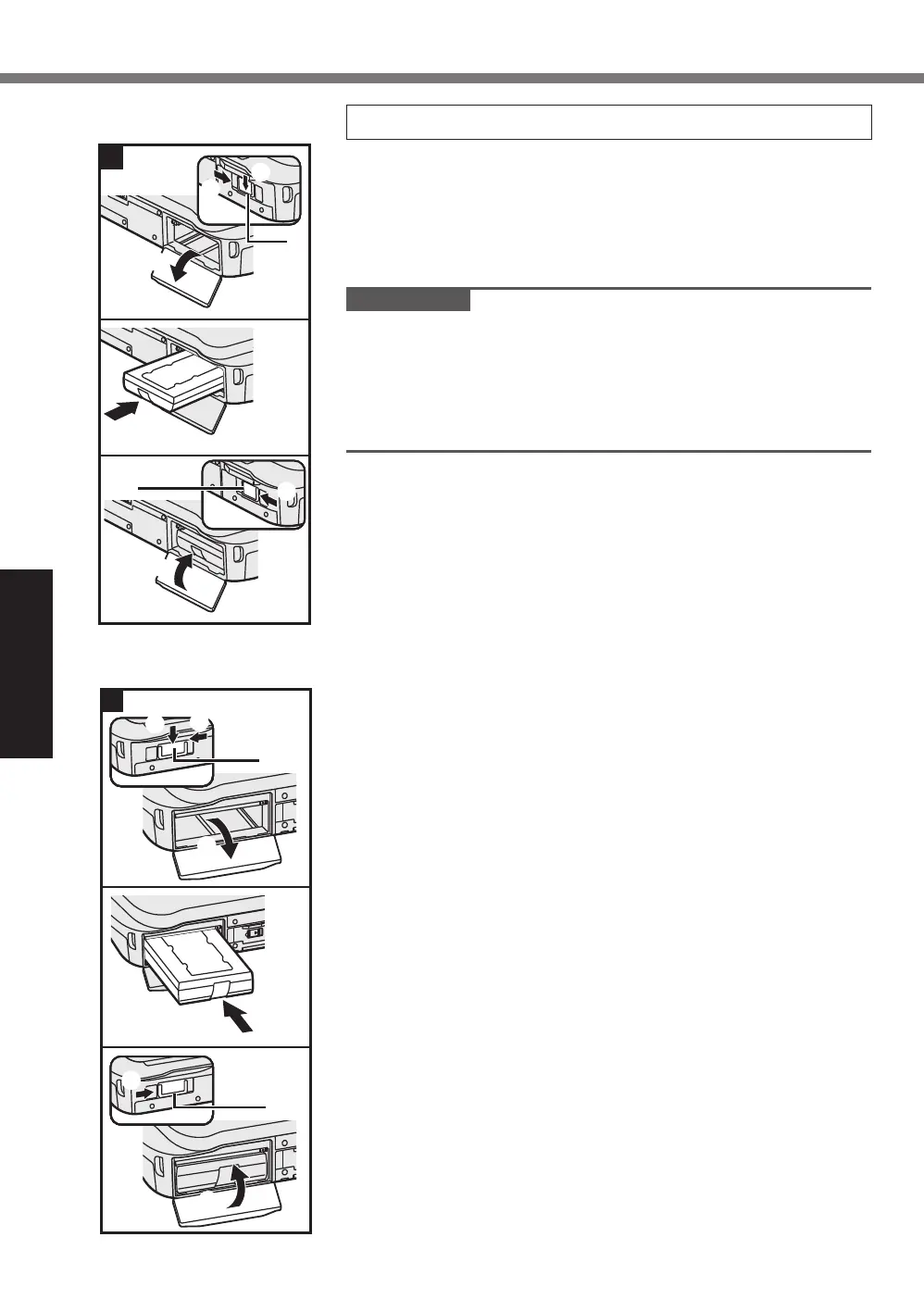
1 Inserting the Battery Pack
A
Slide the latch (A) to the arrow direction.
B
Slide the latch (A) down to unlock the cover.
C
Open the cover.
D
Insert the battery pack until it securely fits the connector.
E
Close the cover until it clicks.
F
Slide the latch (B) to the arrow direction to lock the cover.
IMPORTANT
l
Make sure the latch is securely locked. Otherwise the battery
pack may fall when you carry the computer.
l
Do not touch the terminals of the battery pack and the com-
puter. Doing so can make the terminals dirty or damaged,
and may cause malfunction of the battery pack and the com-
puter.
F
E
A
B
C
D
B
A
1
1
<Only for model with
second battery pack>
A
B
F
E
D
A
B
C













 To Next Page