22
6.1. Drive Information Display
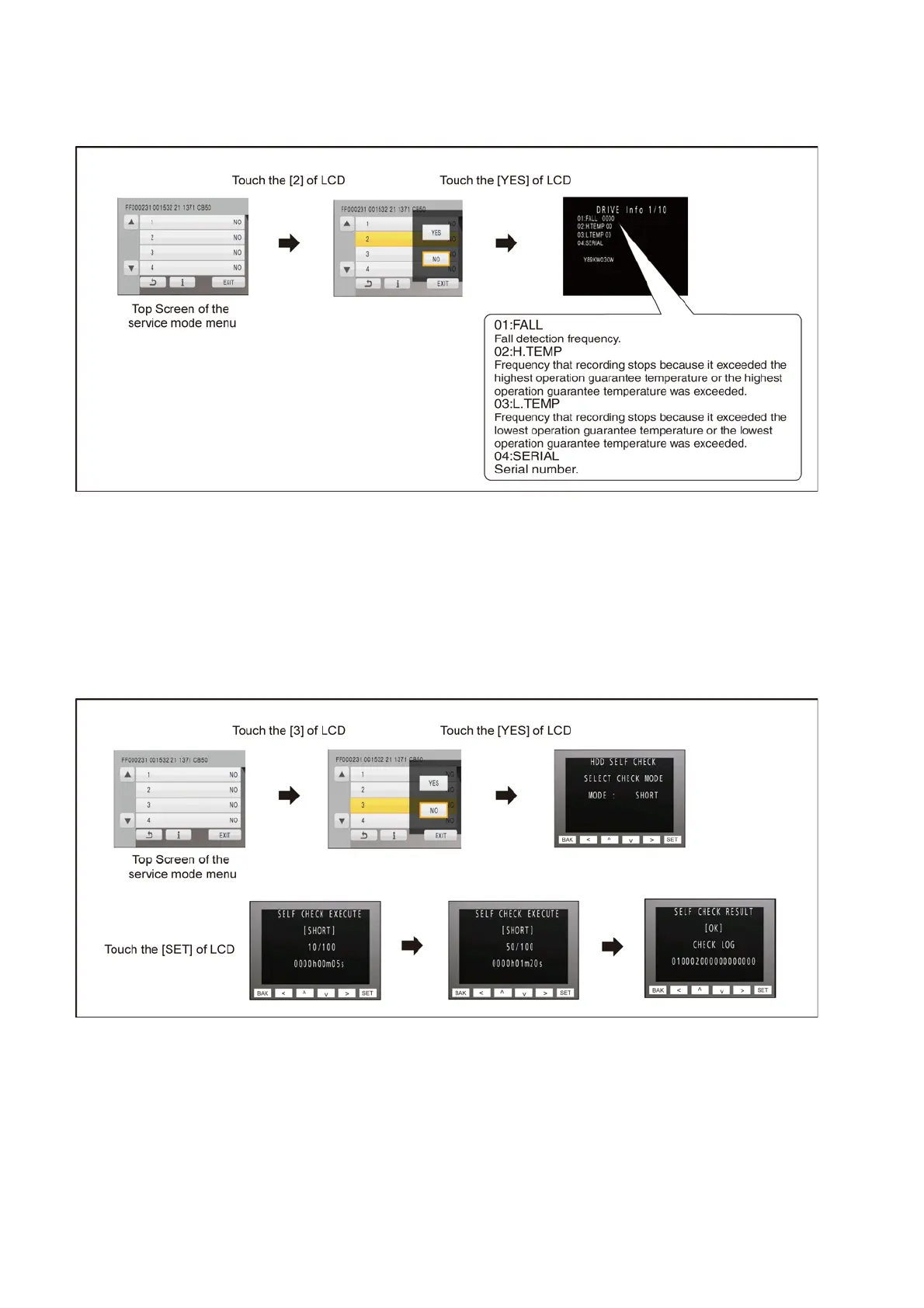
Touch the [ 2 ] of LCD, select Drive Information display.
Operation specifications
Indication contents
• Drive Information display
Display the fall detection frequency of HDD, Frequency that exceeds highest/lowest operation guarantee temperature and serial
number.
Push the menu button to end the service mode, and then POWER OFF.
6.2. HDD Self Check Execution
Touch the [ 3 ] of LCD, select HDD self check execution.
Operation specifications
Indication contents
• HDD self check execution
Display the HDD self check result information.
Displays other than “OK” are abnormalities of HDD.
Push the menu button to end the service mode, and then POWER OFF.







 To Next Page