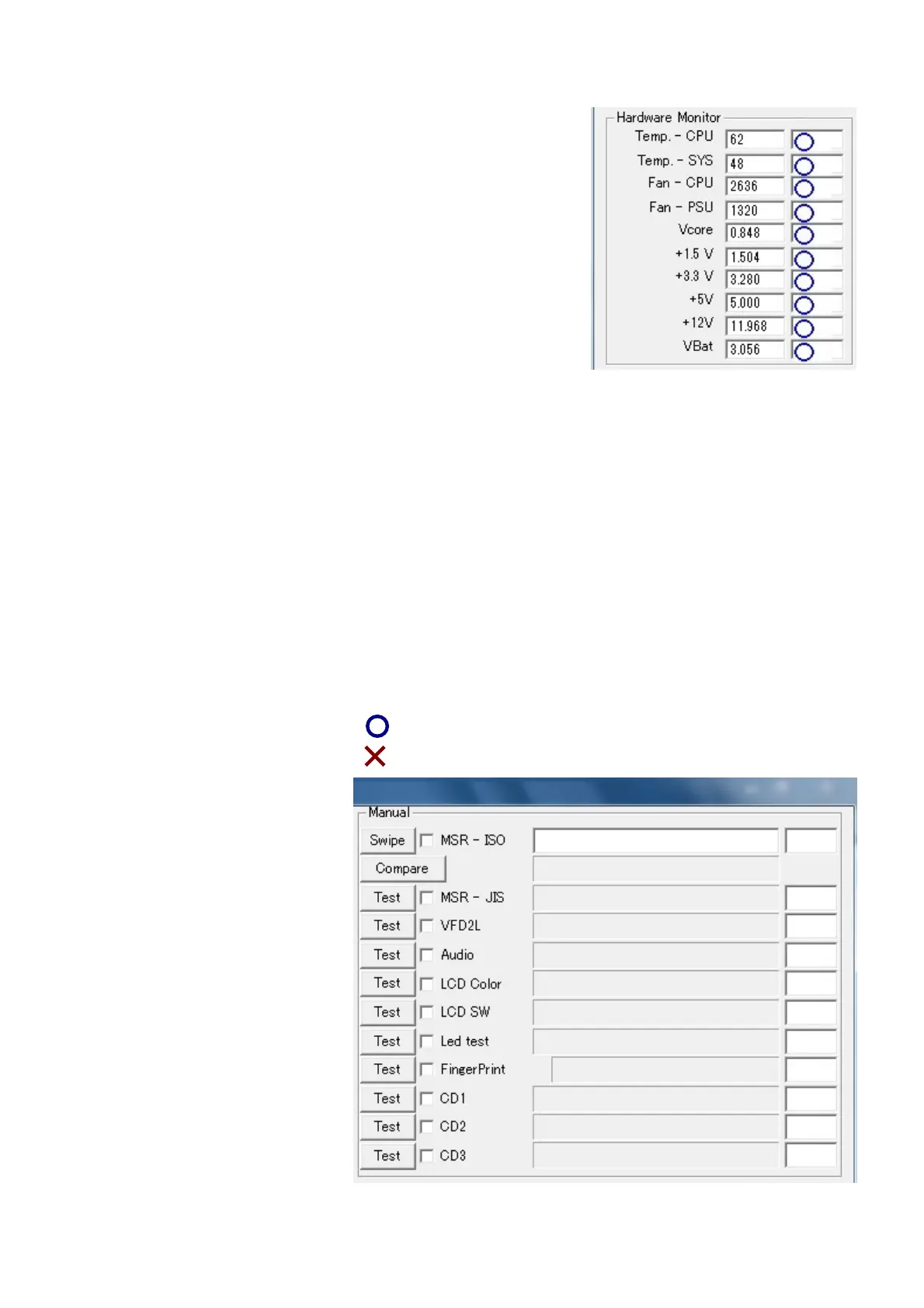
4-1. Temp. – CPU
Temperature (C) of CPU.
4-2. Temp. – SYS
Temprature (C) of PSU.
4-3. Fan – CPU
CPU Fan Speed (RPM).
4-4. Fan – PSU
Power Supply Fan Speed (RPM).
4-5. Vcore
Vcore voltage (V)
4-6. +1.5 V
+1.5 V voltage (V)
4-7. +3.3 V
+3.3 V voltage (V)
4-8. +5V
+5V voltage (V)
4-9. +12V
+12V voltage (V)
4-10. VBat
VBat voltage (V)
5. Manual
PE Diag can not judge the Manual tests.
It needs your judgement.
If you judge OK, PE Dian shows mark.
If you jjudge NG, PE Diag shows mark.
5-1. MSR - ISO
This is Magnetic Card
Reader Test.
Click “Swipe”, then swipe
Magnetic Card.
You can see the card data.
“Compare” You need Test
card. Test card pattern is
written in
“960WSDiag_Setting.ini”.
5-2. MSR – JIS
This is MSR Test. For Japan
Click “Test”, then swipe Test
card.
Test card pattern is written in “960WSDiag_Setting.ini”.
-3-9-












 To Next Page