PLEASE READ BEFORE USE AND SAVE
The illustrations used in this manual refer to the KX-TCD705.
These operating instructions only describe the steps necessary to start up the handset.
Please read the relevant Main Unit(s) operating instructions for further details.
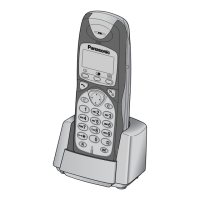
KX-A114E is the optional handset for the KX-TCD700.
KX-A115E is the optional handset for the KX-TCD705/KX-TCD715.
KX-A118E is the optional handset for the KX-TCD725/KX-TCD735.
Installing the Batteries in the Handset (Page 2(A)).
Battery Charge
To charge, place the handset on the base unit or charger.
Please charge the batteries for approximately 10 hours before initial use.
Additional Features
For further information regarding “Using the Belt Clip” (pg.3(D)) and “Option Covers”
(pg.3(E)) see main unit operating instructions.
Selecting the Display Language
The factory pre-set is English. To change the display language please see the relevant
Main Unit(s) operating instructions (“For Optional Multi-Unit Users”).
Registering a Handset in the Base Unit
You must register the Handset in the base unit before use.
• Register the handset number within 1 minute. If not registered within 1 minute, press
P
on the handset to cancel the programming mode. Then start from step 1.
To turn the handset power ON
ZP
firmly. “
Î
” flashes.
1. Base unit where handset is to be registered:
Z
and hold
Ï
on the base unit for more than 10 seconds until a
confirmation tone sounds.
2. Handset KX-A114 KX-A115/KX-A118
ZY
or
VY
or
V
3.
ZU
or
S
to display “
setting hs
”“Setting Handset”
5
English
Accessories:
Batteries.................Two
Battery Cover.........One
Handset Cover.......One
Belt Clip .................One
AC Adaptor ............One









 To Next Page