EasyManua.ls Logo

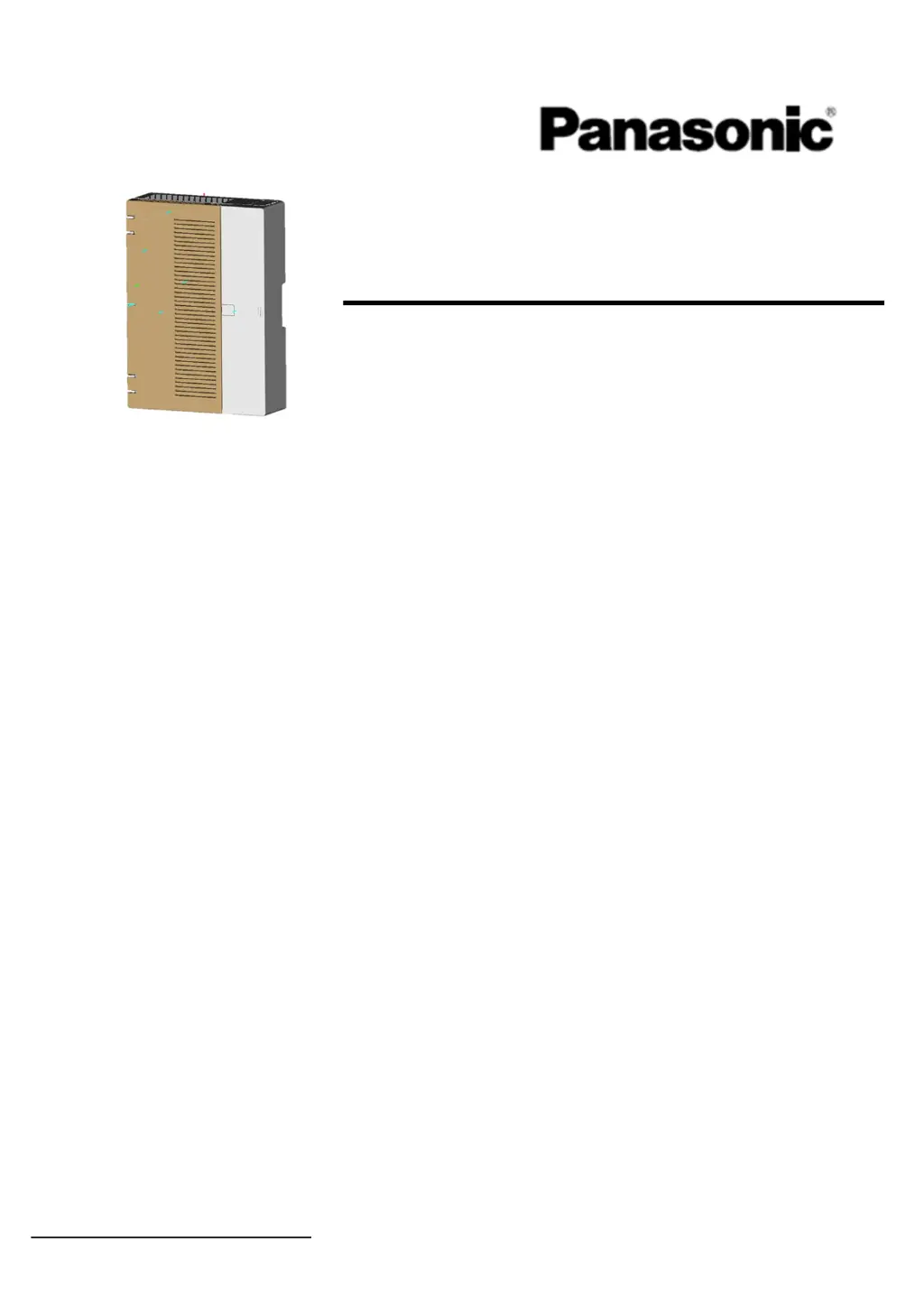
Panasonic KX-HTS32 - User Manual

Panasonic KX-HTS32
91 pages
Print Icon
To Next Page IconTo Next Page
Loading...
Model No.
KX-HTS824
KX-HTS32
Thank you for purchasing this Panasonic product.
Please read this manual carefully before using this product and save this manual for future use.
In
p
articular, be sure to read "1.1 For Your Safet
y
(
Pa
g
e 6
)
" before usin
g
this
p
roduct.
KX-HTS Series
(
KX-HTS824 KX-HTS32
)
: PJMPR Software File Version 001.00000 or later
Manuals and supporting information are provided on the Panasonic Web site at:
http://panasonic.net/pcc/support/pbx/
Gettin
g
Started
H
y
brid IP-PBX

Other manuals for Panasonic KX-HTS32

Questions and Answers

  • J
    James OrozcoSep 8, 2025
    How to fix extensions that do not operate on Panasonic KX-HTS32 PBX?
    • R
      Randall LynchSep 8, 2025
      If extensions are not operating, it could be due to an extension card malfunction, in which case you should replace the corresponding card. Another cause could be a poor connection between the PBX and the extension. To check this, plug the extension into the same extension port using a short telephone cord. If it works, repair the connection between the PBX and the extension. If the extension still doesn't work, the extension itself may be malfunctioning. Plug the extension into another extension port that is working; if it still doesn't work, replace the extension.
  • B
    Bonnie JimenezAug 23, 2025
    What to do if my SIP phones do not operate with my Panasonic PBX?
    • J
      Jason AllenAug 23, 2025
      If your SIP phones aren't working with your Panasonic PBX, consider the following: * A faulty motherboard may be the cause, in which case you should replace it after turning off the PBX. * The SIP phone may not be registered. Ensure you register the corresponding SIP phone. * The SIP phone itself may be defective; try replacing it. * A poor connection could be the issue. Ensure you're using an 8-pin twisted pair cable, that CAT 5/CAT 5e cables are not longer than 100 m (328 ft), and that a straight cable is used for connection to a switching hub. * A network malfunction could be the cause. Verify that all network devices are switched on and that the SIP phone isn't blocked by a firewall or other network devices.
  • W
    Walter SandersAug 25, 2025
    How to fix Panasonic PBX when the LINK indicator of the mother board does not turn on?
    • W
      William StevensAug 25, 2025
      If the LINK indicator on your Panasonic PBX's motherboard isn't turning on, here are a few things to check: * A faulty motherboard may be the cause, in which case you should replace it after turning off the PBX. * A poor connection could be the issue. Ensure you're using an 8-pin twisted pair cable, that CAT 5/CAT 5e cables are not longer than 100 m (328 ft), and that a straight cable is used for connection to a switching hub. * A network malfunction could be the cause. Verify that all network devices are switched on.
  • R
    Ralph WuAug 26, 2025
    What to do if extensions do not operate on my Panasonic KX-HTS32?
    • T
      thomas45Aug 27, 2025
      If extensions are not working on your Panasonic PBX, here's what you can do: * The extension card may be faulty. Replace the corresponding card. * There might be a poor connection between the PBX and the extension. Plug the extension into the same extension port using a short telephone cord. If it works, repair the connection between the PBX and the extension. * The extension itself might be malfunctioning. Plug the extension into another extension port that is working. If it doesn't work, replace the extension. If it does work, replace the extension card.
  • M
    maldonadokentAug 27, 2025
    What to do if my Panasonic PBX does not operate properly?
    • X
      xmannAug 27, 2025
      To resolve this, try the following: * Restart the PBX. * Turn the power switch off, and then turn it back on. * Turn off the power switch, and then unplug the PBX. After 5 minutes, plug the PBX back in, and turn the power switch back on.
  • S
    Sergio IngramSep 22, 2025
    What does it mean if the status of the port property of an SLT extension is FAULT on Panasonic KX-HTS32 PBX?
    • R
      rebecca66Sep 22, 2025
      If the status of the port property of an SLT extension is FAULT, the telephone may be off-hook. Put the telephone on-hook and restart the PBX. There may also be a problem in the wiring. Disconnect all cabling between the PBX and SLTs, and restart the PBX. After restarting, if operation is normal, there is probably a problem in the wiring or connection, such as a short circuit in the switchboard or cabling. Finally, the SLT circuitry could be damaged. Consult a certified dealer.
  • J
    Jesse PerezSep 16, 2025
    How to fix Panasonic SIP Phone when it does not ring?
    • J
      john68Sep 16, 2025
      If your SIP phone isn't ringing, the ringer volume might be off. Turn the ringer volume on.
  • S
    Stephanie BaileySep 18, 2025
    What does it mean if the STATUS indicator is red on my Panasonic KX-HTS32?
    • S
      Sheila TravisSep 18, 2025
      If the STATUS indicator on the front of the cabinet turns red, a major system error has occurred in the PBX. See the error log using the Web Maintenance Console.
  • M
    Maria FrenchSep 7, 2025
    What to do if the SIP Phone cannot connect to the Panasonic KX-HTS32 PBX?
    • R
      Ryan FernandezSep 7, 2025
      If your SIP phone cannot connect to the PBX, there might be an issue with the IP address, subnet mask address, PBX IP address, or default gateway address. Check each parameter and enter the correct value. Also, verify the Ethernet cable connections. Finally, the DHCP server might not be active. Try restarting the external DHCP server, confirm whether the DHCP Server feature is enabled, or disable DHCP and re-enter settings as appropriate.
  • D
    Dr. Laura YoungSep 4, 2025
    Why I cannot make or receive calls via an IP network on my Panasonic KX-HTS32?
    • A
      ashleyjacksonSep 4, 2025
      There can be several reasons why you cannot make or receive calls via an IP network. It could be due to a motherboard malfunction, in which case you should replace the motherboard after turning off the PBX. Another cause might be a poor connection, so ensure you're using an 8-pin twisted pair cable, that the CAT 5/CAT 5e cables are not over 100 m (328 ft) in length, and that a straight cable is used for connection to a switching hub. Finally, a network malfunction could be the reason. In this case, make sure all network devices are switched on and that there is no unwanted firewall in the IP network.

Summary

Safety Precautions

For Your Safety

Provides critical safety warnings and hazard symbols for operating the PBX.

Installation

Frame Earth Connection

Explains the procedure and importance of proper grounding for safety and performance.

Surge Protector Installation

Essential guidance on installing surge protectors to safeguard the PBX from electrical surges.

Starting and Initialising the PBX

Guides on powering up, starting, and initialising the PBX for operation.

Programming and Configuration

Introduces methods for programming the PBX via Web Console and PC connection.

PC Connection Methods

Explains how to connect a PC to the PBX via LAN, VPN, or Internet for configuration.

Confirming Connections

Maintenance

System Data Backup and Restore

Procedures for backing up and restoring PBX system data using USB or PC.

System Initialisation Procedure

Instructions for returning the PBX to its initial default state, erasing all data.

Troubleshooting

Troubleshooting

Provides solutions for common problems encountered with the PBX and telephones.

Panasonic KX-HTS32 Specifications

General IconGeneral
Built-in Analog Trunks4
Built-in Wi-FiNo
VoicemailYes
Auto AttendantYes
Music on HoldYes
Power SupplyAC 100-240V, 50/60Hz
CategoryPBX
Maximum CO Lines8
SIP Trunk SupportYes
VoIP SupportYes
Built-in RouterYes
Caller IDYes
TypeHybrid IP-PBX
Maximum Extensions24
Operating Temperature0°C to 40°C
Humidity10% to 90% (non-condensing)
System CapacityUp to 24 extensions
Power Consumption30W (max)
Dimensions297 mm x 210 mm
Weight1.6 kg

Related product manuals