
 To Next Page


M
Maurice ButlerAug 14, 2025
How to reset Panasonic Telephone Accessories?
- CCynthia BryantAug 14, 2025
To perform a reset operation for Panasonic Telephone Accessories, turn the Power Switch off and then on again.

How to reset Panasonic Telephone Accessories?
To perform a reset operation for Panasonic Telephone Accessories, turn the Power Switch off and then on again.
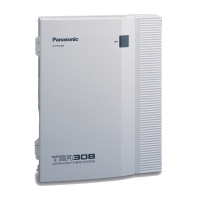
Why does my Panasonic KX-TA308 not ring?
Your Panasonic PBX might not be ringing because an outside (CO) line number is not programmed, or the Ringer Volume is set to “OFF”. Increase the Ringer Volume referring to “Initial Settings”.
How to fix Panasonic Telephone Accessories speed dialing not working?
If Speed Dialing or One-Touch Dialing isn't working on your Panasonic Telephone Accessories, the programming might be incorrect. Ensure that you enter an outside (CO) line access number (9, 81 through 83) during programming.
What to do if Panasonic Telephone Accessories extension does not operate?
If an extension on your Panasonic Telephone Accessories system isn't working, there could be a few reasons. It could be a connection issue between the system and the extension, a telephone with an A-A1 relay connected, or an issue with the extension itself. Here are a few things you can try: * Plug the extension into the same extension port using a short telephone cord. If it works, repair the connection between the system and the extension, using a 2 wire cord. * If you are using a telephone with an A-A1 relay, set the switch to the “OUT” or “OFF” position. * Plug the extension into another extension port that is working. If it still doesn't work, replace the phone.
Why is there noise during external paging on my Panasonic Telephone Accessories?
If you're experiencing noise during external paging with your Panasonic Telephone Accessories, it might be due to induced noise on the wire between the system and the amplifier. Try using a shielded cable as the connection wire between the system and the amplifier. A short shielded cable is recommended.
What to do if Panasonic Telephone Accessories proprietary telephone does not operate?
If a proprietary telephone connected to extension jacks 01 through 08 isn't working, but a single line telephone is, an extension (H, L) jack 01 through 08 may have been shorted. Turn the Power Switch off, fix the shorted part, and then turn the Power Switch back on.
Why is there volume distortion from external music source on Panasonic Telephone Accessories?
If you notice volume distortion from an external music source connected to your Panasonic Telephone Accessories, it's likely due to an excessive input level from the external music source. Decrease the output level of the external music source by using the volume control on the music source.
What to do if Panasonic Telephone Accessories SLT user cannot make a call?
If a tone type single line telephone (SLT) user is unable to make calls on your Panasonic Telephone Accessories, the issue might be with a DTMF receiver. Here’s how you can troubleshoot: 1. In program [107], select “Enable” for DTMF receiver 1 and “Disable” for DTMF receiver 2. 2. Try making a call using a tone type SLT connected to one of the extension jacks 01 – 08. If the call fails, DTMF receiver 1 may be the problem. If the call is successful, proceed to step 4. 3. Try DTMF receiver 2. In program [107], select “Disable” for DTMF receiver 1 and “Enable” for DTMF receiver 2, then attempt another call. If the call fails again, DTMF receiver 2 may be the cause.
Why doesn't the extension connected to JACK 01 operate during a power failure on Panasonic Telephone Accessories?
If the extension connected to JACK 01 doesn't work during a power failure with your Panasonic Telephone Accessories, it might be because a PT (proprietary telephone) is connected to the jack. Disconnect the PT and connect a single line telephone instead.
Identifies the intended audience for this user manual.
Outlines the structure and sections of the manual for effective navigation.
Lists and briefly describes the special features of the KX-TA308 system.
Defines key terms used throughout the manual for clarity.
Details the physical layout, connection, buttons, and initial settings of the PT units.
Identifies the physical buttons and components on the telephone models.
Details how to connect the telephone unit to the main system.
Lists and describes the fixed and flexible buttons available on different PT models.
Explains the assignment of features to flexible buttons on the telephone.
Describes how to use CO buttons for seizing outside lines.
Covers adjusting display contrast and backlight settings.
Instructions for adjusting various audio volume levels on the telephone.
Explains the meaning of LED light patterns on buttons for line status.
Provides step-by-step guidance for programming features from your telephone.
Details how to assign various features to flexible buttons and configure settings.
Assigns features like message waiting, Caller ID, and DSS to flexible buttons.
Sets preference for answering incoming outside calls.
Sets preference for originating outgoing calls.
Resets programmed station features to their default settings.
Covers fundamental call making and receiving procedures.
Instructions for making intercom and outward calls.
Guidance on how to answer incoming calls.
Details how to automatically transfer incoming calls to other extensions or destinations.
Explains the process of transferring calls to other extensions within the system.
Informs users about waiting calls and how to manage them.
Enables adding a third party to a conversation for conference calls.
Prevents interruptions by blocking incoming calls.
Allows dialing pre-assigned emergency numbers.
Facilitates making calls to other extensions within the system.
Enables calling numbers or features by pressing a single button.
Facilitates calling using pre-programmed system-wide speed dial numbers.
Temporarily bypasses toll restrictions for specific calls.
Provides examples of various display messages and their meanings.
Lists all features with their corresponding access numbers and required digits.
Illustrates the patterns of various tones used by the system.
Offers solutions for common problems encountered with the system.
 General
| Direct Inward System Access (DISA) | Yes |
|---|---|
| Caller ID Compatibility | Yes |
| Uniform Call Distribution (UCD) | Yes |
| Doorphone Interface | Yes |
| Battery Backup | Optional |
| Wireless Handsets | No |
| Call Waiting | Yes |
| Intercom | Yes |
| Conference | Yes |
| Type | Hybrid PBX |
| Capacity | 3 CO lines and 8 extensions |
| Expandable | Yes |
| Dimensions | 368 x 284 x 102 mm |
| Weight | Approx. 2.2 kg (4.9 lbs) |