EasyManua.ls Logo

Panasonic KX-TD816 - User Manual

Panasonic KX-TD816
388 pages
Print Icon
To Next Page IconTo Next Page
Loading...
KX-TD816
Model
KX-TD1232
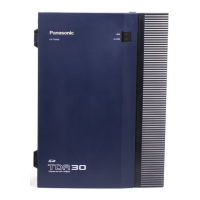
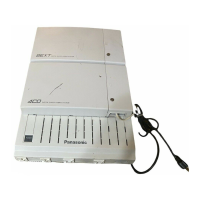
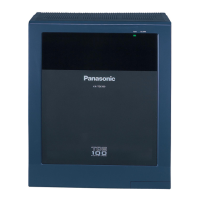
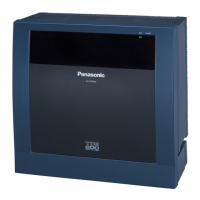
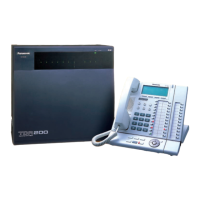
Digital Super Hybrid System
User Manual
Please read this manual before using Digital Super Hybrid System.
D1232
DIGITAL SUPER HYBRID SYSTEM
Panasonic
Panasonic
D816
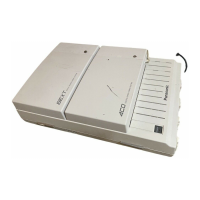
DIGITAL SUPER HYBRID SYSTEM

Table of Contents

Other manuals for Panasonic KX-TD816

Questions and Answers

  • C
    Crystal DavisSep 23, 2025
    What to do if originating an intercom/ outside call from one system to the other system is not possible during system connection operation for KX-TD1232 Panasonic Telephone System?
    • D
      Dana MiddletonSep 23, 2025
      If you cannot originate an intercom/outside call from one system to the other during system connection operation for KX-TD1232 Panasonic Telephone System, the interface between the systems may be disconnected. Connect the interface between the systems and press the Reset Button on both systems.
  • A
    Adam TaylorAug 25, 2025
    What does "CS Busy" mean on Panasonic Telephone?
    • K
      kristywintersAug 25, 2025
      If your Panasonic Telephone displays "CS Busy", it means the radio channel is busy. Please try again later.
  • M
    Mr. Jeremy HollowayAug 25, 2025
    Why can't I dial on my Panasonic Telephone?
    • R
      Robert BeardAug 26, 2025
      If you cannot dial on your Panasonic Telephone, it might be because the number you dialed is restricted by the system, so you should consult your dealer. Alternatively, the key lock mode might be set. To cancel the mode, press the Function button for about 2 seconds. Also, the radio channel might be busy or a radio communication error occurred, so try again later.
  • R
    Richard Murray DVMAug 27, 2025
    Why is my Panasonic Telephone PS not working?
    • L
      Lynn JonesAug 27, 2025
      If your Panasonic Telephone's PS does not work, it could be because the battery is empty. In this case, charge the batteries fully. If the PS has been cancelled or not registered, you should consult your dealer.
  • S
    smithsharonAug 27, 2025
    What does "REGISTER UNIT" mean on Panasonic Telephone?
    • T
      Tara Ho DVMAug 27, 2025
      If your Panasonic Telephone displays "REGISTER UNIT", it means the PS is not registered in the system. Consult your dealer.
  • G
    Gerald PalmerSep 15, 2025
    What to do if I can't originate an outside call, Call Transfer, or Conference on Panasonic Telephone System?
    • C
      Cynthia JosephSep 15, 2025
      If you're unable to make outside calls, transfer calls, or initiate conferences on your Panasonic Telephone System, the CO button might not be programmed on your proprietary telephone. Program the CO button to resolve this.
  • O
    Olivia DawsonSep 12, 2025
    What to do if Panasonic Telephone System does not ring?
    • A
      Alexandra SawyerSep 12, 2025
      If your Panasonic Telephone System isn't ringing, check the ringer volume selector. If it is set to "OFF", set it to "HIGH" or "LOW".
  • C
    Cameron BarkerSep 14, 2025
    Why speed dialling does not function on my Panasonic Telephone System?
    • S
      Sarah DavisSep 14, 2025
      If Speed Dialling or One-Touch Dialling isn't working on your Panasonic Telephone System, it might be due to bad programming. You should enter the outside line access number (9/ 0, 81 through 88) into programming.
  • D
    Donna NunezSep 5, 2025
    Why doesn't my Panasonic Telephone show a strong radio signal?
    • S
      steven26Sep 5, 2025
      If the display on your Panasonic Telephone does not show a strong radio signal even though you are near the CS, the PS user can normally still make calls. The current linked CS is still connected even though another CS is closer.
  • M
    melissajohnsonSep 2, 2025
    Why does the battery icon flash during a conversation on my Panasonic Telephone?
    • L
      ljohnsonSep 3, 2025
      If the battery icon flashes or beeping tones sound every 5 seconds during a conversation on your Panasonic Telephone, it indicates that the battery is low. Charge the batteries fully.

Summary

Digital Super Hybrid System User Manual

System Components

DPT Overview

Station Programming

User Programming

Station Features and Operation

Station Features Overview

Details various station-specific features and their usage.

Account Code Entry

Explains the use of account codes for call accounting and billing purposes.

Call Forwarding - Summary

Provides an overview of call forwarding types to extensions or external destinations.

Call Forwarding - All Calls

Forwards all incoming calls to a pre-assigned extension automatically.

Call Forwarding - Busy

Forwards calls to another extension when the user's extension is busy.

Call Forwarding - No Answer

Forwards calls to another extension if the user does not answer within a set time.

Call Forwarding - Busy;No Answer

Forwards calls when the extension is busy or unanswered.

Call Forwarding to Outside Line

Forwards incoming calls to an outside party via CO or TIE line.

Call Hold Functionality

Allows placing intercom or outside calls on hold to handle other calls.

Call Transfer to Extension

Explains transferring calls to extensions using screened or unscreened methods.

Call Transfer via DSS Button

Describes transferring calls using a DSS button with One-Touch Transfer enabled or disabled.

Call Transfer to Outside Line

Details transferring calls to an outside party via CO or TIE line.

Call Waiting Functionality

Notifies users of a waiting call during an active call and allows managing the second call.

Conference Call Feature

Explains establishing a three-party conference call.

Data Line Security Function

Protects against interruptions during data communication by disabling features like Call Waiting.

Direct Inward System Access (DISA)

Allows outside callers to access system features as if they were extensions.

Do Not Disturb (DND) Feature

Prevents interruptions by not receiving intercom and outside calls.

Do Not Disturb (DND) Override

Allows overriding the 'Do Not Disturb' feature on another extension if permitted.

Electronic Station Lockout

Locks the extension to prevent others from making outgoing outside calls.

Emergency Call Dialing

Allows dialing pre-assigned emergency numbers regardless of restrictions.

Hands-free Operation

Enables answering intercom calls without lifting the handset.

Intercom Calling Procedure

Describes how to make a call to another extension user within the system.

Live Call Screening (LCS)

Monitors messages in a voice mailbox and allows answering the call during monitoring.

Message Waiting Notification

Leaves a notification for busy or unanswered calls, allowing the recipient to call back.

One-Touch Dialing Operation

Makes calls or accesses features by touching a programmed button.

Outward Dialing - Line Access Summary

Summarizes ways to access a CO line for outward dialing.

Pickup Dialing (Hot Line)

Allows calling a pre-programmed party by simply going off-hook.

Redial - Last Number

Automatically saves and allows redialing the last outside call made.

Station Program Clear

Resets station features to their default settings.

Station Speed Dialing

Allows storing up to 10 speed dial numbers at an extension for personal use.

System Speed Dialing

Enables making calls using system speed dial numbers available to all extensions.

Timed Reminder Feature

Sets an alarm tone to sound once or daily at a preset time as a reminder.

Toll Restriction Override by Account Code

Temporarily overrides toll restriction by entering an account code before dialing.

Voice Mail Integration

Forwards calls to a Voice Processing System mailbox, indicated by the MESSAGE button.

Walking COS Feature

Allows using calling privileges (Class of Service) at another extension and overriding restrictions.

Operator; Manager Service Features

Operator;Manager Service Features Overview

Lists special features available to extensions assigned as Manager or Operator.

Live Call Screening Password Control

Allows Managers/Operators to clear the Live Call Screening password for any extension.

Special Display Features

Call Forwarding; Do Not Disturb (Display)

Explains setting or canceling Call Forwarding and Do Not Disturb features using the display.

Incoming Call Log Operation

Automatically logs incoming outside call information, allowing modification and callback.

Incoming Call Log Lock

Locks the display to prevent others from viewing incoming call log information.

Outgoing Call Log Operation

Logs the last five CO calls made and allows making calls using the call log.

KX-T7235 Display Features - System Feature Access Menu

Provides access to system features listed alphabetically via the display.

DSS Console Features

Station Programming for DSS Buttons

Details station programming for DSS and PF buttons.

Call Transfer using DSS Button

Explains transferring calls to extensions using the DSS button.

APPENDIX

Troubleshooting Common Issues

Provides guidance on resolving common problems and issues.

Panasonic KX-TD816 Specifications

General IconGeneral
BrandPanasonic
ModelKX-TD816
CategoryPBX
LanguageEnglish

Related product manuals