EasyManua.ls Logo

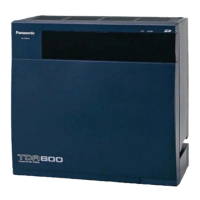
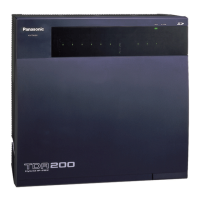
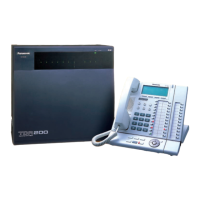
Panasonic KX-TDA600 - User Manual

Panasonic KX-TDA600
212 pages
Print Icon
To Next Page IconTo Next Page
Loading...
KX-TDA50/KX-TDA100
Model
KX-TDA200/KX-TDA600
Hybrid IP-PBX
Operating Manual
Thank you for purchasing a Panasonic Hybrid IP-PBX.
Please read this manual carefully before using this product and save this manual for future use.
KX-TDA50: PSMPR Software File Version 4.0000 or later
KX-TDA100/KX-TDA200: PMPR Software File Version 3.2000 or later
KX-TDA600: PLMPR Software File Version 3.1000 or later
Document Version: 2006-12

Table of Contents

Other manuals for Panasonic KX-TDA600

Questions and Answers

  • K
    kimberlysimmonsSep 23, 2025
    Why does the PS stay out of service after changing the CS status on my Panasonic KX-TDA600?
    • B
      barbara49Sep 23, 2025
      If the PS stays out of service when the CS status is changed from Out of Service to In Service on your Panasonic PBX, wait until the CS starts up. It may take about 20 seconds for the CS to start up after the status has been changed to In Service.
  • J
    James RamosAug 25, 2025
    Why do some Panasonic KX-TDA600 PBX features not work?
    • C
      Christopher MartinezAug 25, 2025
      If some features on your Panasonic PBX do not work, system management may be restricting certain features, so consult your manager. It is also possible that the feature numbers have changed. Confirm the revised number and try again.
  • M
    Michael LaneAug 25, 2025
    What to do if Panasonic KX-TDA600 telephone buttons are not responding?
    • L
      Lisa StoutAug 26, 2025
      If your Panasonic PBX telephone does not respond when buttons are pressed, the telephone is locked, so unlock it. Alternatively, your telephone might be connected to an eXtra Device Port, and system programming is required, so consult your dealer.
  • N
    Nicholas FlowersAug 27, 2025
    Why doesn't my Panasonic PBX telephone work with personal settings?
    • R
      Roberto BurnsAug 27, 2025
      If your Panasonic PBX telephone does not work using the personal settings or with other settings (One-touch dialing, forwarding destination, etc.), the previous telephone's settings have not been cleared. Clear the settings and then program your desired settings again.
  • U
    uhayesSep 23, 2025
    Why can't the maximum number of PS calls be made on my Panasonic KX-TDA600?
    • D
      Daniel LeeSep 23, 2025
      If the maximum number of PS calls that a high-density CS supports cannot be made on your Panasonic PBX, make sure that a 4-pair cable is used for the connection.
  • J
    James HayesSep 13, 2025
    How to troubleshoot when a Panasonic PBX extension does not operate?
    • S
      Suzanne EdwardsSep 13, 2025
      If a Panasonic PBX extension isn't working, there could be several reasons: * A bad extension card: Exchange it for a known working one. * A bad connection between the PBX and telephone: Plug the telephone into the same extension port with a short cord to test the connection. * An incompatible telephone with an A-A1 relay: Use a 2-wire cord or set the A-A1 relay switch to the "OUT" or "OFF" position. * A faulty telephone: Test the telephone on a working extension port to see if it works. * The wrong type of PSU: Replace the PSU with the correct one. * An unsupported extension card (SLC16 or MSLC16): Replace it with an ESLC16 or EMSLC16 card.
  • A
    Amy RuizSep 12, 2025
    What to do if my Panasonic KX-TDA600 does not operate properly?
    • A
      Austin DuranSep 12, 2025
      If your Panasonic PBX isn't operating properly, try these steps: 1. Press the Reset Button. 2. Turn the power switch off, then on again. 3. Turn off the power switch, unplug the PBX, wait 5 minutes, then plug it back in and turn the power switch back on.
  • K
    kcampbellSep 12, 2025
    Why I cannot make or receive outside calls on my Panasonic KX-TDA600 PBX?
    • J
      Jordan MitchellSep 12, 2025
      If you're experiencing issues making or receiving outside calls on your Panasonic PBX, it might be due to an unsupported trunk card (LCOT4, LCOT8, or LCOT16 card). Replace the optional service card with an appropriate one (ELCOT16 card).
  • D
    Dustin GillSep 4, 2025
    Why is the MESSAGE button light lit on my Panasonic PBX?
    • N
      Nicholas GonzalezSep 4, 2025
      If the MESSAGE button light is lit on your Panasonic PBX, another extension left you a message waiting indication while you were on the phone or away from your desk.
  • R
    Randy ShawSep 1, 2025
    Why can't I send a call waiting tone on my Panasonic KX-TDA600?
    • R
      Ronald ReedSep 2, 2025
      If you cannot send a call waiting tone to the dialed extension on your Panasonic PBX, the other party has not set the Call Waiting feature. Alternatively, the other party has set Data Line Security.

Summary

IMPORTANT SAFETY INSTRUCTIONS

F.C.C. REQUIREMENTS AND RELEVANT INFORMATION

1. Notification to the Telephone Company

Equipment compliance with FCC rules and technical info for telephone companies.

2. Ringer Equivalence Number (REN)

Explains REN for determining devices per telephone line.

Section 1 Operation

1.1 Before Operating the Telephones

Covers initial steps and considerations before using the telephone system.

1.2 Basic Operations

Explains fundamental operations like making and answering calls.

1.3 Telephone Features and Operation

Covers the various features and their operation on the telephone.

1.4 Display Features

Explains features related to the telephone display.

Section 2 Manager Operation

2.1 Manager Service Features

Details features available for managers to control extensions and PBX.

Section 3 Customizing Your Phone & System

3.1 Personal Programming

Details how to customize individual telephone features.

3.2 Manager Programming

Explains how managers can program system settings.

3.3 System Programming

Covers system-wide programming and customization.

Section 4 Appendix

4.1 Troubleshooting

Offers solutions for common telephone problems.

4.2 Feature Number Table

Provides a table of feature numbers for programming.

4.3 Tone

Lists and describes various telephone tones.

Panasonic KX-TDA600 Specifications

General IconGeneral
TypeHybrid PBX
VoIP SupportYes
DECT SupportYes
Power SupplyAC 100-240 V, 50/60 Hz
Wireless CapabilityYes
Built-in FeaturesVoicemail, Call Forwarding, Call Waiting, Caller ID, Conference Calling
Supported ProtocolsSIP, H.323

Related product manuals