EasyManua.ls Logo

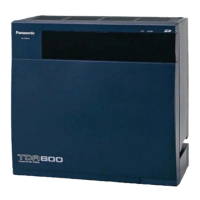
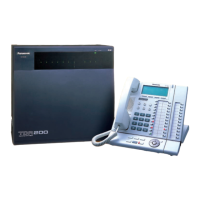
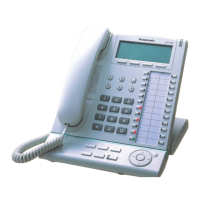
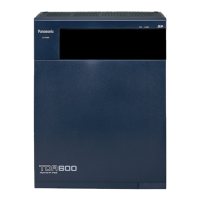
Panasonic KX-TDA600 - User Manual

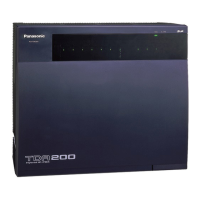
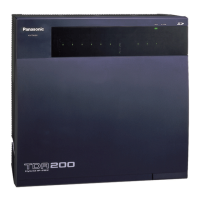
Panasonic KX-TDA600
212 pages
Print Icon
To Next Page IconTo Next Page
Loading...
KX-TDA50/KX-TDA100
Model
KX-TDA200/KX-TDA600
Hybrid IP-PBX
Operating Manual
Thank you for purchasing a Panasonic Hybrid IP-PBX.
Please read this manual carefully before using this product and save this manual for future use.
KX-TDA50: PSMPR Software File Version 4.0000 or later
KX-TDA100/KX-TDA200: PMPR Software File Version 3.2000 or later
KX-TDA600: PLMPR Software File Version 3.1000 or later
Document Version: 2006-12

Table of Contents

Other manuals for Panasonic KX-TDA600

Questions and Answers

  • A
    Amy RuizSep 12, 2025
    What to do if my Panasonic KX-TDA600 does not operate properly?
    • A
      Austin DuranSep 12, 2025
      If your Panasonic PBX isn't operating properly, try these steps: 1. Press the Reset Button. 2. Turn the power switch off, then on again. 3. Turn off the power switch, unplug the PBX, wait 5 minutes, then plug it back in and turn the power switch back on.
  • D
    Dr. Mary JeffersonSep 9, 2025
    How to fix the LINK indicator of the BUS-M card if it does not turn on for Panasonic PBX?
    • A
      Amy ShermanSep 10, 2025
      If the LINK indicator of the BUS-M card on the Basic Shelf of your Panasonic PBX doesn't turn on, first ensure the Bus Cables are properly connected. If the connection is correct, the Bus Cable itself might be defective and need replacement. If the problem persists, the optional service card (BUS-M, BUS-ME, or BUS-S) may be malfunctioning, requiring replacement of the corresponding shelf expansion card.
  • G
    glassbrentSep 8, 2025
    Why is the RUN indicator of an Expansion Shelf not turning on for my Panasonic KX-TDA600?
    • D
      Donald HuangSep 8, 2025
      If the RUN indicator on your Panasonic PBX Expansion Shelf isn't turning on, check the Bus Cable connection. If the cable is properly connected, it might be defective, so try replacing it. If the issue continues, the optional service card (BUS-M, BUS-ME, or BUS-S) may be malfunctioning, requiring replacement. As a last resort, the Expansion Shelf itself might be defective and need replacement.
  • K
    Keith BeckSep 7, 2025
    What to do if extensions connected to an Expansion Shelf do not send a dial tone on my Panasonic KX-TDA600 PBX?
    • C
      Curtis AndersonSep 7, 2025
      If extensions connected to an Expansion Shelf aren't sending a dial tone, ensure the Bus Cables are properly connected. Also, a defective Bus Cable might be the reason, so replace it. If the issue persists, the optional service card (BUS-S) may have malfunctioned; in that case, replace the corresponding shelf expansion card.
  • A
    andersonhaileyAug 23, 2025
    Why does my Panasonic PBX display 'Restricted' or give a reorder tone?
    • P
      Paul MeyerAug 23, 2025
      If a reorder tone is audible or 'Restricted' is displayed on your Panasonic PBX, it could be due to several reasons. Your telephone might be locked, in which case you should unlock it. Toll restriction might be activated, so consult your manager. Alternatively, an account code might be required.
  • T
    tdavidsonSep 5, 2025
    Why doesn't my SDN button work on Panasonic PBX?
    • J
      Jose LeeSep 5, 2025
      If an SDN button on your extension does not work on your Panasonic PBX, a PDN button is not assigned on the extension corresponding to your SDN button. Create a PDN button on the desired extension.
  • D
    Dustin GillSep 4, 2025
    Why is the MESSAGE button light lit on my Panasonic PBX?
    • N
      Nicholas GonzalezSep 4, 2025
      If the MESSAGE button light is lit on your Panasonic PBX, another extension left you a message waiting indication while you were on the phone or away from your desk.
  • B
    brownbrianSep 3, 2025
    How to fix the display on Panasonic KX-TDA600?
    • J
      Jason PerezSep 3, 2025
      If the display is not shown well on your Panasonic PBX, change the Display contrast level.
  • R
    Randy ShawSep 1, 2025
    Why can't I send a call waiting tone on my Panasonic KX-TDA600?
    • R
      Ronald ReedSep 2, 2025
      If you cannot send a call waiting tone to the dialed extension on your Panasonic PBX, the other party has not set the Call Waiting feature. Alternatively, the other party has set Data Line Security.
  • A
    Alan WoodsAug 31, 2025
    Why does my Panasonic KX-TDA600 PBX line disconnect while talking to an outside party?
    • Q
      qperrySep 1, 2025
      If, while talking to an outside party on your Panasonic PBX, the line is disconnected, the time limit has run out. Consult your dealer to extend the time limit, if necessary.

Summary

IMPORTANT SAFETY INSTRUCTIONS

F.C.C. REQUIREMENTS AND RELEVANT INFORMATION

1. Notification to the Telephone Company

Equipment compliance with FCC rules and technical info for telephone companies.

2. Ringer Equivalence Number (REN)

Explains REN for determining devices per telephone line.

Section 1 Operation

1.1 Before Operating the Telephones

Covers initial steps and considerations before using the telephone system.

1.2 Basic Operations

Explains fundamental operations like making and answering calls.

1.3 Telephone Features and Operation

Covers the various features and their operation on the telephone.

1.4 Display Features

Explains features related to the telephone display.

Section 2 Manager Operation

2.1 Manager Service Features

Details features available for managers to control extensions and PBX.

Section 3 Customizing Your Phone & System

3.1 Personal Programming

Details how to customize individual telephone features.

3.2 Manager Programming

Explains how managers can program system settings.

3.3 System Programming

Covers system-wide programming and customization.

Section 4 Appendix

4.1 Troubleshooting

Offers solutions for common telephone problems.

4.2 Feature Number Table

Provides a table of feature numbers for programming.

4.3 Tone

Lists and describes various telephone tones.

Panasonic KX-TDA600 Specifications

General IconGeneral
TypeHybrid PBX
VoIP SupportYes
DECT SupportYes
Power SupplyAC 100-240 V, 50/60 Hz
Wireless CapabilityYes
Built-in FeaturesVoicemail, Call Forwarding, Call Waiting, Caller ID, Conference Calling
Supported ProtocolsSIP, H.323

Related product manuals