EasyManua.ls Logo

Panasonic KX-TDA200BX - User Manual

Panasonic KX-TDA200BX
96 pages
Print Icon
To Next Page IconTo Next Page
Loading...
© 2003 Panasonic Communications Co., Ltd. All
rights reserved. Unauthorized copying and
distribution is a violation of law.
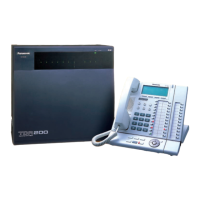
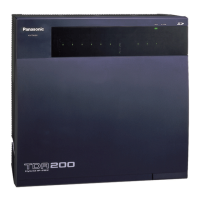
KX-TDA200BX
(for Asia, Middle Near East, South America and Africa)
Hybrid IP-PBX
IMPORTANT INFORMATION ABOUT LEAD FREE, (PbF), SOLDERING
If lead free solder was used in the manufacture of this product the printed circuit boards will be marked PbF.
Standard leaded, (Pb), solder can be used as usual on boards without the PbF mark.
When this mark does appear please read and follow the special instructions described in this manual on the use of PbF and how
it might be permissible to use Pb solder during service and repair work.
ORDER NO. KMS0304727C3
All manuals and user guides at all-guides.com
all-guides.com

Table of Contents

Questions and Answers

  • B
    Brandon BrownAug 1, 2025
    Why is my Panasonic Telephone Accessories digital trunk out of synchronization?
    • K
      Katherine CurryAug 1, 2025
      If your Panasonic Telephone Accessories device shows a 'Digital trunk out of synchronization' error, the issue might stem from a network malfunction. Ensure the signals from the network are properly installed. Alternatively, there could be a problem with the optional service card (PRI, T1, CTI-LINK); in this case, check the cable. Also, verify that the A/B switch is set to A on the corresponding optional service card (PRI, T1).
  • J
    Justin MonroeAug 5, 2025
    What to do if SD card not mounted on Panasonic Telephone Accessories?
    • W
      wdavisAug 5, 2025
      If the SD card is not mounted on your Panasonic Telephone Accessories, first check if the SD Memory Card is installed properly. If it is, the issue might be due to defective data on the SD Memory Card, requiring a replacement. Alternatively, a malfunctioning MPR card could be the cause; if so, replace the MPR card, remembering to turn off the main unit (Hybrid IP-PBX) during the replacement.
  • D
    Dennis LaneAug 9, 2025
    How to fix ASIC HDLC error on Panasonic Telephone Accessories?
    • L
      Lori PowersAug 10, 2025
      If you are experiencing an 'ASIC HDLC error' with your Panasonic Telephone Accessories, it may be due to an MPR card malfunction. Check if the MPR card is installed correctly. If the issue persists, try pressing the Reset Button. If that doesn't resolve the problem, consider replacing the MPR card, ensuring you turn off the main unit (Hybrid IP-PBX) before doing so.
  • E
    Erica BaileyAug 14, 2025
    How to troubleshoot SRAM readwrite error on Panasonic Telephone Accessories?
    • J
      Jeremy Patton MDAug 14, 2025
      If your Panasonic Telephone Accessories device displays an 'SRAM readwrite error', the cause might be a malfunctioning MPR card. First, check that the MPR card is properly installed. If the problem continues, try pressing the Reset Button. As a last resort, replace the MPR card, making sure to turn off the main unit (Hybrid IP-PBX) before you replace it.
  • M
    Megan StokesAug 18, 2025
    What to do if LPR start up error (ROM NG) appears on Panasonic Telephone Accessories?
    • R
      Rodney AyalaAug 18, 2025
      If your Panasonic Telephone Accessories device shows an 'LPR start up error (ROM NG)', it could be due to a malfunction in an optional service card (DHLC, DLC, CSIF, T1, PRI, OPB3, CTI-LINK, E&M, IP-GW). Try pulling out and re-inserting the corresponding optional service card. If the issue persists, press the Reset Button. If neither of these steps works, consider replacing the corresponding optional service card.
  • C
    Christian AdamsAug 22, 2025
    What causes SMDR disconnect on Panasonic Telephone Accessories?
    • R
      Regina TorresAug 22, 2025
      If your Panasonic Telephone Accessories device displays 'SMDR disconnect', check the RS-232C cable to ensure it is properly connected. If the cable is damaged, this could also be the cause.
  • C
    Christopher BatesAug 27, 2025
    How to resolve CS clock failure on Panasonic Telephone Accessories?
    • C
      Chase BryanAug 27, 2025
      If you're experiencing a 'CS clock failure' with your Panasonic Telephone Accessories, it's likely due to a malfunction of the CSIF optional service card. Replacing the corresponding optional service card should resolve this issue.

Summary

Service Manual

Product Overview: KX-TDA200 BX Hybrid IP-PBX

Introduction to the product and its model.

Critical Safety Warning for Service

Essential safety information for technicians.

Lead-Free Solder Information

Guidance on lead-free soldering for this product.

Lead-Free Solder Guidelines

Service Technician Precautions

Static Electricity Protection Measures

Steps to prevent static damage to components.

General Cautions and Safety

Servicing Safety Precautions

General safety rules for equipment servicing.

Insulation Resistance Testing Procedure

Method for performing insulation resistance tests.

Battery Handling and Replacement Warnings

Important notes for battery safety.

System Specifications

System Overview

System Connection Diagram

System Connection Diagram Illustration

Illustrates how system components connect.

Disassembly Procedures

MPR Card Disassembly Steps

Step-by-step guide to remove the MPR card.

Back Board Disassembly Steps

Step-by-step guide to remove the back board.

System Control Architecture

Back Board Signal Connection Diagrams

MPR Card Circuit Operation

MPR Card Functional Overview

Summary of MPR card functions.

MPR Card Detailed Block Diagram

Comprehensive block diagram of the MPR card.

MPR Card Circuit Details

Back Board Circuit Operation

Troubleshooting Guide

Troubleshooting Guide Introduction

How to use the troubleshooting section.

Typical Troubleshooting Examples

Common problems and their resolution steps.

MPR Card Troubleshooting

MPR Card Startup Issues Troubleshooting

Diagnosing problems during system startup.

SD Card Access Light Troubleshooting

Resolving issues with the SD card access indicator.

Battery Alarm Light Troubleshooting

Resolving issues with the battery alarm indicator.

Alarm Indicator Flash Code Troubleshooting

Interpreting alarm flashes for diagnostics.

Optional Service Card Startup Failure Troubleshooting

Diagnosing issues with optional cards.

Phone Call Troubleshooting

Call Path Connection Failure Troubleshooting

Steps for when calls cannot connect.

Call Noise Troubleshooting

Steps for resolving noise during calls.

Paging Troubleshooting

Paging No Sound (PAGING1) Troubleshooting

Resolving no sound issues for PAGING1.

Paging No Sound (PAGING2) Troubleshooting

Resolving no sound issues for PAGING2.

Paging Noise Issues (PAGING1) Troubleshooting

Resolving noise issues for PAGING1.

Music on Hold (MOH) Troubleshooting

USB Connection Troubleshooting

RS-232 C Connection Troubleshooting

SD Card Interface Troubleshooting

Other Troubleshooting Topics

Error Log Management

Comprehensive Error Code List and Solutions

Diagnostic Procedures

Diagnostic Features Overview

Introduction to the diagnostic capabilities.

Performing Diagnosis Tests Using Console

Steps for running diagnostic tests via the console.

Flat Package IC Replacement Guide

Accessories and Packing Materials List

Replacement Parts Identification

List of replaceable parts and their numbers.

Schematic Diagrams

Waveform Examples and Analysis

Panasonic KX-TDA200BX Specifications

General IconGeneral
BrandPanasonic
ModelKX-TDA200BX
CategoryPBX
LanguageEnglish

Related product manuals