EasyManua.ls Logo

Panasonic KX-TDA50 - User Manual

Panasonic KX-TDA50
214 pages
Print Icon
To Next Page IconTo Next Page
Loading...
Model No.
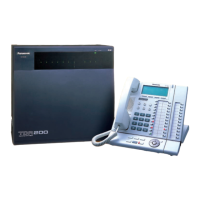
KX-TDA50/KX-TDA100
KX-TDA200/KX-TDA600
Hybrid IP-PBX
Operating Manual
Thank you for purchasing a Panasonic Hybrid IP-PBX.
Please read this manual carefully before using this product and save this manual for future use.
KX-TDA50: PSMPR Software File Version 5.0000 or later
KX-TDA100/KX-TDA200: PMPR Software File Version 5.0000 or later
KX-TDA600: PLMPR Software File Version 5.0000 or later
Document Version: 2008-10

Table of Contents

Other manuals for Panasonic KX-TDA50

Questions and Answers

  • C
    Connor RaySep 6, 2025
    Why is there noise on external paging with my Panasonic KX-TDA50?
    • L
      lisa58Sep 6, 2025
      Noise on external paging with a Panasonic PBX is often due to induced noise on the wire between the PBX and the amplifier. To resolve this, use a shielded cable as the connection wire. A short shielded cable is recommended.
  • K
    Kaitlyn KruegerAug 25, 2025
    What to do if Panasonic KX-TDA50 PBX does not operate properly?
    • A
      Annette EdwardsAug 25, 2025
      If your Panasonic PBX isn't working correctly, try these steps: * Press the Reset Button. * Turn the power off and then back on. * Unplug the PBX for 5 minutes, then plug it back in and turn it on.
  • T
    tracy01Aug 25, 2025
    Why does my Panasonic Telephone System disconnect during outside calls?
    • N
      Nicholas RodriguezAug 26, 2025
      The line may be disconnecting because the time limit has run out. If necessary, consult your dealer to extend the time limit.
  • E
    Edward WilsonSep 14, 2025
    Why can't I talk using my Bluetooth headset on the Panasonic Telephone System?
    • D
      deborahhansenSep 14, 2025
      If you cannot have a conversation using the Bluetooth headset with your Panasonic Telephone System, make sure that the headset is properly registered to the module and properly charged according to the headset's manual. Also, remove the wired headset from the headset jack, as priority is given to the wired headset when both are connected.
  • M
    Megan HigginsSep 23, 2025
    How to eliminate noise on external paging Panasonic Telephone?
    • J
      Jennifer CarrollSep 23, 2025
      If you are experiencing noise on external paging with your Panasonic Telephone, it could be due to induced noise on the wire between the Hybrid IP-PBX and the amplifier. To resolve this, use a shielded cable as the connection wire. A short shielded cable is recommended.
  • A
    Amber WongSep 10, 2025
    What to do if Panasonic KX-TDA50 PBX Alternate Calling—Ring/Voice and Live Call Screening (LCS) do not function as set when using a Wireless Phone?
    • J
      jessica55Sep 10, 2025
      Voice-calling mode and Hands-free mode with LCS are not available with Wireless Phones on Panasonic PBX. Switch the calling mode to ring-calling or set the LCS mode to "Private".
  • J
    Joan BatesSep 2, 2025
    Why is my Panasonic PBX displaying 'Restricted'?
    • K
      Kaitlin FullerSep 2, 2025
      If you hear a reorder tone or see "Restricted" displayed on your Panasonic PBX, it could be due to several reasons. Your telephone might be locked, so try unlocking it. Toll restriction could be activated, in which case you should consult your manager or dealer. Alternatively, an account code might be required.
  • M
    Mrs. Susan NicholsonSep 2, 2025
    Why some Panasonic PBX features do not work?
    • Z
      zclarkSep 2, 2025
      If some features on your Panasonic PBX phone aren't working, it could be because system management has restricted those features; consult your manager. It's also possible that the feature numbers have changed, so confirm the revised number and try again.
  • H
    heather93Sep 18, 2025
    Why none of the operations work on Panasonic KX-TDA50 PBX proprietary telephone?
    • K
      Kelly TranSep 19, 2025
      If none of the operations work on your Panasonic PBX proprietary telephone even after following the manual, the Intercom line might not have been seized properly. The seized line, when going off-hook, may have been changed by personal setting. If the setting has been changed, press the INTERCOM button after going off-hook and follow the instructions.
  • P
    plopezAug 28, 2025
    How to fix Panasonic Telephone System when personal settings do not work?
    • K
      Kathy HuynhAug 28, 2025
      If your Panasonic Telephone System does not work using the personal settings or with other settings (One-touch dialing, forwarding destination, etc.), it is possible that the extension line has been changed. The previous telephone’s settings have not been cleared, so clear the settings and then program your desired settings again.

Summary

Feature Highlights

IP Communication Features

Details on supporting IP communication using various IP telephones and Softphones.

Call Center and Voice Mail Integration

Features for managing incoming calls via ICD Groups and integrating with voice mail systems.

System Connectivity Options

Information on wireless systems and PC Phone/PC Console connectivity.

Important Safety Instructions

Water and Electrical Storm Safety Precautions

Safety precautions regarding water proximity and electrical storm usage.

Important Information and Safety Requirements

General Safety Requirements for PBX

Essential safety guidelines for all telephone equipment and the PBX.

Section 1: Operation Guide

Before Operating the Telephones

Preparation steps, telephone types, feature numbers, and tone explanations.

Basic Telephone Operations

Core functions like making and answering calls, including intercom and outside calls.

Telephone Features and Operation

Detailed explanation of various PBX features and their operation.

Display Features Overview

Information on call logs, directories, and system feature access via display.

Section 2: Manager Operations

Manager Service Features

Features accessible by managers, including dial tone transfer and background music.

Outgoing Messages (OGM) Management

Recording and managing greeting messages for DISA, ICD groups, and reminders.

Private Network Features Management

Managing monitoring and release of extensions in private networks.

Remote Extension Security and Time Service Control

Managerial control over extension security and time-based service modes.

Section 3: Customizing Your Phone & System

Personal Programming Information

Overview of personal customization options for telephone features.

Personal Programming Procedures

How to program features using the programming mode.

Programming Feature Clear Function

Resetting extension settings to their default configurations.

Customizing Telephone Buttons

Assigning functions to flexible and programmable feature buttons.

Manager Programming Procedures

Features and procedures for managers to program the PBX and extensions.

System Programming Information

Overview of customizing overall PBX system requirements and settings.

System Programming Procedures

Step-by-step procedures for system-level programming.

Section 4: Appendix

Troubleshooting Common Issues

Guidance on resolving common problems with the telephone system.

Feature Number Table Reference

A comprehensive list of feature numbers and their corresponding operations.

Audible Tone Descriptions

Explanation of various tones used by the system for call status and notifications.

Revision History for Software Versions

Details on changes and new features across different software versions.

Panasonic KX-TDA50 Specifications

General IconGeneral
BrandPanasonic
ModelKX-TDA50
CategoryPBX
LanguageEnglish

Related product manuals