
 To Next Page
A
aleeSep 6, 2025
What to do if outside lines are connected to the T2 / T1 on Panasonic PBX?
- JJennifer HarrellSep 6, 2025
Reconnect the outside lines to the T1 / R1 or T2 / R2 of the telephone jack using 2-conductor wiring.



What to do if outside lines are connected to the T2 / T1 on Panasonic PBX?
Reconnect the outside lines to the T1 / R1 or T2 / R2 of the telephone jack using 2-conductor wiring.
What does "CS Busy" mean on Panasonic Telephone?
If your Panasonic Telephone displays "CS Busy", it means the radio channel is busy. Please try again later.
Why can't I dial on my Panasonic Telephone?
If you cannot dial on your Panasonic Telephone, it might be because the number you dialed is restricted by the system, so you should consult your dealer. Alternatively, the key lock mode might be set. To cancel the mode, press the Function button for about 2 seconds. Also, the radio channel might be busy or a radio communication error occurred, so try again later.
Why does my Panasonic Telephone System not store all received calls in the Incoming Call Log?
If some received calls are not stored in the Incoming Call Log of your Panasonic Telephone System, it is because incoming calls via Voice Call/Paging/LCS/Auto Answer cannot be stored. Set at least one of the incoming call types to On.
What causes extensions connected to jack numbers 01, 02, 09, 10 for KX-TD816, and 01, 02, 09, 10, 17, 18 for KX-TD1232 not to operate during a power failure on Panasonic Telephone System?
During a power failure, if extensions connected to specific jack numbers (01, 02, 09, 10 for KX-TD816, and 01, 02, 09, 10, 17, 18 for KX-TD1232) do not operate on your Panasonic Telephone System, it could be due to one of the following reasons: * A digital or analogue proprietary telephone (DPT / APT) is connected to the jack. Disconnect the DPT or APT and connect a single line telephone. * The dialling mode (tone or pulse) is improper. Set the Tone / Pulse switch to the other position.
Why can't I dial on my Panasonic Telephone System?
If you cannot dial on your Panasonic Telephone System, it could be because the number you dialed is restricted by the PBX; in this case, consult your dealer. Alternatively, the key lock mode might be on. To cancel it, press the Joystick for about 2 seconds.
Why can't I save a number in my Panasonic Telephone directory?
If you cannot store a phone number and name in the directory of your Panasonic Telephone, it may be because your entry exceeds the maximum digits or characters. Also, avoid pausing for over 30 seconds while programming.
What does "FAULT" mean on Panasonic Telephone?
If your Panasonic Telephone displays "FAULT", consult your dealer.
What to do if originating an intercom/ outside call from one system to the other system is not possible during system connection operation for KX-TD1232 Panasonic Telephone System?
If you cannot originate an intercom/outside call from one system to the other during system connection operation for KX-TD1232 Panasonic Telephone System, the interface between the systems may be disconnected. Connect the interface between the systems and press the Reset Button on both systems.
How to fix static and sound issues on Panasonic Telephone?
If you are experiencing static, sound cuts in/out, or fading on your Panasonic Telephone, or if there is interference from other electrical units, try setting the PS and CS away from other electrical appliances. Also, try moving closer to the CS.
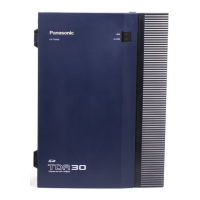
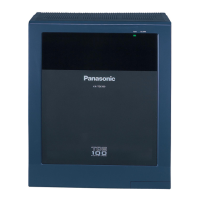
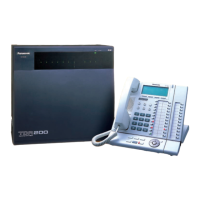
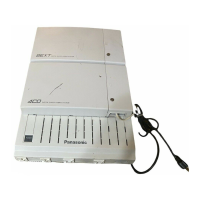
Details on the main unit of the system.
Information on available telephone models.
List of optional equipment for the system.
Identifies the intended audience for this user manual.
Outlines the structure and sections of the manual.
Details the specifications and models of Digital Proprietary Telephones.
Identifies the buttons and features on various DPT models.
Describes fixed and flexible buttons available on DPTs.
Explains how to enter and exit station programming mode.
Details the default settings and how to program them.
Provides general guidelines for user programming operations.
Explains methods for advancing through programs and entering data.
Provides essential information before using system features.
Covers fundamental operations like making and receiving calls.
Allows setting pre-programmed messages for caller notification.
Summarizes different types of call forwarding options.
Explains how to place calls on hold and retrieve them.
Describes how to enable or disable call reception.
Lists special features available to assigned operators or managers.
Details recording and playing back outgoing voice messages.
Explains display features and access methods for the KX-T7235.
Details call directory functions for specific DPT models.
Describes the purpose and categories of DSS consoles.
Explains how to program DSS and PF buttons.
Details how to call and access extensions using DSS buttons.
Provides examples of various display messages in English and French.
Lists features with their default and additional digits for programming.
Offers solutions for common problems and power failure scenarios.
 General
| Type | Hybrid PBX |
|---|---|
| Max CO Lines | 12 |
| Max Extensions | 32 |
| Power Supply | AC 120V, 60Hz |
| Caller ID | Yes |
| DISA/OGM | Yes |
| SMDR | Yes |
| Operating Temperature | 0°C to 40°C |