EasyManua.ls Logo

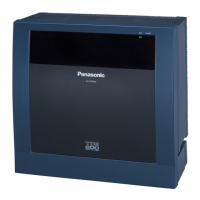
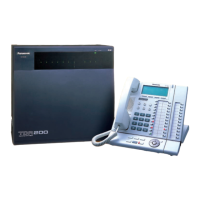
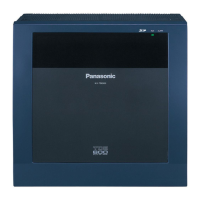
Panasonic KX-TD500 - User Manual

Panasonic KX-TD500
554 pages
Print Icon
To Next Page IconTo Next Page
Loading...
Model No.
KX-TD500
Digital Super Hybrid System
User Manual
D
I
G
I
T
A
L
S
U
P
E
R
H
Y
B
R
I
D
S
Y
S
T
E
M
R
U
N
O
F
F
L
I
N
E
A
L
A
R
M
Please read this manual before connecting the Digital Super Hybrid System
and save this manual for future reference.

Table of Contents

Other manuals for Panasonic KX-TD500

Questions and Answers

  • C
    Carol SalasSep 14, 2025
    What to do if I hear a warning tone from my Panasonic PBX telephone?
    • D
      Danielle BowersSep 14, 2025
      If you hear a warning tone from your Panasonic PBX telephone, it means the handset was off-hook in an idle status for an extended period. Replace the handset.
  • M
    Mary SchneiderAug 25, 2025
    Why can't I make an outside call on my Panasonic KX-TD500?
    • P
      Peter WilliamsAug 25, 2025
      Several reasons may prevent you from making outside calls on your Panasonic PBX system. The telephone could be locked, so try unlocking it. Toll restriction might be activated; in that case, consult your manager or dealer. It's also possible that an account code is required, or a host PBX access code if another PBX is connected. Finally, ensure you dial promptly after going off-hook; otherwise, hang up, go off-hook, and redial.
  • R
    Richard PerezAug 25, 2025
    What to do if I hear a reorder tone or see 'Restricted' displayed on my Panasonic KX-TD500 PBX phone?
    • J
      James ConnerAug 26, 2025
      If you hear a reorder tone or see 'Restricted' displayed on your Panasonic PBX phone, it could be due to a few reasons. Your telephone might be locked, so try unlocking it. Alternatively, toll restriction could be activated; if so, consult your System Manager or dealer. Lastly, it's possible that an account code is required.
  • K
    Kelly SimpsonAug 26, 2025
    What to do if some Panasonic KX-TD500 features do not work?
    • V
      Veronica LeeAug 26, 2025
      If some features on your Panasonic PBX system aren't working, it could be because system management has restricted them; in that case, consult your System Manager. It's also possible that the feature numbers have changed, so confirm the revised number and try again.
  • A
    abigail97Sep 15, 2025
    Why is my Panasonic Control Unit not ringing?
    • N
      nicole77Sep 15, 2025
      If your Panasonic Control Unit isn't ringing, the ringer volume might be set to “OFF.” Set the ringer volume selector to either “HIGH” or “LOW.”
  • J
    johnny17Sep 23, 2025
    How to perform a reset operation on Panasonic Control Unit?
    • V
      Vanessa MooreSep 23, 2025
      Press the Reset Button.
  • D
    Dr. Marcus ChenSep 7, 2025
    Why is there noise in my Panasonic KX-TD500 external paging?
    • C
      cwalkerSep 7, 2025
      Noise in external paging with your Panasonic PBX is often due to induced noise on the wire between the system and the amplifier. Try using a shielded cable for the connection; a short shielded cable is recommended.
  • D
    Dennis WebbSep 8, 2025
    How to resolve Panasonic PBX volume distortion from external music?
    • L
      Lisa BrownSep 8, 2025
      Volume distortion from an external music source on your Panasonic PBX is likely caused by an excessive input level. Decrease the output level of the external music source using its volume control.
  • S
    Sergio CastilloSep 2, 2025
    Why did the background music start suddenly on my Panasonic KX-TD500 PBX?
    • L
      Laura MillsSep 2, 2025
      If the background music started suddenly, turn off the music.
  • R
    Raven CampbellAug 31, 2025
    Why is the line disconnected while talking to an outside party on my Panasonic PBX?
    • C
      Christopher RobertsAug 31, 2025
      If the line is disconnected while talking to an outside party, the time limit may have expired. Consult your dealer to extend the time, if necessary.

Summary

Introduction

Who Should Use This Manual

Identifies users and scope of the manual for KX-TD500 System, DPTs, DSS Consoles, and SLTs.

Construction of This Manual

Outlines the manual's sections, covering DPT Overview, Station Programming, User Programming, etc.

Features and Capabilities

Highlights key features of the KX-TD500 System, such as Automatic Callback Busy and Call Log.

DPT Overview

Configuration

Details the nine Panasonic Digital Proprietary Telephone (DPT) models and their specifications, including display and buttons.

Location of Controls

Illustrates and labels the buttons and controls on various DPT models (KX-T7420, KX-T7425, etc.) for user reference.

Feature Buttons

Lists and describes the types of feature buttons (Fixed and Flexible) available on DPT models, indicating their availability per model.

Station Programming

Station Programming Instructions

Explains how users can program features individually by switching the telephone to Station Programming mode.

Station Programming Outline [Flexible Button Assignment]

Provides a visual outline of how flexible buttons can be assigned to various functions via Station Programming.

User Programming

General Programming Instructions

Guides PT users on programming system features individually using the User Programming Password and telephone keys.

[000] Date and Time Set

Details the procedure for setting the current date and time on the system, including year, month, day, and time format.

Station Features and Operation (PT;SLT)

Before Operating

Provides essential information and considerations before operating the system, including telephone types and ISDN users.

Basic Operations

Explains fundamental operations like making calls via Inter Office Calling and Outward Dialing, covering different trunk access methods.

Station Features and Operation

Covers various features like Absent Message Capability, Account Code Entry, and Call Forwarding for PT and SLT users, detailing their operation.

DSS Console Features

Configuration

Explains the purpose and connection requirements of the DSS Console with the KX-TD500 System and paired PT, listing available models.

DSS Console Features

Details how DSS buttons can be assigned to various functions like Account Button, Answer Button, and Conference Button via Station Programming.

Account Button (Assignment)

Describes how to assign a Flexible DSS or PF button as an Account button for call accounting and billing purposes.

Appendix

Display Examples

Provides English and French display examples for various system states, feature operations, and programming modes.

Feature Numbers List

Lists default and additional digits for flexible and fixed feature numbers used in programming, including conflicts and additional digits.

Troubleshooting

Provides solutions for common problems like no sound in hands-free mode, unit not ringing, and display errors.

Panasonic KX-TD500 Specifications

General IconGeneral
Digital ExtensionsYes
Analog ExtensionsYes
Caller ID SupportYes
Automated AttendantYes
Direct Inward System Access (DISA)Yes
Operating Temperature0°C to 40°C
Voice Mail IntegrationYes
NetworkingYes
VoIP SupportYes (with optional cards)
Dimensions430 x 415 x 270 mm

Related product manuals