EasyManua.ls Logo

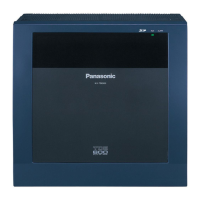
Panasonic KX-TDE600 - User Manual

Panasonic KX-TDE600
282 pages
Print Icon
To Next Page IconTo Next Page
Loading...
Thank you for purchasing a Panasonic Pure IP-PBX.
Please read this manual carefully before using this product and save this manual for future use.
KX-NCP500/KX-NCP1000: PBMPR Software File Version 7.0000 or later
KX-TDE100/KX-TDE200: PMMPR Software File Version
7.0
000 or later
KX-TDE600: PGMPR Software File Version
7.0
000 or later
Model No. KX-NCP500/KX-NCP1000
KX-TDE100/KX-TDE200/KX-TDE600
Pure IP-PBX
User Manual

Table of Contents

Other manuals for Panasonic KX-TDE600

Questions and Answers

  • V
    Vincent BarberAug 30, 2025
    How to fix Panasonic KX-TDE600 PBX one-touch dialling?
    • M
      Martha DeckerAug 31, 2025
      If you cannot make an outside call using the One-touch Dialling button or speed dialling on your Panasonic PBX, it is likely that a line access number was not stored. A line access number is required for outside calls.
  • E
    erikaolsenAug 25, 2025
    What to do if my Panasonic Telephone does not respond when buttons are pressed?
    • G
      Glenda SmithAug 25, 2025
      If your Panasonic Telephone isn't responding when you press the buttons, it could be locked. You need to unlock your telephone. If that's not the issue, your telephone might be connected to an eXtra Device Port, requiring system programming. In this case, you should consult your dealer.
  • D
    Daniel GutierrezSep 5, 2025
    How to eliminate noise on external paging with Panasonic PBX?
    • P
      paulhunterSep 5, 2025
      To eliminate noise on external paging with your Panasonic PBX, use a shielded cable as the connection wire between the PBX and the amplifier. A short shielded cable is recommended.
  • N
    Nicholas RossSep 9, 2025
    What to do if Panasonic KX-TDE600 shows SYSTEM ERROR ERR 2001-XXXX?
    • C
      Christopher GibbsSep 9, 2025
      If your Panasonic PBX system frequently displays the 'SYSTEM ERROR' (ERR 2001-XXXX) during startup, this indicates an unexpected error. The suggested solution is to repair or replace the IP-PT.
  • D
    Daniel Woodward DDSSep 2, 2025
    How to improve Panasonic KX-TDE600 PBX display?
    • R
      Richard RobertsSep 2, 2025
      To improve the display on your Panasonic PBX, try changing the Display contrast level.
  • J
    James WilliamsAug 28, 2025
    What to do if parallel single line telephones do not ring on Panasonic KX-TDE600?
    • J
      Jessica MartinAug 28, 2025
      If the parallel single line telephones do not ring on your Panasonic PBX, the "No ring" option may be selected. Change the setting to ring.
  • M
    Mackenzie BowersSep 12, 2025
    Why is the line disconnected while talking to an outside party on Panasonic Telephone?
    • T
      Tiffany HernandezSep 12, 2025
      If the line is disconnected while talking to an outside party on your Panasonic Telephone, the time limit may have run out. Consult your dealer to extend the time limit, if necessary.
  • L
    Lauren NguyenSep 7, 2025
    Why is my Panasonic KX-TDE600 KX-HGT100 not working properly, or why can't some features be performed?
    • C
      Christine JohnsonSep 7, 2025
      If the KX-HGT100 isn't working correctly or some features are unavailable, upgrade the firmware of the KX-HGT100 and the MPR software file version of the PBX to their latest versions.
  • T
    Tracy AshleyAug 27, 2025
    Why are the parallelled single line telephones not ringing on Panasonic?
    • J
      jasonryanAug 27, 2025
      If the parallelled single line telephones are not ringing on your Panasonic system, the "No ring" option may be selected. Change the setting to ring.
  • S
    samanthamartinezSep 13, 2025
    Why doesn't an SDN button work on my Panasonic extension?
    • G
      Gerald VincentSep 13, 2025
      If an SDN button on your extension does not work, a PDN button is not assigned on the extension corresponding to your SDN button. Create a PDN button on the desired extension.

Summary

Feature Highlights

PBX Feature Overview

SIP Extension User Notes

IP-PT User Specific Notes

Safety Notices

WARNING

Indicates potential for severe injury or death due to misuse.

CAUTION

Alerts to potential for minor injury or property damage due to misuse.

Important Operational and Safety Information

Safety Requirements for Equipment

Outlines essential safety requirements for telephone equipment installation and use.

PBX Security Requirements

Additional Safety Precautions

Section 1: Operation

Panasonic KX-TDE600 Specifications

General IconGeneral
SIP trunkingYes
SIP extensions128
Number of extensions960
Number of DECT wireless handsets512
Weight and Dimensions IconWeight and Dimensions
Weight16000 g
Dimensions (WxDxH)415 x 270 x 430 mm

Related product manuals