EasyManua.ls Logo

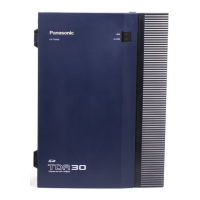
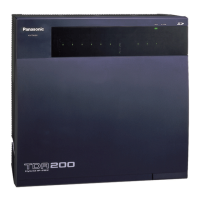
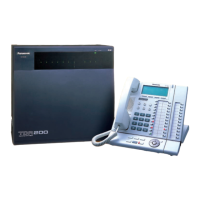
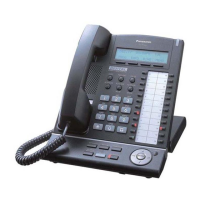
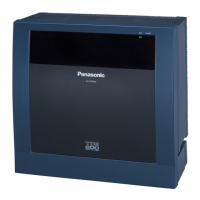
Panasonic KX-TDE200NZ - User Manual

Panasonic KX-TDE200NZ
250 pages
Print Icon
To Next Page IconTo Next Page
Loading...
Thank you for purchasing a Panasonic Pure IP-PBX.
Please read this manual carefully before using this product and save this manual for future use.
KX-TDE100/KX-TDE200: PMMPR Software File Version 1.0000 or later
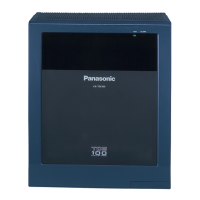
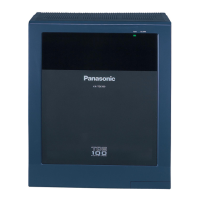
KX-TDE100
Model
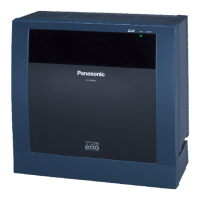
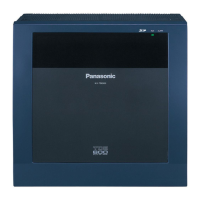
KX-TDE200
Pure IP-PBX
User Manual

Table of Contents

Questions and Answers

  • J
    James GarciaAug 28, 2025
    What to do if Panasonic PBX telephone does not respond?
    • J
      Justin PageAug 28, 2025
      If your Panasonic PBX telephone isn't responding when you press the buttons, it could be because the telephone is locked. Try unlocking your telephone. Another reason might be that your telephone is connected to an eXtra Device Port, which requires system programming. In this case, consult your dealer.
  • T
    Tyrone BauerAug 25, 2025
    What to do if my Panasonic Telephone does not respond when buttons are pressed?
    • K
      Kristin CooperAug 25, 2025
      If your Panasonic Telephone isn't responding when you press the buttons, it could be locked. You need to unlock your telephone. If that's not the issue, your telephone might be connected to an eXtra Device Port, requiring system programming. In this case, you should consult your dealer.
  • M
    Margaret ByrdNov 24, 2025
    What to do if IP-PTs/SIP Extensions do not operate on Panasonic KX-TDE200NZ?
    • A
      Alicia WillisNov 25, 2025
      If your IP-PTs or SIP Extensions are not working with your Panasonic PBX, possible causes and solutions include: * IP-EXT/DSP card malfunction: Replace the corresponding card. * IPCMPR card malfunction: Replace the IPCMPR card, remembering to turn off the PBX first. * Insufficient activation keys: Purchase additional activation key codes from a certified dealer. * IP-PT/SIP Extension not registered: Register the corresponding IP-PT/SIP Extension. * IP-PT/SIP Extension malfunction: Replace the IP-PT/SIP Extension. * Poor connection: Ensure an 8-pin twisted pair cable is used, CAT 5 cables are not longer than 100 m, and a straight cable is used for connection to a switching hub. * Network malfunction: Ensure all network devices are on, and the IP-PT/SIP Extension isn't blocked...
  • T
    terrystacyAug 31, 2025
    What to do if my Panasonic KX-TDE200NZ phone buttons are not responding?
    • H
      Haley LynchAug 31, 2025
      If your Panasonic PBX telephone does not respond when buttons are pressed, it could be because the telephone is locked. Unlock your telephone. It is also possible that your telephone is connected to an eXtra Device Port, and in this case system programming is required, so consult your dealer.
  • P
    Patricia Levy PhDSep 3, 2025
    What to do if the Panasonic Telephone does not respond when buttons are pressed?
    • S
      sean49Sep 3, 2025
      If your Panasonic Telephone isn't responding when you press the buttons, it might be locked. Try unlocking it. Another possibility is that your telephone is connected to an eXtra Device Port, in which case system programming is required, and you should consult your dealer.
  • S
    Sydney RiveraAug 30, 2025
    How to troubleshoot Panasonic KX-TDE200NZ Bluetooth headset?
    • R
      Ronnie ThompsonAug 30, 2025
      To resolve issues with using a Bluetooth headset with your Panasonic PBX, first ensure that the headset is properly registered to the module. Next, ensure the headset is fully charged according to its manual. Finally, remove any wired headset from the headset jack, as priority is given to wired headsets when both are connected.
  • S
    Steven SimsAug 27, 2025
    How to make an outside call on Panasonic PBX using One-touch Dialling if it is not working?
    • R
      Raymond StevensonAug 27, 2025
      If you cannot make an outside call using the One-touch Dialling button or speed dialling on your Panasonic PBX, a line access number was likely not stored. A line access number is required for outside calls.
  • J
    joshuamartinSep 4, 2025
    Why can't I register a Bluetooth headset on Panasonic Telephone?
    • J
      jthomasSep 5, 2025
      To register, de-register, or confirm the ID of the Bluetooth headset, make sure that the module is properly installed in the IP-PT/DPT.
  • A
    Amy RiceSep 2, 2025
    How to improve the display on my Panasonic KX-TDE200NZ PBX?
    • C
      Connie GuerreroSep 2, 2025
      To improve the display on your Panasonic PBX, change the Display contrast level.
  • B
    Benjamin ByrdAug 26, 2025
    How to fix IP-PT cannot connect to Panasonic KX-TDE200NZ PBX?
    • T
      tkempAug 26, 2025
      If the IP-PT cannot connect to the Panasonic PBX, consider the following: * Incorrect IP address, subnet mask address, PBX IP address, or default gateway address: Check each parameter and enter the correct value. * Ethernet cable not connected correctly: Check the Ethernet cable connections. * DHCP server is not active: Restart the DHCP server, or disable DHCP and re-enter settings.

Panasonic KX-TDE200NZ Specifications

General IconGeneral
BrandPanasonic
ModelKX-TDE200NZ
CategoryPBX
LanguageEnglish

Related product manuals