EasyManua.ls Logo

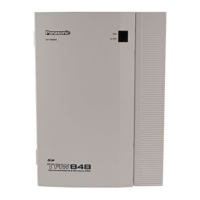
Panasonic KX-TAW848 - User Manual

Panasonic KX-TAW848
174 pages
Print Icon
To Next Page IconTo Next Page
Loading...
Advanced Hybrid & Wireless PBX
Operating Manual
Model No. KX-TAW848
Thank you for purchasing a Panasonic Advanced Hybrid & Wireless PBX.
Please read this manual carefully before using this product and save this manual for future use.
PSMPR Software File Version 3.0000 or later
Document Version: 2006-02

Table of Contents

Other manuals for Panasonic KX-TAW848

Questions and Answers

  • R
    Rachel HooperSep 9, 2025
    Why can't I send a call waiting tone on Panasonic KX-TAW848?
    • J
      joannarichmondSep 9, 2025
      You may not be able to send a call waiting tone on your Panasonic PBX if the other party has not set the Call Waiting feature, or if the other party has set Data Line Security.
  • W
    william37Aug 23, 2025
    What to do if my Panasonic KX-TAW848 PBX telephone does not respond to button presses?
    • D
      Dawn DiazAug 23, 2025
      If your Panasonic PBX telephone does not respond when buttons are pressed, it may be locked. Unlock your telephone.
  • K
    Kathryn CollinsAug 25, 2025
    What to do if I forgot my Panasonic PBX password?
    • J
      Jessica BrooksAug 25, 2025
      Ask the manager to assist you.
  • S
    Sabrina AcostaAug 26, 2025
    Why is my Panasonic KX-TAW848 disconnecting outside calls?
    • A
      Andrew Richards MDAug 27, 2025
      The line may be disconnecting because the call time limit has been reached. If necessary, consult with your dealer to extend the time.
  • R
    Robert ReyesAug 27, 2025
    What to do if some features do not work on Panasonic PBX?
    • D
      Desiree HernandezAug 27, 2025
      If some features are not working on your Panasonic PBX, it could be due to system management restrictions. In this case, consult your manager. Alternatively, the feature numbers may have changed, so confirm the revised number and try again.
  • D
    Denise TaylorAug 29, 2025
    What to do if Panasonic KX-TAW848 displays 'Restricted' or I hear a reorder tone?
    • A
      Anthony RyanAug 29, 2025
      If you hear a reorder tone or see "Restricted" displayed on your Panasonic PBX, it could be due to a locked telephone. Try unlocking your telephone. Alternatively, toll restriction may be activated, in which case you should consult your manager or dealer. Finally, an account code may be required.
  • R
    richrandySep 18, 2025
    What to do if my Panasonic KX-TAW848 proprietary telephone does not have a feature button?
    • D
      Denise ClaytonSep 18, 2025
      If your Panasonic PBX proprietary telephone lacks a feature button, it may be because some models do not have the feature button. Change a flexible button to the desired button or enter the specified feature number instead of using the feature button.
  • C
    Christopher CookSep 19, 2025
    What to do if Panasonic PBX telephone does not work properly?
    • B
      bbaldwinSep 22, 2025
      Confirm with your manager that your settings are correct. If the problem persists, consult your dealer.
  • R
    Ryan MitchellSep 7, 2025
    Why doesn't redialing function on Panasonic PBX?
    • P
      Patricia GeorgeSep 7, 2025
      Redialing may not function on your Panasonic PBX if the stored number was more than 32 digits or if it was an extension number.
  • H
    Holly BrownSep 4, 2025
    How to use features on Panasonic KX-TAW848 without a feature button?
    • F
      ffriedmanSep 4, 2025
      If your Panasonic PBX proprietary telephone lacks a feature button, it might be because some models don't have one. You can change a flexible button to the desired button, or enter the specified feature number instead of using the feature button.

Summary

Operation

Before Operating the Telephones

Covers essential setup and initial usage guidelines for telephones.

Basic Operations

Explains fundamental phone actions like making and answering calls.

Telephone Features and Operation

Details the extensive features of the PBX and their operational procedures.

Display Features

Describes how to utilize and interpret the telephone's display for various functions.

Manager Operation

Manager Service Features

Outlines specific features and controls accessible to system managers for PBX administration.

Customizing Your Phone & System

Personal Programming

Guides users on customizing individual telephone settings, features, and button assignments.

Manager Programming

Details the process for managers to set system parameters and control extension behavior.

System Programming

Explains how to configure system-wide settings, including date, time, and speed dial numbers.

Appendix

Troubleshooting

Provides solutions for common problems and error conditions encountered with the PBX system.

Feature Number Table

A comprehensive list of feature codes and their associated dialing sequences for system operation.

Tone

Describes the various audible tones used by the PBX system to indicate status and events.

Revision History

Documents changes and updates made to the PBX software across different versions.

Panasonic KX-TAW848 Specifications

General IconGeneral
TypeHybrid PBX
VoIP SupportYes
Wireless CapabilityNo
Caller IDYes
Automated AttendantYes
VoicemailYes
Power SupplyAC 100-240 V, 50/60 Hz
Humidity10% to 90% (non-condensing)
VoIP CodecsG.711, G.729
Operating Temperature0°C to 40°C
IP Extensions8

Related product manuals