EasyManua.ls Logo

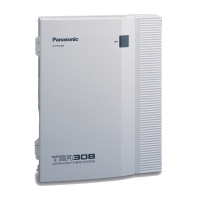
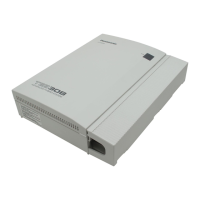
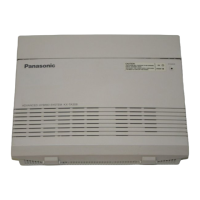
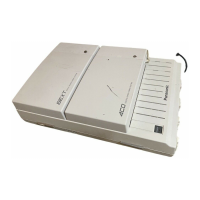
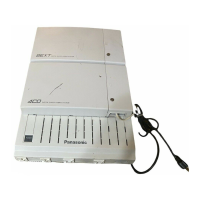
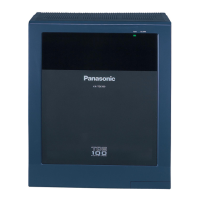
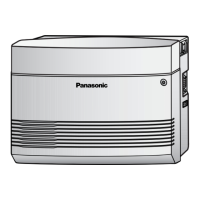
Panasonic KX-TEM824 - User Manual

Panasonic KX-TEM824
167 pages
Print Icon
To Next Page IconTo Next Page
Loading...
Thank you for purchasing a Panasonic Advanced Hybrid System.
Please read this manual carefully before using this product and save this manual for future use.
KX-TES824
Model
KX-TEM824
Advanced Hybrid System
User Manual

Table of Contents

Other manuals for Panasonic KX-TEM824

Questions and Answers

  • H
    Holly MillerAug 19, 2025
    What does it mean when the MESSAGE/Message button is lit on my Panasonic KX-TEM824 PBX?
    • J
      Jeremy AlvarezSep 12, 2025
      If the MESSAGE/Message button light or Message/Ringer Lamp on your Panasonic PBX telephone is lit, it could mean one of three things: someone has left a message waiting indication for you, someone has left a Built-in Voice Message (BV) for you, or someone has left a Voice Mail message for you. To resolve this, press the MESSAGE/Message button to call the party back or receive the message.
  • J
    Jay MartinAug 21, 2025
    Why is my Panasonic KX-TEM824 showing 'Restricted' when I make a call?
    • J
      John MayAug 21, 2025
      If you receive a reorder tone or the display shows "Restricted" when trying to make an outside (CO) line call on your Panasonic PBX, it could be due to several reasons. First, the telephone might be locked, in which case you should unlock it. Second, toll restriction might be activated, requiring you to consult your manager or dealer. Finally, an account code might be required.
  • J
    Julie PayneAug 23, 2025
    Why is the redial feature not working on my Panasonic PBX?
    • D
      Devin FisherAug 23, 2025
      If the redial feature is not working on your Panasonic PBX, it is likely because the stored number is more than 64 digits long, or it is an extension number. Redialling can only be used with outside (CO) line numbers of 64 digits or less.
  • G
    gravesjuliaAug 26, 2025
    What to do if Panasonic KX-TEM824 PBX cannot access telephone banking?
    • T
      Teresa TaylorAug 26, 2025
      If you cannot access computer services or telephone banking using your Panasonic PBX, it might be because a tone signal is required and your outside (CO) line is set to "Pulse". To fix this, change the dialling mode.
  • R
    Raymond WatersAug 27, 2025
    Why Panasonic KX-TEM824 PBX one-touch dialing is not working?
    • C
      Christine BakerAug 28, 2025
      If you cannot make an outside (CO) line call using a One-touch Dialling button or Speed Dialling on your Panasonic PBX, it is likely because an outside (CO) line access number was not stored with the phone number. An outside (CO) line access number is required for outside (CO) line calls.
  • L
    Lucas MartinAug 29, 2025
    How to turn off music on Panasonic KX-TEM824 phone?
    • F
      fmortonAug 29, 2025
      If you are hearing music through the speaker of your Panasonic PBX telephone, it is likely Background Music (BGM). You can turn off the music by entering "1" while on-hook. Alternatively, ask your manager or dealer to set your extension not to play music when "1" is entered while on-hook.
  • B
    brianwarrenSep 1, 2025
    What does 'Voice Msg Full' mean on my Panasonic KX-TEM824 PBX?
    • A
      Arthur RyanSep 1, 2025
      If you see "Voice Msg Full" displayed on your Panasonic PBX, it means the maximum voice message recording time has been reached. To resolve this, delete voice messages stored in your personal message area or in the common message area.
  • A
    Amber LopezSep 3, 2025
    Why are some Panasonic KX-TEM824 PBX features not working?
    • J
      John LopezSep 3, 2025
      If some features do not function on your Panasonic PBX, it is possible that system management may restrict certain features. In this case, consult your manager or dealer.
  • B
    Brian BradySep 5, 2025
    What to do if new Panasonic KX-TEM824 PBX phone is not working?
    • J
      Joshua SmithSep 5, 2025
      If your new telephone is not functioning correctly with your Panasonic PBX, it might be because the previous extension's settings have not been cleared. Clear the settings and then programme your desired settings again.
  • J
    Jeremy DeanSep 7, 2025
    Panasonic PBX: How to use a function without a button?
    • M
      Michael BryantSep 7, 2025
      If your Panasonic PBX PT does not have the button needed to perform a certain operation, it could be because some models do not have certain feature buttons. To resolve this, customise a flexible button to function as the desired button. Alternatively, enter the specified feature number instead of pressing the feature button.

Summary

Operation

1.1 Before Operating a Telephone

Explains what type of telephones can be used and introduces key concepts for initial setup.

Icon Descriptions

Details the various icons used throughout the manual for clarity and understanding.

1.2 Making Calls

Provides instructions on how to initiate various types of calls, including internal and external.

1.3 Receiving Calls

Explains how to answer and manage incoming calls received on the telephone.

1.4 During a Conversation

Covers features and operations available during an active phone conversation.

1.5 Before Leaving Your Desk

Details features for managing calls and status when leaving the desk.

1.5.5 Using Voice Messaging (Built-in Voice Message [BV])

Explains how to use the built-in voice messaging features for leaving and retrieving messages.

1.6 Making;Answering a Paging Announcement

Covers how to make and receive paging announcements to multiple parties.

1.7 Setting the Telephone According to Your Needs

Explains how to customize telephone settings for personal use, like alarms and call handling.

1.8 Using User-supplied Equipment

Details how to connect and use external devices like doorphones and external sound systems.

1.9 Using a Display Proprietary Telephone

Explains features specific to telephones with display capabilities, such as call logs.

Operator;Manager Operation

2.1 Control Features

Details features and functions available to operators and managers for system control.

Customising Your Phone & PBX

3.1 Customising Your Phone (Personal Programming)

Guides users on personalizing telephone settings and features via personal programming.

3.3 Customising Your PBX (System Programming)

Explains system-level PBX configuration and settings for administrators.

Appendix

4.1 Troubleshooting

Provides solutions for common problems encountered with the telephone system.

Panasonic KX-TEM824 Specifications

General IconGeneral
BrandPanasonic
ModelKX-TEM824
CategoryPBX
LanguageEnglish

Related product manuals