EasyManua.ls Logo

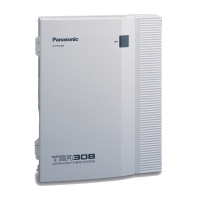
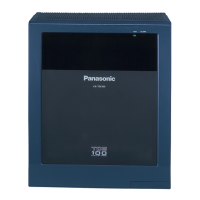
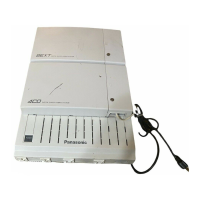
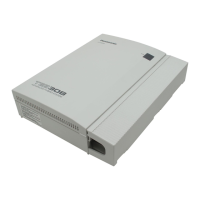
Panasonic KX-TEB308 - User Manual

Panasonic KX-TEB308
152 pages
Print Icon
To Next Page IconTo Next Page
Loading...
Model No.
KX-TEB308
Thank you for purchasing a Panasonic Advanced Hybrid System.
Please read this manual carefully before using this product and save this manual for future use.
Advanced Hybrid System
User Manual

Table of Contents

Other manuals for Panasonic KX-TEB308

Questions and Answers

  • C
    Christine KerrSep 22, 2025
    Why can't I send a call waiting tone on my Panasonic PBX?
    • E
      Eric ClarkSep 22, 2025
      You may not be able to send a call waiting tone to the dialled extension on your Panasonic PBX if the other party has not set the Call Waiting feature or has set Data Line Security.
  • C
    Carla ScottAug 25, 2025
    Why is speed dialling not working on my Panasonic KX-TEB308?
    • A
      Andrew MooreAug 26, 2025
      If speed dialling or one-touch dialling isn't working on your Panasonic PBX, the programming might be incorrect. Make sure you've stored the outside (CO) line access number (e.g., 9, 0, or 81-83) at the beginning of the telephone number.
  • A
    Andrew LiuAug 26, 2025
    What to do if outside calls cannot be made with a Panasonic KX-TEB308 PT?
    • N
      nicholaswilsonAug 26, 2025
      If you can't make outside calls with a proprietary telephone (PT) on your Panasonic PBX, a flexible button on the PT may not be programmed to select an outside (CO) line. Program the CO buttons to resolve this.
  • S
    Samantha AcostaAug 27, 2025
    Why is my Panasonic KX-TEB308 proprietary telephone not ringing?
    • J
      Jeremy BensonAug 27, 2025
      If your Panasonic PBX proprietary telephone (PT) isn't ringing, the ringer volume might be set to off. Adjust the ringer volume to either 'HIGH' or 'LOW'.
  • V
    Vincent WalkerSep 23, 2025
    What to do if some Panasonic KX-TEB308 PBX features do not function?
    • S
      scott18Sep 23, 2025
      If some features do not function on your Panasonic PBX, consult your manager or dealer.
  • K
    Kevin AndersonNov 23, 2025
    What to do if Panasonic KX-TEB308 PBX SLT set to 'tone' dialling mode cannot make calls?
    • T
      thomas47Nov 23, 2025
      If an SLT set to 'tone' dialling mode cannot make calls on your Panasonic PBX, there might be an issue with the DTMF receiver. First, enable DTMF receiver 1 and disable DTMF receiver 2 through system programming, using 'DTMF Receiver Check [107]'. Try making a call using a tone-type SLT connected to extension jacks 01–08. If the call fails, the problem may be with DTMF receiver 1. If the call is successful, proceed to step 4. Next, test DTMF receiver 2 by disabling DTMF receiver 1 and enabling DTMF receiver 2 through system programming, again using 'DTMF Receiver Check [107]', and attempt another call. If the call fails, the problem may be with DTMF receiver 2. If the call goes through, proceed to step 5. Check the remaining four DTMF receivers in the same manner using 'DTMF Receiver Check...
  • D
    David Becker MDSep 12, 2025
    Why can't I make an outside call with speed dial on my Panasonic KX-TEB308?
    • S
      Shannon AvilaSep 12, 2025
      If you cannot make an outside call using One-touch Dialling or Speed Dialling on your Panasonic PBX, it is because an outside (CO) line access number was not stored with the phone number. An outside (CO) line access number is required for outside (CO) line calls.
  • T
    Tiffany McdanielSep 12, 2025
    Why doesn't the redial feature work on my Panasonic PBX?
    • S
      Sherri HansenSep 12, 2025
      If the Redial feature does not function on your Panasonic PBX, it is because the stored number is more than 64 digits long, or is an extension number. Redialling can only be used with outside (CO) line numbers of 64 digits or less.
  • M
    Michael TurnerSep 4, 2025
    Why is the MESSAGE button light on my Panasonic KX-TEB308 PBX phone lit?
    • T
      Tara ReevesSep 4, 2025
      The MESSAGE/Message button light or Message/Ringer Lamp is lit because someone has left a message waiting indication for you, or someone has left a Voice Mail message for you. Press the MESSAGE/Message button to call the party back or receive the message.
  • J
    James MartinSep 2, 2025
    What if Panasonic KX-TEB308 PBX does not operate correctly after restarting?
    • M
      Michael CrawfordSep 2, 2025
      clear the programming data stored in the PBX.

Summary

Section 1 Operation

1.1 Before Operating a Telephone

Explains compatible telephones, feature access, and basic operations.

1.2 Making Calls

Details various methods for initiating calls, including internal and external.

1.3 Receiving Calls

Covers answering incoming calls and managing call waiting.

1.4 During a Conversation

Explains call handling features like transfer, hold, and conference calls.

1.5 Before Leaving Your Desk

Describes features for managing calls when away from the desk.

1.6 Making;Answering a Paging Announcement

Details how to make and receive paging announcements.

1.7 Setting the Telephone According to Your Needs

Covers personalizing settings like alarms and call handling.

1.8 Using User-supplied Equipment

Explains integration with external devices like doorphones and PBXs.

1.9 Using a Display Proprietary Telephone

Focuses on features specific to display telephones, like call logs.

Section 2 Operator;Manager Operation

2.1 Control Features

Details features controllable by operators or managers.

Section 3 Customising Your Phone & PBX

3.1 Customising Your Phone (Personal Programming)

Guides users on personalizing phone settings and features.

3.2 Managing Call Logs

Explains how to print and clear call log information.

3.3 Customising Your PBX (System Programming)

Covers system-level configuration and programming of the PBX.

Section 4 Appendix

4.1 Troubleshooting

Provides solutions for common problems encountered with the system.

4.2 Feature Number Table

Lists feature numbers for accessing PBX functions.

4.3 Identifying Tones

Explains different tones used by the telephone system.

Panasonic KX-TEB308 Specifications

General IconGeneral
Caller ID CompatibilityYes
Uniform Call Distribution (UCD)Yes
PC ProgrammingYes
Emergency Call ForwardingYes
VoicemailOptional
ConferenceYes
Power Failure TransferYes
Capacity3 CO lines and 8 extensions
Power SupplyAC 220-240 V, 50/60 Hz
Direct Inward System Access (DISA)Yes
Built-in Voice Message (BV)Not available

Related product manuals