EasyManua.ls Logo

Panasonic KX-NS700 - User Manual

Panasonic KX-NS700
390 pages
Print Icon
To Next Page IconTo Next Page
Loading...
Hybrid IP-PBX
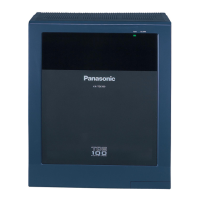
Model No. KX-NS700
User Manual
Thank you for purchasing this Panasonic product.
Please read this manual carefully before using this product and save this manual for future use.
In particular, be sure to read "1.1.1 For Your Safety (Page 14)" before using this product.
KX-NS700: PFMPR Software File Version 004.00000 or later
Manuals and supporting information are provided on the Panasonic Web site at:
http://panasonic.net/pcc/support/pbx/

Table of Contents

Other manuals for Panasonic KX-NS700

Questions and Answers

  • D
    Derrick AndrewsSep 5, 2025
    What to do if my Panasonic PBX does not operate properly?
    • V
      Valerie EvansSep 5, 2025
      To resolve the issue of your Panasonic PBX not operating properly, restart the PBX. Turn off the power switch, and then turn it back on. Alternatively, turn off the power switch, and then unplug the PBX. After 5 minutes, plug the PBX back in, and turn the power switch back on.
  • M
    Mary WilkinsonAug 25, 2025
    How to fix a Panasonic Telephone that does not work properly?
    • R
      Ronald JonesAug 25, 2025
      If your telephone is not working properly, first confirm with your manager that your settings are correct. If the problem persists, consult your dealer.
  • L
    Lisa JonesAug 25, 2025
    What to do if Panasonic Telephone does not respond when buttons are pressed?
    • L
      Lori MitchellAug 26, 2025
      If your telephone is not responding when you press the buttons, it is possible that the telephone is locked. In this case, you should unlock your telephone.
  • M
    manuel06Sep 12, 2025
    What does ERR 2006-XXXX DHCP SERVER REJECTION mean on my Panasonic KX-NS700 PBX?
    • J
      justin94Sep 12, 2025
      If your Panasonic PBX displays the error ERR 2006-XXXX DHCP SERVER REJECTION and resets, it indicates that the IP address lease time from the DHCP server has expired, or the IP address lease renewal was refused by the DHCP server. Consult your network administrator.
  • J
    Joshua WoodsSep 22, 2025
    Why PC and fax machine communication failed with Panasonic KX-NS700 PBX?
    • S
      Stanley SmithSep 22, 2025
      An indication tone may have interrupted communication.
  • C
    Claudia BrownSep 8, 2025
    Why is external music distorted on my Panasonic PBX?
    • W
      William SmithSep 8, 2025
      If external music is distorted on your Panasonic PBX, it is likely due to an excessive input level from the external music source. Decrease the output level of the external music source by using the volume control on the music source.
  • M
    Michael MillerAug 31, 2025
    Why does an SDN button not work on my Panasonic Telephone extension?
    • W
      wcarterAug 31, 2025
      If an SDN button on your extension does not work, a PDN button is not assigned on the extension corresponding to your SDN button. To resolve this, create a PDN button on the desired extension.
  • C
    Christopher RileySep 15, 2025
    Why doesn't my SDN button work on my Panasonic Telephone?
    • E
      Emily CraneSep 16, 2025
      If an SDN button on your extension does not work on your Panasonic Telephone, a PDN button is not assigned on the extension corresponding to your SDN button. Create a PDN button on the desired extension.
  • M
    Mckenzie HillAug 28, 2025
    Why isn't my Panasonic Telephone working even after following instructions?
    • J
      Jeffrey BarberAug 28, 2025
      If you're following the manual instructions but none of the operations work when using a proprietary Panasonic Telephone, ensure that the Intercom line was seized. Press the INTERCOM or PDN button after going off-hook and follow the instructions.
  • L
    Laura PierceAug 28, 2025
    How to troubleshoot a Panasonic Telephone that doesn't work?
    • J
      jmedinaAug 28, 2025
      If your Panasonic Telephone does not work properly, confirm with your manager that your settings are correct. If the problem persists, consult your dealer.

Summary

1 Operation

1.2 Making Calls

Details various methods for making calls, including internal, external, and private network calls.

1.8 Using the Unified Messaging Features

Explains the functionality of the Unified Messaging system for managing messages.

2 Manager Operation

2.2 Configuring Unified Messaging Features

Covers system manager and message manager functionalities for configuring UM.

3 Customising Your Phone & System

3.1 Customising Your Phone (Personal Programming)

Explains how to personalize telephone features and button assignments.

4 Customising Extensions and the System-for Managers

4.1 Manager Programming

Information for managers on programming PBX features, call charges, and extension controls.

4.1.3 Supervisory Monitor (ACD) Control

Covers how supervisors can monitor and analyze ICD group call status and performance.

Panasonic KX-NS700 Specifications

General IconGeneral
TypeHybrid PBX
Maximum CapacityUp to 288 extensions
IP ExtensionsUp to 128
Analog ExtensionsUp to 128
Digital ExtensionsUp to 128
VoIP ChannelsUp to 64
Power SupplyAC 100-240 V, 50/60 Hz
VoIP SupportYes
Built-in ApplicationsVoice Mail
NetworkingIP Networking
Dimensions430 mm x 88 mm x 367 mm

Related product manuals