EasyManua.ls Logo

Panasonic KX-NS Series - User Manual

Panasonic KX-NS Series
14 pages
Print Icon
To Next Page IconTo Next Page
Loading...
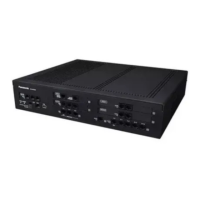
KX-NS PBX
RJ45 連接線
June 19, 2014
Specifications are subject to change without notice.
Panasonic System Networks
PBX SE team
Document for Technical Training

Questions and Answers

  • R
    robertkellySep 5, 2025
    What to do if my Panasonic KX-NS PBX does not operate properly?
    • J
      Jeffrey CaseySep 5, 2025
      To resolve the issue of your Panasonic PBX not operating properly, restart the PBX. Turn off the power switch, and then turn it back on. Alternatively, turn off the power switch, and then unplug the PBX. After 5 minutes, plug the PBX back in, and turn the power switch back on.
  • I
    Ivan ShawAug 25, 2025
    How to fix a Panasonic Telephone that does not work properly?
    • M
      Matthew ReedAug 25, 2025
      If your telephone is not working properly, first confirm with your manager that your settings are correct. If the problem persists, consult your dealer.
  • S
    Stacy HuffmanAug 25, 2025
    What to do if Panasonic Telephone does not respond when buttons are pressed?
    • R
      Ricardo WilsonAug 26, 2025
      If your telephone is not responding when you press the buttons, it is possible that the telephone is locked. In this case, you should unlock your telephone.
  • W
    Wayne YoungSep 12, 2025
    What does ERR 2006-XXXX DHCP SERVER REJECTION mean on my Panasonic KX-NS?
    • M
      mezatomSep 12, 2025
      If your Panasonic PBX displays the error ERR 2006-XXXX DHCP SERVER REJECTION and resets, it indicates that the IP address lease time from the DHCP server has expired, or the IP address lease renewal was refused by the DHCP server. Consult your network administrator.
  • K
    Kerri WilliamsonSep 22, 2025
    Why PC and fax machine communication failed with Panasonic KX-NS PBX?
    • M
      Michael PorterSep 22, 2025
      An indication tone may have interrupted communication.
  • D
    Diana HamptonSep 8, 2025
    Why is external music distorted on my Panasonic KX-NS PBX?
    • D
      Donald MarquezSep 8, 2025
      If external music is distorted on your Panasonic PBX, it is likely due to an excessive input level from the external music source. Decrease the output level of the external music source by using the volume control on the music source.
  • S
    Shawn HowardAug 31, 2025
    Why does an SDN button not work on my Panasonic Telephone extension?
    • S
      Stephen JonesSep 1, 2025
      If an SDN button on your extension does not work, a PDN button is not assigned on the extension corresponding to your SDN button. To resolve this, create a PDN button on the desired extension.
  • K
    Kayla MaynardSep 15, 2025
    Why doesn't my SDN button work on my Panasonic Telephone?
    • J
      Jacob BuchananSep 16, 2025
      If an SDN button on your extension does not work on your Panasonic Telephone, a PDN button is not assigned on the extension corresponding to your SDN button. Create a PDN button on the desired extension.
  • J
    Jordan BarajasAug 28, 2025
    Why isn't my Panasonic Telephone working even after following instructions?
    • D
      David BriggsAug 28, 2025
      If you're following the manual instructions but none of the operations work when using a proprietary Panasonic Telephone, ensure that the Intercom line was seized. Press the INTERCOM or PDN button after going off-hook and follow the instructions.
  • A
    Andrew PayneAug 28, 2025
    How to troubleshoot a Panasonic Telephone that doesn't work?
    • K
      Kimberly FryAug 29, 2025
      If your Panasonic Telephone does not work properly, confirm with your manager that your settings are correct. If the problem persists, consult your dealer.

Panasonic KX-NS Series Specifications

General IconGeneral
CategoryPBX
VoIP SupportYes
Analog ExtensionsYes
IP ExtensionsYes
SIP TrunksYes
VoIP CodecsG.711, G.729, G.722
SeriesKX-NS
System TypeHybrid
Maximum TrunksUp to 64
Digital ExtensionsYes
MobilityYes
Voice MailYes
Call Center FeaturesYes
Unified CommunicationsYes
Network ProtocolsTCP/IP, SIP, RTP
Power SupplyAC 100-240V, 50/60Hz
Operating Temperature0°C to 40°C

Related product manuals