Helpline Tel.No. :U.K. 08700 100 076 R.O.I. 01289 8333
13
Preparation
Setting up
Setting the Date and Time
After a mains power failure, the clock needs to be adjusted. Ensure that the icon is
not flashing.
To exit the operation, press at any time.
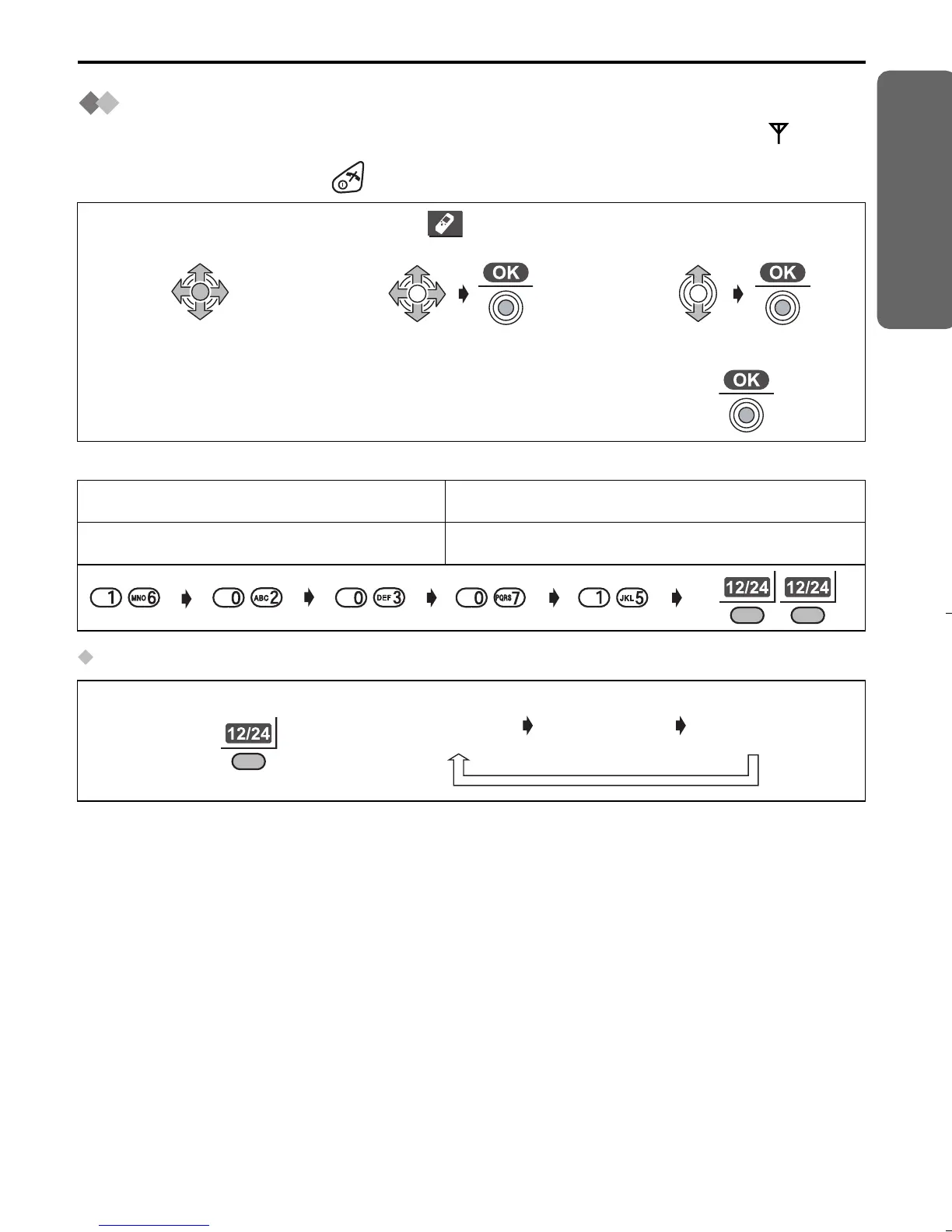
Example: To set 16 February, 2003, 7:15 pm.
To select 12/24 hour clock
1
Press JOYSTICK
(or move).
2
Select “ Setting
Handset”.
3
Select “Set Date/
Time”.
4
Enter the date
(see below).
5
Enter the time
(see below).
6
Press JOYSTICK.
Date Time
Day Month Year Hour Minute 12/24 hour clock
Press RIGHT SOFT KEY repeatedly.
24 hour
clock
12 hour
clock (AM)
12 hour
clock (PM)
515E_E.book Page 13 Friday, June 27, 2003 2:23 PM











 To Next Page