Helpline Tel.No. :U.K. 08700 100 076 R.O.I. 01289 8333
27
Cordless Telephone
Using the Phonebook
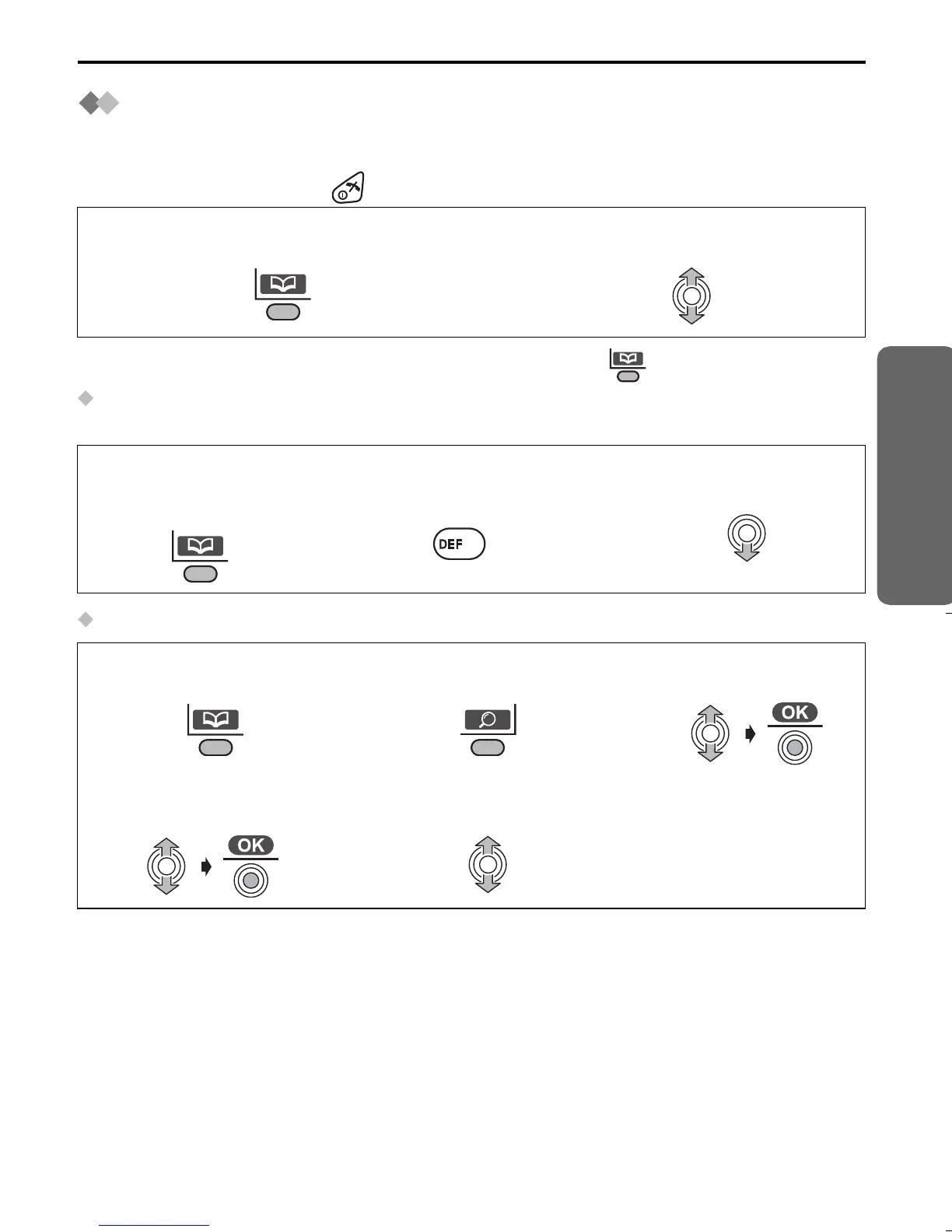
Finding Items in the Phonebook
All phonebook items are stored in the following order: Alphabet letter/Symbol/Number/
Telephone Number (when a name is not stored).
To exit the operation, press at any time.
• When finding items in the Base Unit phonebook , press twice on step 1.
Searching for a Name by Initial
Example: To find “Felix”
Searching by Private Category
1
Press LEFT SOFT KEY.
2
Move JOYSTICK up or down to
search for the desired item
.
1
Press LEFT SOFT
KEY.
2
Press 3 repeatedly
until the first item
under “F” is displayed.
3
Move JOYSTICK down
until “Felix” is displayed.
1
Press LEFT SOFT
KEY.
2
Press RIGHT SOFT
KEY.
3
Select “Category”.
4
Select the desired
category.
5
Select the desired
item to display.
3
515E_E.book Page 27 Friday, June 27, 2003 2:23 PM











 To Next Page