EasyManua.ls Logo

Panasonic KX-TG3411BX - User Manual

Panasonic KX-TG3411BX
28 pages
Print Icon
To Next Page IconTo Next Page
Loading...
Thank you for purchasing a Panasonic product.
Please read these operating instructions before using the unit and save them for
future reference.
This unit is compatible with Caller ID. You must subscribe to the appropriate service
offered by your service provider/telephone company.
Before initial use, see “Getting Started”
on page 8.
Please access our online customer survey:
http://panasonic.net/pcc/tel/q
Operating Instructions
2.4 GHz Digital Cordless Phone
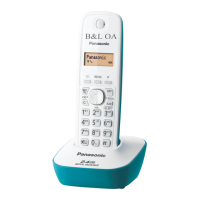
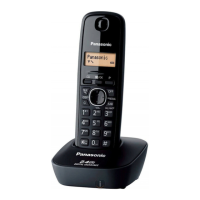
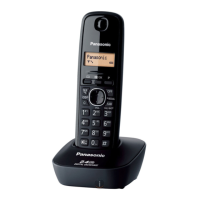
Model shown is KX-TG3411.
KX-TG3412BX
KX-TG3411SX
Model No.
KX-TG3411BX
KX-TG3419BX
TG341xBX(e).book Page 1 Thursday, March 3, 2011 1:47 PM

Questions and Answers

Summary

Introduction to Panasonic Phone

Model Composition Details

Details the different model numbers and the number of handsets included with each.

Supplied Accessory Information

Lists the accessories supplied with the product and their quantities.

Additional and Replacement Accessories

Information on how to order additional or replacement accessories for the unit.

Important Information and Safety Guidelines

For Your Safety

Essential safety warnings to prevent injury and property damage.

Operating Safeguards

Guidelines for safe operation and maintenance of the product.

Medical Precautions

Advisories regarding RF energy and medical devices.

Installation and Location Safety

Precautions for safe installation and placement of the unit.

Battery Safety

Warnings and best practices for handling and charging batteries.

Important Safety Instructions

Fundamental safety precautions for using the telephone.

Best Performance Location

Recommendations for placing the base unit for optimal signal and clarity.

Environmental Considerations

Factors in the environment that can affect product operation.

Routine Care and Cleaning

Instructions for cleaning and maintaining the product's exterior.

Disposal Information

Guidance on how to dispose of the product correctly outside the EU.

Product Specifications

Technical details including frequency range, power, and operating conditions.

Getting Started with Your Phone

Setting Up Connections

Step-by-step guide to connect the AC adaptor and telephone line cord.

Battery Installation

Instructions for correctly inserting rechargeable batteries into the handset.

Battery Charging

Procedure and tips for fully charging the handset batteries.

Setup Notes

Key considerations for connections, power, and adaptor usage.

Power Failure Operation

Information on unit behavior and alternative solutions during a power outage.

Handset Controls Overview

Identification and function of buttons on the handset.

Base Unit Controls Overview

Identification and function of buttons on the base unit.

Handset Display Icons

Explains the meaning of various symbols shown on the handset screen.

Initial Settings Configuration

Steps to set dialing mode, date, and time for the unit.

Making and Answering Calls

Making a Phone Call

How to dial numbers manually, using redial, and adjusting volume.

Answering a Phone Call

Steps to receive incoming calls and end conversations.

Auto Talk Feature

Enables answering calls by simply lifting the handset.

Adjusting Ringer Volume

How to set the ringtone volume for incoming calls.

Call Hold Function

Puts an active outside call on hold for later retrieval.

Flash Function

Accesses special PBX features or telephone services.

Call Waiting Features

Manages incoming calls while already on a call.

Temporary Tone Dialing

Switches to tone dialing for specific service access.

Call Share Feature

Allows joining an existing call on another handset.

Phonebook Management

Adding Phonebook Entries

Process for saving names and phone numbers into the phonebook.

Finding and Calling Entries

How to search, select, and call numbers from the phonebook.

Editing Phonebook Entries

Modifying existing saved names and phone numbers.

Erasing Phonebook Entries

Deleting individual or all entries from the phonebook.

Chain Dialing

Dials stored numbers from the phonebook while on an active call.

Programming Unit Settings

Programmable Settings Overview

Introduces the features that can be customized via the handset menus.

Navigating Settings Menus

Explains how to use the menu system to access and change settings.

Caller ID Service

Using Caller ID Service

Requirements and general operation of the Caller ID feature.

Caller Information Display

What information is displayed for incoming calls and how it's shown.

Missed Calls Notification

How the unit indicates that calls were missed.

Caller List Viewing and Callback

Accessing the call history and returning calls.

Storing Area Code for Deletion

Setting up automatic removal of area codes from numbers.

Storing Caller Information to Phonebook

Saving caller list entries into the phonebook.

Editing Caller Number Before Callback

Modifying phone numbers in the caller list before making a call.

Erasing Caller Information

Deleting specific entries or the entire caller list.

Voice Mail Service Overview

Voice Mail Service Explanation

Explains the provider-based voice mail service and message indication.

Intercom and Locator Functions

Intercom Calls

How to make and answer intercom calls between handsets.

Handset Locator

Function to page a misplaced handset to find its location.

Transferring and Conference Calls

Managing outside calls, transferring, and setting up conference calls.

Useful Information and Troubleshooting

Error Messages

Lists common error messages and their solutions.

General Troubleshooting

Addresses common problems like no power or no dial tone.

Battery Recharge Issues

Solutions for problems related to battery charging and performance.

Call and Intercom Issues

Troubleshooting problems with making calls or using intercom features.

Caller ID Troubleshooting

Resolving issues where caller information is not displayed or is delayed.

Liquid Damage Handling

Instructions for dealing with moisture exposure to the unit.

Registering Handset to Base Unit

Step-by-step guide to pair a handset with the base unit.

Wall Mounting Instructions

Procedures for securely mounting the base unit on a wall.

Summary

Introduction to Panasonic Phone

Model Composition Details

Details the different model numbers and the number of handsets included with each.

Supplied Accessory Information

Lists the accessories supplied with the product and their quantities.

Additional and Replacement Accessories

Information on how to order additional or replacement accessories for the unit.

Important Information and Safety Guidelines

For Your Safety

Essential safety warnings to prevent injury and property damage.

Operating Safeguards

Guidelines for safe operation and maintenance of the product.

Medical Precautions

Advisories regarding RF energy and medical devices.

Installation and Location Safety

Precautions for safe installation and placement of the unit.

Battery Safety

Warnings and best practices for handling and charging batteries.

Important Safety Instructions

Fundamental safety precautions for using the telephone.

Best Performance Location

Recommendations for placing the base unit for optimal signal and clarity.

Environmental Considerations

Factors in the environment that can affect product operation.

Routine Care and Cleaning

Instructions for cleaning and maintaining the product's exterior.

Disposal Information

Guidance on how to dispose of the product correctly outside the EU.

Product Specifications

Technical details including frequency range, power, and operating conditions.

Getting Started with Your Phone

Setting Up Connections

Step-by-step guide to connect the AC adaptor and telephone line cord.

Battery Installation

Instructions for correctly inserting rechargeable batteries into the handset.

Battery Charging

Procedure and tips for fully charging the handset batteries.

Setup Notes

Key considerations for connections, power, and adaptor usage.

Power Failure Operation

Information on unit behavior and alternative solutions during a power outage.

Handset Controls Overview

Identification and function of buttons on the handset.

Base Unit Controls Overview

Identification and function of buttons on the base unit.

Handset Display Icons

Explains the meaning of various symbols shown on the handset screen.

Initial Settings Configuration

Steps to set dialing mode, date, and time for the unit.

Making and Answering Calls

Making a Phone Call

How to dial numbers manually, using redial, and adjusting volume.

Answering a Phone Call

Steps to receive incoming calls and end conversations.

Auto Talk Feature

Enables answering calls by simply lifting the handset.

Adjusting Ringer Volume

How to set the ringtone volume for incoming calls.

Call Hold Function

Puts an active outside call on hold for later retrieval.

Flash Function

Accesses special PBX features or telephone services.

Call Waiting Features

Manages incoming calls while already on a call.

Temporary Tone Dialing

Switches to tone dialing for specific service access.

Call Share Feature

Allows joining an existing call on another handset.

Phonebook Management

Adding Phonebook Entries

Process for saving names and phone numbers into the phonebook.

Finding and Calling Entries

How to search, select, and call numbers from the phonebook.

Editing Phonebook Entries

Modifying existing saved names and phone numbers.

Erasing Phonebook Entries

Deleting individual or all entries from the phonebook.

Chain Dialing

Dials stored numbers from the phonebook while on an active call.

Programming Unit Settings

Programmable Settings Overview

Introduces the features that can be customized via the handset menus.

Navigating Settings Menus

Explains how to use the menu system to access and change settings.

Caller ID Service

Using Caller ID Service

Requirements and general operation of the Caller ID feature.

Caller Information Display

What information is displayed for incoming calls and how it's shown.

Missed Calls Notification

How the unit indicates that calls were missed.

Caller List Viewing and Callback

Accessing the call history and returning calls.

Storing Area Code for Deletion

Setting up automatic removal of area codes from numbers.

Storing Caller Information to Phonebook

Saving caller list entries into the phonebook.

Editing Caller Number Before Callback

Modifying phone numbers in the caller list before making a call.

Erasing Caller Information

Deleting specific entries or the entire caller list.

Voice Mail Service Overview

Voice Mail Service Explanation

Explains the provider-based voice mail service and message indication.

Intercom and Locator Functions

Intercom Calls

How to make and answer intercom calls between handsets.

Handset Locator

Function to page a misplaced handset to find its location.

Transferring and Conference Calls

Managing outside calls, transferring, and setting up conference calls.

Useful Information and Troubleshooting

Error Messages

Lists common error messages and their solutions.

General Troubleshooting

Addresses common problems like no power or no dial tone.

Battery Recharge Issues

Solutions for problems related to battery charging and performance.

Call and Intercom Issues

Troubleshooting problems with making calls or using intercom features.

Caller ID Troubleshooting

Resolving issues where caller information is not displayed or is delayed.

Liquid Damage Handling

Instructions for dealing with moisture exposure to the unit.

Registering Handset to Base Unit

Step-by-step guide to pair a handset with the base unit.

Wall Mounting Instructions

Procedures for securely mounting the base unit on a wall.

Panasonic KX-TG3411BX Specifications

General IconGeneral
TypeCordless Telephone
Number of Handsets1
Frequency1.9 GHz
DECTYes
GAP compatibleYes
Number of handsets supported6
Talk TimeUp to 10 hours
Caller IDYes
Call WaitingYes
Phonebook Capacity50 entries
Redial memory10 numbers
SpeakerphoneYes
IntercomYes
ExpandableYes
Answering MachineNo
ColorBlack
Battery Life (Standby)120 hours
DisplayLCD
RangeUp to 50m indoor, 300m outdoor
Battery typeNi-MH
Ringtones10

Related product manuals