EasyManua.ls Logo

Panasonic KX-TG365SK - User Manual

Panasonic KX-TG365SK
109 pages
Print Icon
To Next Page IconTo Next Page
Loading...
Operating Instructions
Model No. KX-TG7841
KX-TG7842
KX-TG7843
KX-TG7844
KX-TG7845
KX-TG365SK
KX-TG7871
KX-TG7872
KX-TG7873
KX-TG7874
KX-TG7875
KX-TG385SK
Link-to-Cell Cellular Convergence Solution
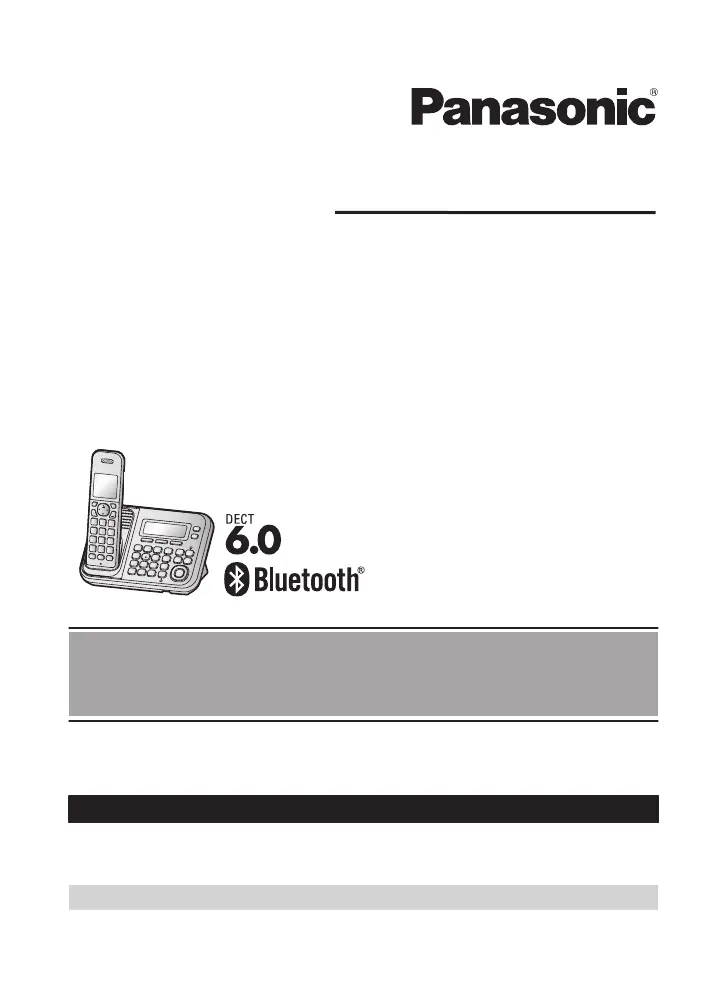
Model shown is KX-TG7841.
Before initial use, see “Getting Started”
on page 10.
Thank you for purchasing a Panasonic product.
Please read these operating instructions before using the unit and save them for
future reference.
Consulte “Guía Rápida Española”, página 80.
For assistance, visit our Web site: http://www.panasonic.com/help for customers
in the U.S.A. or Puerto Rico.
Please register your product: http://www.panasonic.com/prodreg
TG78xx(en)_1210_ver101.pdf 1 2012/12/10 21:19:23

Table of Contents

Other manuals for Panasonic KX-TG365SK

Questions and Answers

  • B
    benjaminwilliamsSep 9, 2025
    Why can't I make a call using the landline on my Panasonic Telephone Accessories?
    • K
      kbrockSep 9, 2025
      If you cannot make a call using the landline on your Panasonic Telephone Accessories, the dialing mode may be set incorrectly, so change the setting. Also, the cellular line only mode may be turned on, so turn it off.
  • C
    Cynthia ShafferAug 25, 2025
    Why I cannot hear a dial tone on my Panasonic KX-TG365SK?
    • Q
      qortizAug 25, 2025
      If you cannot hear a dial tone on your Panasonic Cordless Telephone, ensure the CELL 1 or CELL 2 indicator is lit. Check that the base unit’s AC adapter and telephone line cord are properly connected. You can also test the telephone line by connecting it to a known working telephone to determine if the issue is with the phone or the line.
  • C
    Chad WillisAug 25, 2025
    What to do if my Panasonic Cordless Telephone handset beeps and/or flashes?
    • N
      nguyenjoshuaAug 26, 2025
      If the handset of your Panasonic Cordless Telephone beeps and/or flashes, it usually indicates that the battery charge is low. You should fully charge the batteries.
  • D
    Dennis FoxSep 23, 2025
    Why can't I operate the answering system remotely on my Panasonic Telephone Accessories?
    • J
      jenniferadamsSep 23, 2025
      If you cannot operate the answering system remotely on your Panasonic Telephone Accessories, the remote access code may not be set, so set the remote access code. You may be entering the wrong remote access code. If you have forgotten your remote access code, enter the remote access code setting to check your current code. The answering system may be turned off, so turn it on. You cannot operate the answering system when calling a cellular phone paired to the base unit.
  • N
    Natalie WilliamsSep 10, 2025
    Why is caller information not displayed on my Panasonic Telephone Accessories?
    • T
      todd63Sep 10, 2025
      Caller information may not be displayed on your Panasonic Telephone Accessories because you must subscribe to Caller ID service. If your unit is connected to any additional telephone equipment such as a Caller ID box or cordless telephone line jack, plug the unit directly into the wall jack. If you use a DSL/ADSL service, we recommend connecting a DSL/ADSL filter between the base unit and the telephone line jack. The name display service for landline calls may not be available in some areas. Other telephone equipment may be interfering with this unit, so disconnect the other equipment and try again.
  • B
    Brittany HayesSep 15, 2025
    Why is the 2nd caller’s information not displayed during an outside call on my Panasonic Telephone Accessories?
    • B
      Brittany CoxSep 15, 2025
      In order to use Caller ID, call waiting, or Call Waiting Caller ID (CWID) on your Panasonic Telephone Accessories, you must first contact your service provider/telephone company and subscribe to the desired service. After subscribing, you may need to contact your service provider/telephone company again to activate this specific service, even if you already subscribed to both Caller ID and Call Waiting with Caller ID services (CWID).
  • K
    Karen LeeSep 4, 2025
    What to do if my Panasonic Telephone Accessories display is in a language I cannot read?
    • L
      Linda WolfeSep 4, 2025
      If the display on your Panasonic Telephone Accessories is in a language you cannot read, change the display language.
  • S
    Sandra WashingtonSep 5, 2025
    Why can't I connect a cellular phone to my Panasonic Telephone Accessories base unit?
    • M
      matthewjohnsonSep 5, 2025
      If you cannot connect a cellular phone to your Panasonic Telephone Accessories base unit, confirm that your cellular phone is turned on and is within the base unit range. If auto connection is on, wireless environment interferences can cause delays, so you can connect to the base unit manually. Ensure that the cellular phone has been paired to the base unit.
  • E
    earltrujilloSep 23, 2025
    What can I do if liquid entered the handset/base unit of my Panasonic Telephone Accessories?
    • N
      nicholaswellsSep 23, 2025
      If liquid or other form of moisture has entered the handset/base unit of your Panasonic Telephone Accessories, disconnect the AC adaptor and telephone line cord from the base unit. Remove the batteries from the handset and leave to dry for at least 3 days. After the handset/base unit are completely dry, reconnect the AC adaptor and telephone line cord. Insert the batteries and charge fully before use. If the unit does not work properly, contact an authorized service center.
  • E
    Emily HoAug 30, 2025
    What to do if Panasonic Cordless Telephone display is in a language I cannot read?
    • L
      Lindsey MillerAug 30, 2025
      If the display on your Panasonic Cordless Telephone is in a language you cannot read, you should change the display language.

Panasonic KX-TG365SK Specifications

General IconGeneral
Frequency1.9 GHz
Caller IDYes
SpeakerphoneYes
Phonebook Capacity50
DisplayLCD
RangeUp to 1000 feet
Standby TimeUp to 7 days
Call WaitingYes
IntercomYes
Answering MachineNo
Number of Handsets1
Backlit DisplayYes
RedialYes
TypeCordless Phone
ExpandableYes, up to 6 handsets
Power SourceAC Adapter

Related product manuals