EasyManua.ls Logo

Panasonic KX-TG395CSK - User Manual

Panasonic KX-TG395CSK
84 pages
Print Icon
To Next Page IconTo Next Page
Loading...
Operating Instructions
Model No. KX-TG7842C
KX-TG7843C
KX-TG365CSK
KX-TG395CSK
KX-TG7872C
KX-TG7873C
Link-to-Cell Cellular Convergence Solution
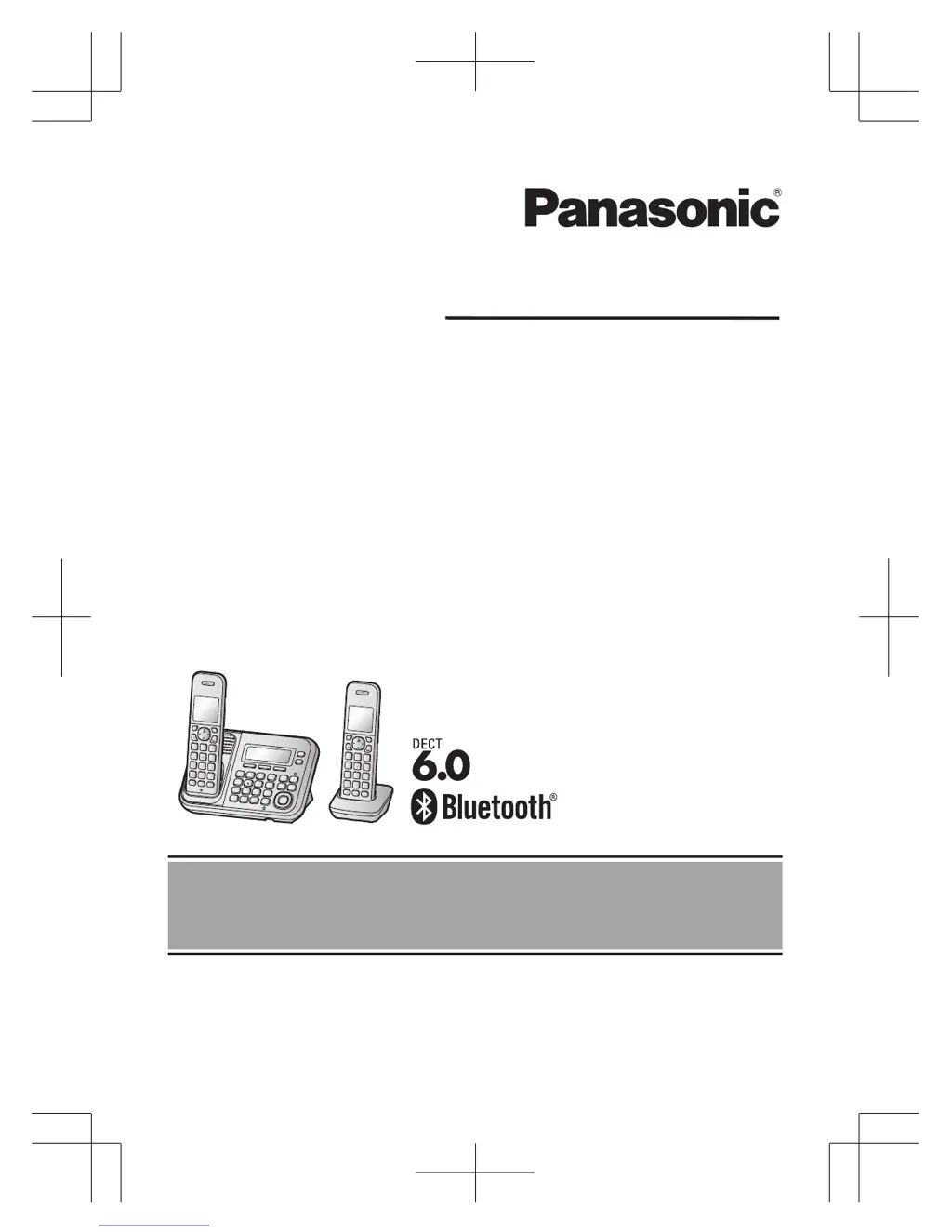
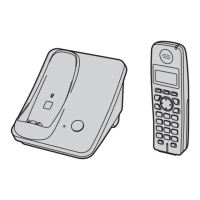
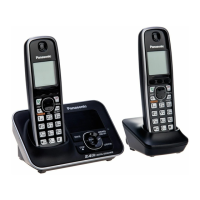
Model shown is KX-TG7842.
Before initial use, see “Getting Started”
on page 11.
Thank you for purchasing a Panasonic product.
Please read these operating instructions before using the unit and save them for
future reference.
For assistance, please call 1-800-561-5505 or visit us at www.panasonic.ca
TG78xxC(en)_1221_ver013.pdf 1 2012/12/21 11:21:28

Table of Contents

Questions and Answers

Summary

Introduction

Model composition

Details the components and models within the product series.

Accessory information

Lists supplied accessories with part numbers and quantities for different models.

Expanding your phone system

Describes how to expand the system with optional handsets and Bluetooth devices.

Bluetooth Devices

Explains how to pair Bluetooth cellular phones and headsets to the base unit.

Important Information

For your safety

Provides critical warnings and precautions for safe product operation.

Base unit location;avoiding noise

Guidance on optimal base unit placement for clear communication.

Battery

Instructions on battery usage, handling, charging, and recycling.

Specifications

Technical details including standards, power, and operating conditions.

Getting Started

Setting up

Instructions for connecting the base unit and charger to power and telephone lines.

Battery installation

Guidance on inserting batteries correctly into the handset.

Controls

Identifies and explains the function of handset controls.

Display;Indicators

Explains icons and meanings displayed on the handset screen.

Link to Cell

Link to cell feature

Overview of the feature allowing cellular calls via the home phone.

Pairing a cellular phone

Step-by-step guide to pair a Bluetooth cellular phone to the base unit.

Cellular line only mode

Instructions for using the unit solely for cellular calls, disabling landline features.

Changing the Bluetooth PIN

Steps to change the default Bluetooth PIN for security.

Making;Answering Calls Using the Handset

Making cellular calls

Step-by-step guide to making calls using a paired cellular phone.

Making landline calls

Step-by-step guide to making calls using the landline.

Answering calls

Instructions on how to answer incoming calls on the handset.

Hold

How to place an outside call on hold and release it.

Transferring a cellular call from the handset to a cellular phone

Steps to transfer an active cellular call from the handset to a phone.

Making;Answering Calls Using the Base Unit

Making cellular calls

Step-by-step guide to making calls using the base unit and a cellular phone.

Making landline calls

Step-by-step guide to making landline calls using the base unit.

Answering calls

Instructions on how to answer landline and cellular calls on the base unit.

Hold

How to place an outside call on hold and release it on the base unit.

Transferring a cellular call from the base unit to a cellular phone

Steps to transfer an active cellular call from the base unit to a phone.

Shared phonebook

Adding entries

Step-by-step guide to adding new entries to the phonebook.

Finding and calling from a phonebook entry

How to find and call entries by scrolling through the entire phonebook.

Chain dial

Feature to dial stored phone numbers while on an active call.

Speed Dial

Adding phone numbers to speed dial keys

Methods to add numbers to speed dial keys from manual entry or phonebook.

Making a call using a speed dial key

How to initiate a call using a speed dial key.

Programming

Programmable settings

Overview of customizing unit features via menus or direct codes.

Using the direct command code

Using codes to directly access and program specific features.

Main menu: Bluetooth

Settings related to Bluetooth connectivity for cell phones and headsets.

Main menu: Initial setting

Initial setup options like ringer settings, night mode, and language.

Special programming

Alarm

Setting up alarm functions for 3-minute duration, once or daily.

Night mode

Setting periods to silence calls for quiet times.

Call block

Storing unwanted callers

How to add phone numbers to the call block list.

Blocking incoming calls without phone number

How to reject calls where the phone number is not provided.

Registering a unit

Operating additional units

Information about adding more handsets to the base unit.

Registering a handset to the base unit

Steps to re-register a handset to the base unit.

Call Display Service

Using Call Display service

Overview of the Call Display service and its requirements.

Talking Call Display

Announcing caller information audibly for hands-free identification.

Viewing the caller list and calling back

How to view the caller list and initiate a call back.

Using Bluetooth Devices

Copying phonebook from a cellular phone

How to copy phonebook entries from a cellular phone to the unit.

Text message (SMS) alert

Feature to notify about new text messages on a paired cellular phone.

Using a Bluetooth wireless headset for landline calls

How to use a Bluetooth headset for wireless landline conversations.

Answering System for Landline

Turning the answering system on;off

Instructions for enabling or disabling the landline answering system.

Call screening

How to listen to callers leaving messages in real-time.

Recording your greeting message

Step-by-step guide to recording a personal greeting message.

Listening to messages using the base unit

How to listen to new and all recorded messages via the base unit.

Remote operation

How to use an external touch-tone phone to control the answering system.

Answering system settings

Settings for the answering system, including number of rings.

Voice Mail Service for Landline

Storing the Voice Mail access number

How to store the Voice Mail access number for automatic dialing.

Listening to Voice Mail messages

How to listen to Voice Mail messages using the handset or base unit.

Intercom;Locator

Intercom

Making intercom calls between handsets or handset and base unit.

Handset locator

How to page a misplaced handset using the base unit.

Transferring calls, conference calls

How to transfer calls or set up conference calls.

Useful Information

Wall mounting

Instructions for mounting the base unit on a wall.

Error messages

Lists common error messages and their causes/solutions.

Troubleshooting

General troubleshooting steps for common unit issues.

Making;answering calls, intercom

Troubleshooting issues with call display, noise, ringing, and cellular call function.

Warranty

EXCHANGE PROGRAM

Details of the product exchange program and warranty terms.

For your future reference

Summary

Introduction

Model composition

Details the components and models within the product series.

Accessory information

Lists supplied accessories with part numbers and quantities for different models.

Expanding your phone system

Describes how to expand the system with optional handsets and Bluetooth devices.

Bluetooth Devices

Explains how to pair Bluetooth cellular phones and headsets to the base unit.

Important Information

For your safety

Provides critical warnings and precautions for safe product operation.

Base unit location;avoiding noise

Guidance on optimal base unit placement for clear communication.

Battery

Instructions on battery usage, handling, charging, and recycling.

Specifications

Technical details including standards, power, and operating conditions.

Getting Started

Setting up

Instructions for connecting the base unit and charger to power and telephone lines.

Battery installation

Guidance on inserting batteries correctly into the handset.

Controls

Identifies and explains the function of handset controls.

Display;Indicators

Explains icons and meanings displayed on the handset screen.

Link to Cell

Link to cell feature

Overview of the feature allowing cellular calls via the home phone.

Pairing a cellular phone

Step-by-step guide to pair a Bluetooth cellular phone to the base unit.

Cellular line only mode

Instructions for using the unit solely for cellular calls, disabling landline features.

Changing the Bluetooth PIN

Steps to change the default Bluetooth PIN for security.

Making;Answering Calls Using the Handset

Making cellular calls

Step-by-step guide to making calls using a paired cellular phone.

Making landline calls

Step-by-step guide to making calls using the landline.

Answering calls

Instructions on how to answer incoming calls on the handset.

Hold

How to place an outside call on hold and release it.

Transferring a cellular call from the handset to a cellular phone

Steps to transfer an active cellular call from the handset to a phone.

Making;Answering Calls Using the Base Unit

Making cellular calls

Step-by-step guide to making calls using the base unit and a cellular phone.

Making landline calls

Step-by-step guide to making landline calls using the base unit.

Answering calls

Instructions on how to answer landline and cellular calls on the base unit.

Hold

How to place an outside call on hold and release it on the base unit.

Transferring a cellular call from the base unit to a cellular phone

Steps to transfer an active cellular call from the base unit to a phone.

Shared phonebook

Adding entries

Step-by-step guide to adding new entries to the phonebook.

Finding and calling from a phonebook entry

How to find and call entries by scrolling through the entire phonebook.

Chain dial

Feature to dial stored phone numbers while on an active call.

Speed Dial

Adding phone numbers to speed dial keys

Methods to add numbers to speed dial keys from manual entry or phonebook.

Making a call using a speed dial key

How to initiate a call using a speed dial key.

Programming

Programmable settings

Overview of customizing unit features via menus or direct codes.

Using the direct command code

Using codes to directly access and program specific features.

Main menu: Bluetooth

Settings related to Bluetooth connectivity for cell phones and headsets.

Main menu: Initial setting

Initial setup options like ringer settings, night mode, and language.

Special programming

Alarm

Setting up alarm functions for 3-minute duration, once or daily.

Night mode

Setting periods to silence calls for quiet times.

Call block

Storing unwanted callers

How to add phone numbers to the call block list.

Blocking incoming calls without phone number

How to reject calls where the phone number is not provided.

Registering a unit

Operating additional units

Information about adding more handsets to the base unit.

Registering a handset to the base unit

Steps to re-register a handset to the base unit.

Call Display Service

Using Call Display service

Overview of the Call Display service and its requirements.

Talking Call Display

Announcing caller information audibly for hands-free identification.

Viewing the caller list and calling back

How to view the caller list and initiate a call back.

Using Bluetooth Devices

Copying phonebook from a cellular phone

How to copy phonebook entries from a cellular phone to the unit.

Text message (SMS) alert

Feature to notify about new text messages on a paired cellular phone.

Using a Bluetooth wireless headset for landline calls

How to use a Bluetooth headset for wireless landline conversations.

Answering System for Landline

Turning the answering system on;off

Instructions for enabling or disabling the landline answering system.

Call screening

How to listen to callers leaving messages in real-time.

Recording your greeting message

Step-by-step guide to recording a personal greeting message.

Listening to messages using the base unit

How to listen to new and all recorded messages via the base unit.

Remote operation

How to use an external touch-tone phone to control the answering system.

Answering system settings

Settings for the answering system, including number of rings.

Voice Mail Service for Landline

Storing the Voice Mail access number

How to store the Voice Mail access number for automatic dialing.

Listening to Voice Mail messages

How to listen to Voice Mail messages using the handset or base unit.

Intercom;Locator

Intercom

Making intercom calls between handsets or handset and base unit.

Handset locator

How to page a misplaced handset using the base unit.

Transferring calls, conference calls

How to transfer calls or set up conference calls.

Useful Information

Wall mounting

Instructions for mounting the base unit on a wall.

Error messages

Lists common error messages and their causes/solutions.

Troubleshooting

General troubleshooting steps for common unit issues.

Making;answering calls, intercom

Troubleshooting issues with call display, noise, ringing, and cellular call function.

Warranty

EXCHANGE PROGRAM

Details of the product exchange program and warranty terms.

For your future reference

Panasonic KX-TG395CSK Specifications

General IconGeneral
BrandPanasonic
ModelKX-TG395CSK
TypeCordless Telephone
Frequency1.9 GHz
SpeakerphoneYes
Answering SystemYes
Caller IDYes
Call BlockYes
Call WaitingYes
KeypadYes
DisplayLCD
Wall MountableYes
Battery TypeNi-MH
Talk TimeUp to 10 hours
IntercomYes
Power BackupYes
Phonebook Capacity100 entries

Related product manuals