EasyManua.ls Logo

Panasonic KX-TG3760 - User Manual

Panasonic KX-TG3760
88 pages
Print Icon
To Next Page IconTo Next Page
Loading...
Operating Instructions
Link2Cell Cordless Telephone with
Digital Answering Machine
Model No.
KX-TGD560
KX-TG3760
KX-TGD562
KX-TGD563
KX-TG743SK
KX-TGD564
KX-TG744SK
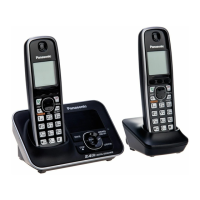
Model shown is KX-TGD560.
Before initial use, see “Getting Started”
on page 11.
Thank you for purchasing a Panasonic product.
Please read these operating instructions before using the unit and save them for
future reference.
Consulte “Guía Rápida Española”, página 73.
For assistance, visit our Web site: http://shop.panasonic.com/support for
customers in the U.S.A.
Please register your product: http://shop.panasonic.com/support

Questions and Answers

Summary

Introduction

Model composition

Lists model numbers, part numbers for base unit and handset, and quantities.

Bluetooth devices

Describes expanding the system by pairing Bluetooth cellular phones and headsets.

Important Information

For your safety

Crucial safety warnings regarding power connection and installation to prevent injury.

Battery

Recommendations for using and handling rechargeable batteries, including safety precautions.

Installation and location

Guidance on safe installation practices and choosing appropriate locations for the unit.

Important safety instructions

Essential safety precautions to follow when using the product, including risks of electric shock and fire.

Getting Started

Setting up

Step-by-step instructions for connecting the base unit, charger, and telephone line.

Display icons;Indicators

Explains the meaning of various icons and indicators displayed on the handset.

Battery installation

Details the correct procedure for installing rechargeable batteries in the handset.

Battery charging

Explains the charging process, indicators, and notes for charging handset batteries.

Link to Cell

Link to cell feature

Introduces the feature allowing cellular calls via Bluetooth, its benefits, and important notes.

Link to cell settings

Details how to select which unit receives cellular calls and how to set the ring tone.

Pairing a cellular phone

Provides step-by-step instructions for pairing a cellular phone to the base unit.

Making;Answering Calls

Making cellular calls

Provides instructions on how to make calls using a paired cellular phone.

Answering calls

Instructions on how to answer incoming calls.

Making landline calls

Provides instructions on how to make calls using the landline.

Phonebook

Phonebook

Overview of phonebook capacity, groups, and sharing capabilities.

Adding phonebook entries

Step-by-step guide to adding new entries with names, numbers, and groups.

Programming

Menu list

Explains two methods to access features: scrolling menus or using direct command codes.

Link to cell

Configuration options for linking to cell phones, including device management and ringer settings.

Alarm

How to set alarms, memos, and snooze functions.

Registering a unit

Instructions for registering additional handsets to the base unit.

Deregistering a handset

Step-by-step instructions to cancel a handset's registration.

Call block

Options for blocking calls by number, range, or unknown CID.

Phonebook transfer

Options for transferring phonebook data from a cellular phone.

Caller ID Service

Using Caller ID service

How to subscribe to and use the Caller ID service.

Caller ID features

Explains how caller information is displayed and logged.

Viewing the caller list and calling back

How to view the caller list and make calls from it.

Using Bluetooth Devices

Copying phonebook from a cellular phone (phonebook transfer)

Step-by-step instructions for copying phonebook entries from a cellular phone.

Link to Cell app

Information on the Link to Cell app for Android smartphones to integrate with the DECT phone.

Alert settings for your DECT phone

How to configure alerts for notifications from a paired cellular phone.

Remote voice assist

How to operate cellular phone voice recognition features using the handset.

Pairing a Bluetooth headset to the base unit

Step-by-step instructions for pairing a Bluetooth headset.

Using a Bluetooth headset (optional)

How to pair and use an optional Bluetooth headset for hands-free calls.

Answering System for Landline

Answering system for landline

Overview of the answering system's capabilities and important settings.

Listening to messages

How to play back new or all recorded messages.

Remote operation

How to access and control the answering system remotely.

Using the answering system remotely

Step-by-step guide to operating the answering system from an external phone.

Turning the answering system on;off

How to enable or disable the answering system.

Recording your greeting message

Step-by-step guide to recording a personalized greeting.

Useful Information

Error messages

Lists common error messages and their causes/solutions.

Troubleshooting

General use

Solutions for common issues like handset not turning on or unit not working.

Guía Rápida Española

Enlace a celular

Spanish instructions for pairing a cellular phone via Bluetooth and explaining CELL indicator status.

Summary

Introduction

Model composition

Lists model numbers, part numbers for base unit and handset, and quantities.

Bluetooth devices

Describes expanding the system by pairing Bluetooth cellular phones and headsets.

Important Information

For your safety

Crucial safety warnings regarding power connection and installation to prevent injury.

Battery

Recommendations for using and handling rechargeable batteries, including safety precautions.

Installation and location

Guidance on safe installation practices and choosing appropriate locations for the unit.

Important safety instructions

Essential safety precautions to follow when using the product, including risks of electric shock and fire.

Getting Started

Setting up

Step-by-step instructions for connecting the base unit, charger, and telephone line.

Display icons;Indicators

Explains the meaning of various icons and indicators displayed on the handset.

Battery installation

Details the correct procedure for installing rechargeable batteries in the handset.

Battery charging

Explains the charging process, indicators, and notes for charging handset batteries.

Link to Cell

Link to cell feature

Introduces the feature allowing cellular calls via Bluetooth, its benefits, and important notes.

Link to cell settings

Details how to select which unit receives cellular calls and how to set the ring tone.

Pairing a cellular phone

Provides step-by-step instructions for pairing a cellular phone to the base unit.

Making;Answering Calls

Making cellular calls

Provides instructions on how to make calls using a paired cellular phone.

Answering calls

Instructions on how to answer incoming calls.

Making landline calls

Provides instructions on how to make calls using the landline.

Phonebook

Phonebook

Overview of phonebook capacity, groups, and sharing capabilities.

Adding phonebook entries

Step-by-step guide to adding new entries with names, numbers, and groups.

Programming

Menu list

Explains two methods to access features: scrolling menus or using direct command codes.

Link to cell

Configuration options for linking to cell phones, including device management and ringer settings.

Alarm

How to set alarms, memos, and snooze functions.

Registering a unit

Instructions for registering additional handsets to the base unit.

Deregistering a handset

Step-by-step instructions to cancel a handset's registration.

Call block

Options for blocking calls by number, range, or unknown CID.

Phonebook transfer

Options for transferring phonebook data from a cellular phone.

Caller ID Service

Using Caller ID service

How to subscribe to and use the Caller ID service.

Caller ID features

Explains how caller information is displayed and logged.

Viewing the caller list and calling back

How to view the caller list and make calls from it.

Using Bluetooth Devices

Copying phonebook from a cellular phone (phonebook transfer)

Step-by-step instructions for copying phonebook entries from a cellular phone.

Link to Cell app

Information on the Link to Cell app for Android smartphones to integrate with the DECT phone.

Alert settings for your DECT phone

How to configure alerts for notifications from a paired cellular phone.

Remote voice assist

How to operate cellular phone voice recognition features using the handset.

Pairing a Bluetooth headset to the base unit

Step-by-step instructions for pairing a Bluetooth headset.

Using a Bluetooth headset (optional)

How to pair and use an optional Bluetooth headset for hands-free calls.

Answering System for Landline

Answering system for landline

Overview of the answering system's capabilities and important settings.

Listening to messages

How to play back new or all recorded messages.

Remote operation

How to access and control the answering system remotely.

Using the answering system remotely

Step-by-step guide to operating the answering system from an external phone.

Turning the answering system on;off

How to enable or disable the answering system.

Recording your greeting message

Step-by-step guide to recording a personalized greeting.

Useful Information

Error messages

Lists common error messages and their causes/solutions.

Troubleshooting

General use

Solutions for common issues like handset not turning on or unit not working.

Guía Rápida Española

Enlace a celular

Spanish instructions for pairing a cellular phone via Bluetooth and explaining CELL indicator status.

Panasonic KX-TG3760 Specifications

General IconGeneral
BrandPanasonic
ModelKX-TG3760
CategoryCordless Telephone
LanguageEnglish

Related product manuals