EasyManua.ls Logo

Panasonic KX-TG3719BX - User Manual

Panasonic KX-TG3719BX
56 pages
Print Icon
To Next Page IconTo Next Page
Loading...
Thank you for purchasing a Panasonic product.
Please read these operating instructions before using the unit and save them for
future reference.
This unit is compatible with Caller ID. You must subscribe to the appropriate service
offered by your service provider/telephone company.
Before initial use, see “Getting Started”
on page 9.
Please access our online customer survey:
http://panasonic.net/pcc/tel/q
2.4 GHz Digital Cordless Answering System
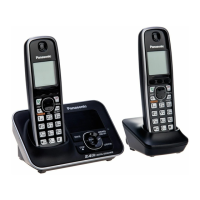
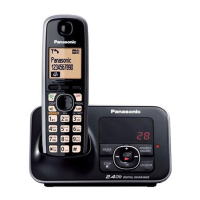
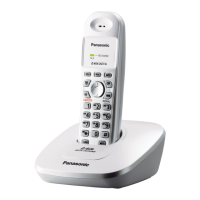
Model shown is KX-TG3711.
KX-TG3721BX/KX-TG3722BX
KX-TG3721SX/KX-TG3722SX
KX-TG3821BX
KX-TG3821JX/KX-TG3822JX
KX-TG3821SX
2.4 GHz Digital Cordless Phone
KX-TG3711BX/KX-TG3712B
X
KX-TG3719B
X
KX-TG3711SX/KX-TG3712S
X
KX-TG3811B
X
KX-TG3811J
X
KX-TG3811S
X
Model No.
Model No.
Operating Instructions
TG37xx38xxBX(e).book Page 1 Wednesday, June 8, 2011 2:08 PM

Questions and Answers

Summary

Introduction

Important Information

For Your Safety

Safety precautions for product usage.

Battery

Recommendations and warnings about battery usage.

Important Safety Instructions

Basic safety precautions to reduce risks.

Getting Started

Setting Up

Step-by-step guide for initial connection and setup.

Connections

Details on connecting the AC adaptor and phone line.

Battery Charging

Instructions for charging the handset batteries.

Note When Setting Up

Important notes regarding connections, battery installation, and charging.

Controls

Identifies and explains handset controls and features.

Base Unit

Identifies and explains base unit controls and features.

Control Type

Explains soft keys and navigator key functions.

Date and Time

Steps to set the unit's date and time.

Making;Answering Calls

Using the Handset

Steps for making calls using the handset.

Using the Speakerphone

Instructions for using the speakerphone on the handset.

Using the Base Unit

Steps for making calls using the base unit.

Answering Calls

How to answer incoming calls on the handset.

Useful Features During a Call

Explains features like Hold, Mute, Flash, Call Waiting.

Power Back-up Operation

How the unit operates during a power failure.

Phonebook

Adding Entries

Steps to add names and phone numbers to the phonebook.

Finding and Calling from a Phonebook Entry

How to locate and dial contacts from the phonebook.

Programming

Programmable Settings

Overview of customizable features via menus or codes.

Caller ID Service

Answering System

Turning the Answering System On;Off

Instructions to activate or deactivate the answering system.

Remote Operation

Answering System Settings

Intercom;Locator

Transferring Calls, Conference Calls

Error Messages

Troubleshooting

General Use

Solutions for common issues like handset not turning on or no dial tone.

Registering a Handset to the Base Unit

Summary

Introduction

Important Information

For Your Safety

Safety precautions for product usage.

Battery

Recommendations and warnings about battery usage.

Important Safety Instructions

Basic safety precautions to reduce risks.

Getting Started

Setting Up

Step-by-step guide for initial connection and setup.

Connections

Details on connecting the AC adaptor and phone line.

Battery Charging

Instructions for charging the handset batteries.

Note When Setting Up

Important notes regarding connections, battery installation, and charging.

Controls

Identifies and explains handset controls and features.

Base Unit

Identifies and explains base unit controls and features.

Control Type

Explains soft keys and navigator key functions.

Date and Time

Steps to set the unit's date and time.

Making;Answering Calls

Using the Handset

Steps for making calls using the handset.

Using the Speakerphone

Instructions for using the speakerphone on the handset.

Using the Base Unit

Steps for making calls using the base unit.

Answering Calls

How to answer incoming calls on the handset.

Useful Features During a Call

Explains features like Hold, Mute, Flash, Call Waiting.

Power Back-up Operation

How the unit operates during a power failure.

Phonebook

Adding Entries

Steps to add names and phone numbers to the phonebook.

Finding and Calling from a Phonebook Entry

How to locate and dial contacts from the phonebook.

Programming

Programmable Settings

Overview of customizable features via menus or codes.

Caller ID Service

Answering System

Turning the Answering System On;Off

Instructions to activate or deactivate the answering system.

Remote Operation

Answering System Settings

Intercom;Locator

Transferring Calls, Conference Calls

Error Messages

Troubleshooting

General Use

Solutions for common issues like handset not turning on or no dial tone.

Registering a Handset to the Base Unit

Panasonic KX-TG3719BX Specifications

General IconGeneral
BrandPanasonic
ModelKX-TG3719BX
CategoryCordless Telephone
LanguageEnglish

Related product manuals