EasyManua.ls Logo

Panasonic KX-TG3721BX - User Manual

Panasonic KX-TG3721BX
56 pages
Print Icon
To Next Page IconTo Next Page
Loading...
Thank you for purchasing a Panasonic product.
Please read these operating instructions before using the unit and save them for
future reference.
This unit is compatible with Caller ID. You must subscribe to the appropriate service
offered by your service provider/telephone company.
Before initial use, see “Getting Started”
on page 9.
Please access our online customer survey:
http://panasonic.net/pcc/tel/q
2.4 GHz Digital Cordless Answering System
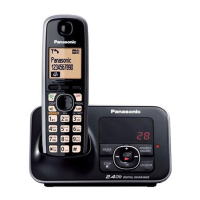
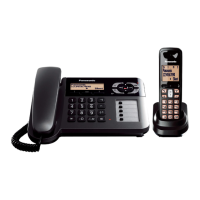
Model shown is KX-TG3711.
KX-TG3721BX/KX-TG3722BX
KX-TG3721SX/KX-TG3722SX
KX-TG3821BX
KX-TG3821JX/KX-TG3822JX
KX-TG3821SX
2.4 GHz Digital Cordless Phone
KX-TG3711BX/KX-TG3712B
X
KX-TG3719B
X
KX-TG3711SX/KX-TG3712S
X
KX-TG3811B
X
KX-TG3811J
X
KX-TG3811S
X
Model No.
Model No.
Operating Instructions
TG37xx38xxBX(e).book Page 1 Wednesday, June 8, 2011 2:08 PM

Questions and Answers

Summary

Important Information

For Your Safety

Provides critical warnings and precautions for safe operation to prevent injury or property damage.

Battery

Advises on proper handling, type, and care of rechargeable batteries to ensure safety and performance.

Getting Started

Setting Up

Provides step-by-step instructions for connecting the base unit and telephone line, including DSL/ADSL filter use.

Controls

Identifies and explains the functions of buttons and indicators on the handset and base unit.

Making;Answering Calls

Making Calls

Details how to initiate calls using the handset, speakerphone, and redial list from both handset and base unit.

Answering Calls

Describes how to receive incoming calls using the handset or base unit, including auto talk and ringer volume adjustment.

Phonebook

Programming

Programmable Settings

Introduces methods to customize unit features via display menus or direct command codes.

Caller ID Service

Using Caller ID Service

Explains the requirements and benefits of subscribing to Caller ID service for identifying incoming calls.

Caller List

Details how to view the history of incoming calls, including missed calls and caller information.

Answering System

Turning the Answering System On;Off

Instructions for activating or deactivating the answering system using the base unit or handset.

Remote Operation

Describes how to manage the answering system functions, like listening to messages, from an external touch-tone phone.

Intercom;Locator

Useful Information

Troubleshooting

Offers solutions for common problems encountered during general use, programmable settings, and battery recharge.

Summary

Important Information

For Your Safety

Provides critical warnings and precautions for safe operation to prevent injury or property damage.

Battery

Advises on proper handling, type, and care of rechargeable batteries to ensure safety and performance.

Getting Started

Setting Up

Provides step-by-step instructions for connecting the base unit and telephone line, including DSL/ADSL filter use.

Controls

Identifies and explains the functions of buttons and indicators on the handset and base unit.

Making;Answering Calls

Making Calls

Details how to initiate calls using the handset, speakerphone, and redial list from both handset and base unit.

Answering Calls

Describes how to receive incoming calls using the handset or base unit, including auto talk and ringer volume adjustment.

Phonebook

Programming

Programmable Settings

Introduces methods to customize unit features via display menus or direct command codes.

Caller ID Service

Using Caller ID Service

Explains the requirements and benefits of subscribing to Caller ID service for identifying incoming calls.

Caller List

Details how to view the history of incoming calls, including missed calls and caller information.

Answering System

Turning the Answering System On;Off

Instructions for activating or deactivating the answering system using the base unit or handset.

Remote Operation

Describes how to manage the answering system functions, like listening to messages, from an external touch-tone phone.

Intercom;Locator

Useful Information

Troubleshooting

Offers solutions for common problems encountered during general use, programmable settings, and battery recharge.

Panasonic KX-TG3721BX Specifications

General IconGeneral
BrandPanasonic
ModelKX-TG3721BX
CategoryCordless Telephone
LanguageEnglish

Related product manuals