EasyManua.ls Logo

Panasonic KX-TG5421 - User Manual

Panasonic KX-TG5421
68 pages
Print Icon
To Next Page IconTo Next Page
Loading...
This unit is compatible with Caller ID. To use this feature, you must
subscribe to the appropriate service offered by your service provider.
Please read these Operating Instructions before using the unit and save
for future reference.
For assistance, visit our website: http://www.panasonic.com for
customers in the U.S.A. or Puerto Rico.
Charge the battery for 6 hours before initial use.
5.8 GHz Digital Cordless Phone
Model No.
KX-TG5421
Operating Instructions
5.8 GHz Digital Cordless Phone
with Dual Handsets
Model No.
KX-TG5422
5.8 GHz Digital Cordless Phone
with Three Handsets
Model No.
KX-TG5423
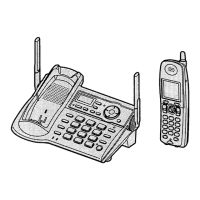
Model shown is KX-TG5421.

Table of Contents

Other manuals for Panasonic KX-TG5421

Questions and Answers

  • C
    cochranalexanderSep 9, 2025
    What should I do if my Panasonic KX-TG5421 Cordless Telephone rings while storing a phonebook entry?
    • J
      Jose McdonaldSep 9, 2025
      If, while storing an item in the phonebook, the handset starts to ring, a call is being received. Answer the call and start again from the beginning after hanging up.
  • A
    Anita GomezSep 8, 2025
    What happens if my Panasonic KX-TG5421 rings while programming?
    • E
      Evan BanksSep 8, 2025
      If, while programming, the handset starts to ring, a call is being received. Answer the call and start again from the beginning after hanging up.
  • R
    Ronald SuarezAug 22, 2025
    What to do if my Panasonic Cordless Telephone does not work?
    • A
      Alicia HamiltonAug 22, 2025
      If your Panasonic Cordless Telephone is not working, ensure the battery is correctly installed, check all connections, and fully charge the battery. Clean the charge contacts and try charging again. You can also try to unplug the base unit’s AC adaptor to reset the unit, then reconnect it. Another thing to try is to re-install the battery and fully charge it.
  • C
    Christina JonesSep 6, 2025
    Why can't I use a headset with my Panasonic KX-TG5421 Cordless Telephone?
    • J
      Jennifer RoweSep 6, 2025
      If you cannot have a conversation using the headset on your Panasonic Cordless Telephone, make sure that an optional headset is connected properly. If “SP-phone” is displayed on the handset, press {C} to switch to the headset.
  • J
    jgoodwinSep 3, 2025
    Why can't I store a number in my Panasonic Cordless Telephone phonebook?
    • J
      Joshua StewartSep 3, 2025
      If you cannot store an item in the phonebook on your Panasonic Cordless Telephone, it may be because you cannot store an item while the handset is in talk, speakerphone, or intercom mode. Also, do not pause for over 1 minute while storing.
  • O
    ortizjulieSep 2, 2025
    What to do if Panasonic Cordless Telephone still shows 'Recharge battery' after full charge?
    • B
      Brandon BrownSep 2, 2025
      If you have fully charged the battery, but your Panasonic Cordless Telephone still displays “Recharge battery” and/or 7 continues to flash, or “Charge for 6h” and 8 are displayed, clean the charge contacts and charge again. The battery may need to be replaced. If you install a new battery, fully charge it.
  • T
    terri46Sep 1, 2025
    Why can't I make a call on my Panasonic Cordless Telephone?
    • L
      Linda JordanSep 1, 2025
      If you cannot make a call on your Panasonic Cordless Telephone, the dialing mode may be set incorrectly; set the dial mode to match the type of telephone service you have (tone or pulse). If another handset is in use, you may not be able to make a call; try again later.
  • E
    Erik KirkAug 31, 2025
    Why does my Panasonic KX-TG5421 display 'Recharge battery'?
    • T
      Tamara NguyenAug 31, 2025
      If your Panasonic Cordless Telephone displays “Recharge battery”, 7 flashes, or the handset beeps intermittently, fully charge the battery.
  • S
    spriceAug 30, 2025
    What to do if my Panasonic Cordless Telephone says 'No link to base'?
    • W
      wdavisAug 30, 2025
      If your Panasonic Cordless Telephone displays “No link to base. Move closer to base, try again.” and an alarm tone sounds, it could be that the handset is too far from the base unit; move closer and try again. Ensure that the base unit’s AC adaptor is plugged in and raise the base unit antennas. If these steps don't work, the handset may have lost communication with the base unit, so you may need to register the handset again.
  • M
    Michael AndersonAug 28, 2025
    How to fix static and sound cutting out on Panasonic KX-TG5421 Cordless Telephone?
    • A
      Angela HarveyAug 28, 2025
      If you are experiencing static or sound cutting in and out on your Panasonic Cordless Telephone, and suspect interference from other electrical units, move the handset and the base unit away from other electrical appliances. Try moving closer to the base unit and raising the base unit antennas. You might also want to turn on the clarity booster feature. If your unit is connected to a telephone line with xDSL service, consider connecting a noise filter between the base unit and the telephone line jack.

Summary

Introduction

Your phone

Shows the different models of the Panasonic phone.

Important safety instructions

Crucial safety precautions for using the product.

For best performance

Guidelines for optimal phone operation and placement.

Accessory information

Included accessories

Lists accessories provided with the phone and their order numbers.

Additional;replacement accessories

Lists optional accessories available for purchase.

Preparation

Connections

Details on connecting the base unit and charger.

Battery installation

Step-by-step guide to installing the battery.

Battery charge

Instructions for charging the handset battery.

Battery replacement

How to replace the handset battery when performance degrades.

Controls and displays

Identifies buttons and displays on the base unit and handset.

Making;Answering Calls

Making calls

Instructions on how to initiate phone calls.

Answering calls

How to receive incoming calls.

Useful features during a call

Explains features like HOLD, MUTE, Voice enhancer.

Phonebook

Adding items to the phonebook

Step-by-step guide to adding contacts.

Calling someone in the phonebook

How to dial contacts from the phonebook.

Editing items in the phonebook

Modifying existing contact information.

Caller ID Service

Using Caller ID service

Overview of Caller ID features.

Ringer ID and light-up ID

Assigning ringtones and colors to callers.

Viewing the caller list and calling back

Accessing and returning calls from the list.

Intercom Features

Handset locator

Finding misplaced handsets.

Intercom (KX-TG5422 and KX-TG5423 only)

Making calls between handsets.

Transferring a call

Moving an outside call to another handset.

Voice Mail Service

Storing the Voice Mail (VM) access number

Setting up the voicemail access number.

Listening to Voice Mail messages

Accessing and listening to voicemails.

Programmable Settings

Guide to handset programming

Chart of programmable features and their pages.

Ringer settings

Adjusting ringer volume and tone.

Telephone settings

Configuring dialing mode, flash time, and line mode.

Programming via direct commands

Using codes to program features directly.

Useful Information

Headset (optional)

Connecting and using an optional headset.

Error messages

Common error messages and their solutions.

FCC and other information

Regulatory compliance and FCC information.

Warranty

Details of the product's limited warranty.

Customer services

Contact information and support resources.

Panasonic KX-TG5421 Specifications

General IconGeneral
Number of Handsets1
Frequency1.9 GHz
Caller IDYes
Talk TimeUp to 10 hours
DisplayLCD
Battery TypeNi-MH
SpeakerphoneYes
Answering SystemYes
Call WaitingYes
IntercomYes
Answering MachineYes
Power SourceAC Adapter
Phonebook Capacity50
RangeUp to 1000 feet
ExpandableYes
TypeCordless Telephone

Related product manuals