EasyManua.ls Logo

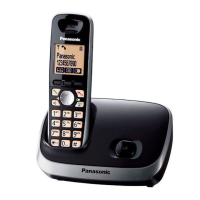
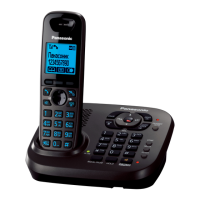
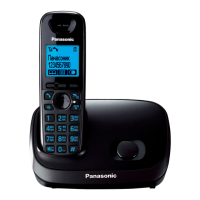
Panasonic KX-TG6572R - User Manual

Panasonic KX-TG6572R
88 pages
Print Icon
To Next Page IconTo Next Page
Loading...
© Panasonic System Networks Co., Ltd. 2010
Unauthorized copying and distribution is a violation
of law.
ORDER NO. KM41009258CE
F13
Telephone Equipment
Model No. KX-TG6572C
KX-TG6572R
KX-TGA653C
KX-TGA653R
Expandable Digital Cordless Answering
System
C: Dark Blue Metallic Version
R: Wine Red Version
(for U.S.A)

Table of Contents

Questions and Answers

  • J
    Joseph GutierrezSep 23, 2025
    What to do if my Panasonic Cordless Telephone got wet?
    • W
      williamlewisSep 23, 2025
      If liquid or other moisture has entered your Panasonic Cordless Telephone handset/base unit, disconnect the AC adaptor and telephone line cord from the base unit. Remove the batteries from the handset and leave to dry for at least 3 days. After drying, reconnect the AC adaptor and telephone line cord, insert the batteries, and charge fully before use. If it still doesn't work, contact an authorized service center.
  • T
    thomasthomasAug 23, 2025
    How to fix no dial tone on Panasonic KX-TG6572R?
    • P
      Peggy NicholsAug 23, 2025
      If you cannot hear a dial tone on your Panasonic Cordless Telephone, ensure the base unit’s AC adaptor or telephone line cord is properly connected. If the connections are correct, disconnect the base unit from the telephone line and connect the line to a known working telephone. If the working telephone operates properly, contact our service personnel to have the unit repaired. If the working telephone does not operate properly, contact your service provider/ telephone company.
  • B
    Betty SmithAug 25, 2025
    Why is my Panasonic KX-TG6572R Cordless Telephone not ringing?
    • R
      Richard MitchellAug 26, 2025
      If your Panasonic Cordless Telephone handset does not ring, check that the ringer volume is not turned off and adjust it. Also, make sure silent mode is turned off.
  • R
    robertwallerAug 26, 2025
    What to do if my Panasonic KX-TG6572R is not working?
    • E
      emorrisAug 27, 2025
      If your Panasonic Cordless Telephone unit isn't working, ensure the batteries are installed correctly. Fully charge the batteries. Check all connections. Unplug the base unit’s AC adaptor to reset the unit, then reconnect it. Also, the handset may not be registered to the base unit, so register the handset.
  • D
    Daniel MartinezAug 27, 2025
    How to correct the time on my Panasonic KX-TG6572R Cordless Telephone?
    • H
      Hannah MasonAug 27, 2025
      If the time on your Panasonic Cordless Telephone has shifted, it could be due to incorrect time information from incoming Caller ID. Set the time adjustment to “Manual” (off).
  • C
    Cindy MartinezSep 16, 2025
    Why doesn't my Panasonic KX-TG6572R show the 2nd caller ID?
    • M
      Michael HernandezSep 16, 2025
      If the 2nd caller’s information is not displayed during an outside call on your Panasonic Cordless Telephone, you must subscribe to Caller ID, call waiting, or Call Waiting Caller ID (CWID) from your service provider. After subscribing, you may need to contact them again to activate the specific service.
  • N
    nancy42Sep 13, 2025
    Why is caller ID delayed on my Panasonic KX-TG6572R?
    • J
      John SmithSep 13, 2025
      If caller information is displayed or announced late on your Panasonic Cordless Telephone, it may be due to your service provider, who may display or announce the caller’s information at the 2nd ring or later. Also, try moving closer to the base unit.
  • B
    Beth ChangSep 15, 2025
    Why can't I dial edited numbers on my Panasonic Cordless Telephone?
    • L
      Lisa JohnsonSep 15, 2025
      If you cannot dial the phone number edited in the caller list on your Panasonic Cordless Telephone, the phone number might have been edited incorrectly (for example, the long distance “1” or the area code is missing). Edit the phone number with another pattern.
  • B
    bauermichaelSep 6, 2025
    Why is caller ID not announced on my Panasonic KX-TG6572R Cordless Telephone?
    • J
      juancoleSep 6, 2025
      If caller information is not announced on your Panasonic Cordless Telephone, ensure the handset or base unit’s ringer volume is not turned off and adjust it. Also, verify that the Talking Caller ID feature is turned on. Check that the number of rings for the answering system is not set to “2 rings” or “Toll saver”, and select a different setting. If the base unit and another handset are having an intercom call, your handset will not announce caller information.
  • N
    Nicholas MullinsSep 3, 2025
    What to do if Panasonic KX-TG6572R handset does not turn on?
    • C
      Charles PowersSep 3, 2025
      If the handset of your Panasonic Cordless Telephone doesn't turn on even after installing charged batteries, place the handset on the base unit or charger to turn it on.

Panasonic KX-TG6572R Specifications

General IconGeneral
TypeDECT telephone
IntercomYes
Answering machineNo
Languages supportENG, ESP
Phonebook capacity50 entries
Redial list capacity5
User memory phonebook16
Display number of lines1 lines
Display number of colorsMonochrome
Display size (HxV) (imperial)1.8 x 1.8 \
Frequency band1.9 GHz
Channels quantity60 channels
Dimensions (WxDxH)213 x 157 x 147 mm
Mounting typeDesk
Product colorRed
Battery typeAAA
Standby time264 h
Battery technologyNickel-Metal Hydride (NiMH)
Battery recharge time7 h
Weight and Dimensions IconWeight and Dimensions
Weight997 g
Base weight3220 g
Handset weight1859 g
Base dimensions144 x 129 x 83 mm
Handset dimensions (WxDxH)48 x 33 x 160 mm

Related product manuals